Understanding OmniAgent: Chatly's AI Agent That Does the Work for You
You had a solid creative idea this morning. You knew exactly what you wanted.
But executing it meant bouncing between tools, one to generate the image, one for the video, another for the audio, reformatting outputs at every step. By the time you got halfway through, the idea had lost its shape and you no longer had the motivation to start again.
This is a real problem, and for years, there was no single tool to solve this.
OmniAgent exists because of this broken process. It is Chatly's AI agent that takes one prompt and handles everything, start to finish, so the idea you start with is the one you actually finish.
With OmniAgent you:
-
Enter one detailed and contextual prompt in Chatly, instead of using 5 tools
-
Get a dedicated sandbox environment, spun up for your specific task
-
Get output delivered to you in chat, where you can refine or download it
-
Iterate or make improvements by chatting with the agent and not starting over
Before getting into how OmniAgent works and what makes it different, it helps to understand why something like this was needed in the first place.
The Problem OmniAgent Was Built to Solve
AI got good at individual tasks fast.
Generating an image, writing a script, producing audio, all of that became possible early on. But each tool solved one piece of the puzzle and stopped there.
You were still the one holding everything together. Moving outputs from one tool to the next, re-prompting with fresh context, reformatting for compatibility, repeating the cycle until something stuck.
Every handoff was a friction point, and every friction point was a place where time got wasted and momentum broke:
-
No single tool could take a goal and see it through end-to-end
-
Every transition between tools required manual input from you
-
Context got lost between steps, meaning you had to re-explain the same idea repeatedly
-
The more complex the task, the more tools involved, and the worse the problem got
That coordination gap is what a multi-function AI agentic workflow closes. An AI agent is not a chatbot that responds and waits for the next prompt. It takes a goal, breaks it into steps, executes those steps using the right tools and resources, and delivers a finished result.
OmniAgent does all that, and more. The difference between getting an answer and getting something done is OmniAgent, built directly into Chatly.
What Is OmniAgent?
OmniAgent is Chatly's built-in AI agent.
Describe what you want in plain language with full context, and it handles the entire process inside a dedicated sandbox environment, with the specialized skills and compute your task actually needs.
OmniAgent does not just respond to your prompt like AI Chatbots. It is built in a way that it plans the execution, runs it, and delivers the output directly in your chat.
A dedicated sandboxed environment means complex multi-step work runs with dedicated resources and nothing carries over from one task to the next.
This ensures every task has its own, isolated context and every new task that you assign to the agent does not get impacted through memory leaks.
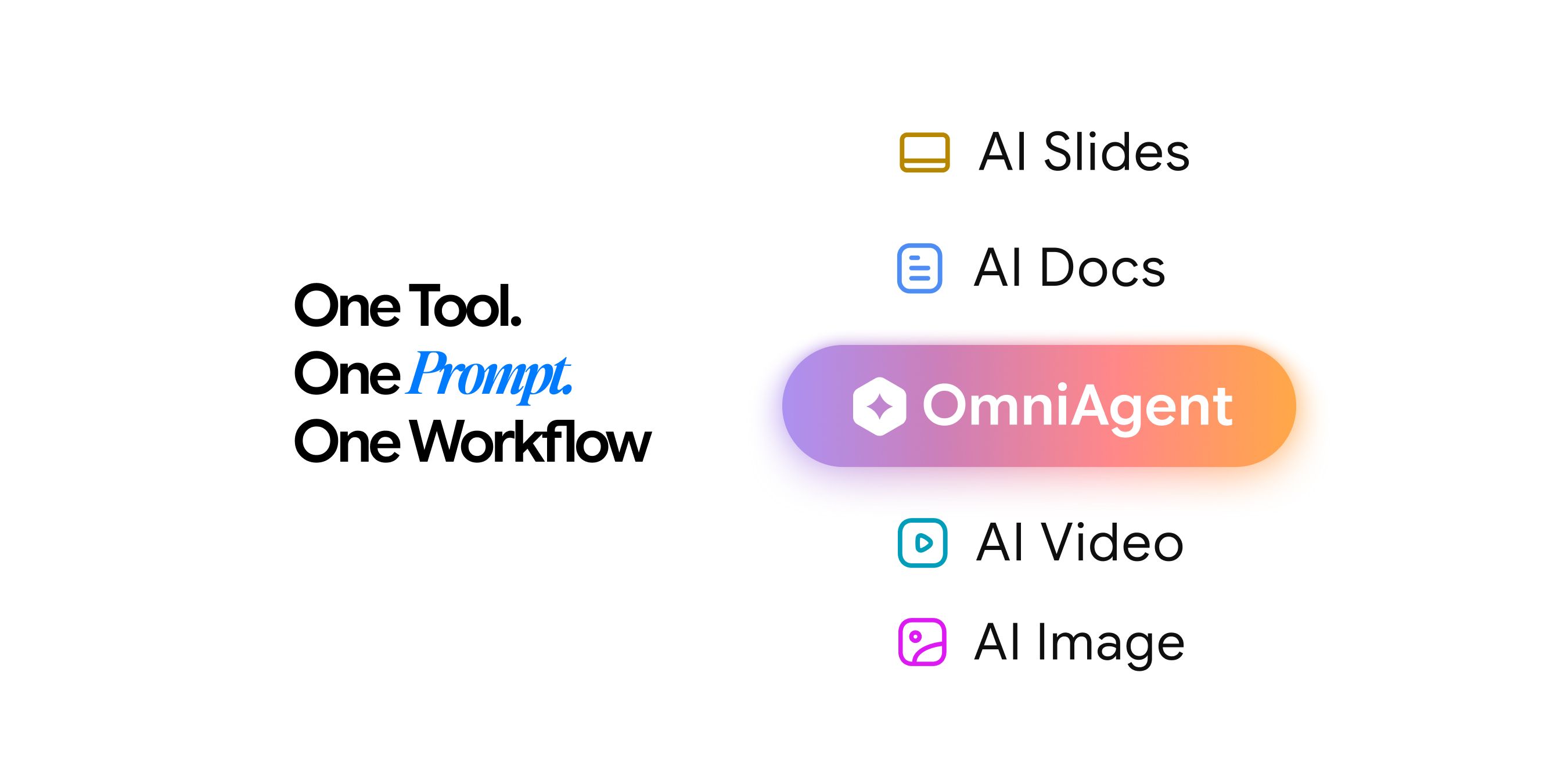
OmniAgent by Chatly is a general-purpose AI agent, which means it is not locked into one output type. Current capabilities include:
-
Image generation: original artwork, concept visuals, illustrations, and mockups
-
Video production: short clips, animated sequences, and motion content from a text description
-
Music composition: original tracks, soundscapes, and audio snippets tailored to your brief
-
AI Dispatch: daily scheduled tasks delivered on time within chat, Slack DMs, or your email.
More capabilities to OmniAgent are being added as the platform grows. The architecture is built to expand, so what OmniAgent can do today is not the limit of what it will do.
How OmniAgent Works
Most AI tools are stateless. You prompt, they respond, and the session ends there. OmniAgent operates on a different level.
When you submit a task to OmniAgent, here is what actually happens:
-
A sandboxed environment spins up built specifically for your request, loaded with the specialized skills and compute that job actually needs
-
OmniAgent plans before it acts, breaking your goal into steps rather than jumping straight to generating something
-
The steps run using subagents, so different parts of your task can move in parallel rather than waiting in a queue
-
The output lands directly in your chat, ready to review, refine, or download the moment it is done
What Is The Sandbox Environment?
Every task OmniAgent takes on runs in its own isolated sandboxed environment. This is what makes complex, multi-step work reliable rather than fragile:
-
Each task gets its own dedicated compute resources
-
Every new request starts in a clean, isolated environment
-
Multi-step projects retain full context throughout without losing the thread
-
OmniAgent loads exactly the skills and tools that specific task requires
Subagents and LangGraph
OmniAgent runs a lead agent that handles all the planning and reasoning.
Once the plan is set, subagents take on specific parts of the execution and can run at the same time, so your task is not moving through a slow linear queue. LangGraph keeps the sequencing and flow organized across multiple turns, making sure nothing gets dropped as the task progresses.
How many subagents OmniAgent can run, how many turns it gets, and how much thinking capacity it has all come down to which mode you are using.
How OmniAgent's Modes Work
OmniAgent gives you three modes. The right mode depends on how complex your task is and how polished the output needs to be. Let’s go through them one by one.
Thinking Mode
Thinking is the lightest and fastest OmniAgent mode, built for quick everyday tasks where speed matters more than depth. It runs up to 5 concurrent subagents across 40 LangGraph turns, with a 5,000 token thinking budget and a 15,500 token summarization trigger.
Use Thinking when the request is simple, you are experimenting with an idea, or you want a fast first output to iterate from.
Pro Mode
Pro Mode of the AI agent doubles the reasoning capacity of Thinking. It runs up to 10 concurrent subagents across 80 LangGraph turns, with the same 5,000 token thinking budget but a significantly larger 25,000 token summarization trigger. That extra context window is what keeps longer, more complex tasks coherent mid-session.
Use Pro when the task involves multiple elements, needs back-and-forth refinement, or Thinking mode is not delivering the output quality you need.
Ultra Mode
Ultra Mode is OmniAgent at full capacity and the only mode that uses Claude Sonnet 4.6 as the lead agent. That shift brings noticeably deeper reasoning, stronger instruction-following, and sharper creative judgment. It runs up to 10 concurrent subagents across 150 LangGraph turns, with a 10,000 token thinking budget and a 50,000 token summarization trigger, giving OmniAgent the room to sustain long, detailed sessions without losing context.
Use Ultra when the project is complex, the output needs to be final-quality, or the task has many interdependent steps where reasoning depth directly affects the result.
How OmniAgent’s Three Modes Compare
Ultra is in a different category. The lead model switches to Claude Sonnet 4.6, the subagent model moves to Gemini 3.0 Flash, LangGraph turns go up to 150, the thinking budget doubles to 10,000 tokens, and the summarization trigger extends to 50,000 tokens. More reasoning power, more context, more room to get complex work right.
As a general rule: start with Thinking to explore, move to Pro when the task gets involved, and run Ultra when the output needs to be the best it can be. You can switch modes mid-session at any point.
AI Chat Models You Can Use in OmniAgent
OmniAgent gives you access to leading AI models across multiple providers. Each model has different strengths, speed, and cost profiles. Here is a breakdown by provider and a quick comparison at the end to help you decide.
Anthropic (Claude) AI Models
Four models covering the full range from fast and cost-efficient to frontier-level reasoning. The standout for most users is Claude Sonnet 4.6, the best everyday value with a 1 million token context window, strong coding performance, and reliable multi-step reasoning. It handles the vast majority of complex tasks without needing a more expensive model.
For frontier-level work, Claude Opus 4.7 is Anthropic's newest flagship. It brings 3x higher vision resolution, a self-verification layer, and the strongest agentic coding performance in the Claude lineup. Use it when precision and instruction-following are critical.
See all Claude models available in OmniAgent →
Google (Gemini) AI Models
The standout here is Gemini 3 Pro which is Google's most capable model with native Google Search and code execution built in. Use it for complex research synthesis, multimodal document analysis across text, images, audio, and video, and long-form professional writing.
See all Gemini models available in OmniAgent →
xAI (Grok) AI Models
Grok 4.1 Fast is the one to know here. It carries the largest context window available across any model on OmniAgent at 2 million tokens, and is built specifically for tool-calling and multi-step agent workflows. If your task involves long documents or tool-heavy automations, this is the right pick.
See all Grok models available in OmniAgent →
OpenAI (GPT) AI Models
See all GPT models available in OmniAgent →
DeepSeek and Moonshot AI’s AI Models
For cost-effective high-volume coding, DeepSeek V4 outperforms GPT-4o on competitive programming benchmarks at a fraction of the cost. For extended autonomous coding and scientific research automation, Kimi K2.6 from Moonshot AI is the leading open-weights model on the Artificial Analysis Intelligence Index.
See DeepSeek and Moonshot AI models in OmniAgent →
Which Model Should You Pick?
The honest answer is that most users will not need to think about this too hard. Claude Sonnet 4.6 handles the majority of everyday complex tasks well, and GPT-4o covers most multimodal needs. Start there and move up only when the task demands it. Also, the system chooses the best model for you while inside OmniAgent. However, for AI Chat, you may choose these.
That said, here is a more specific breakdown:
-
If speed and cost matter most, Go with Claude Haiku 4.5 or Gemini 3.1 Flash Lite. Both are optimized for high-volume, real-time tasks where you need fast output at scale without burning through credits.
-
If you need strong everyday performance, Claude Sonnet 4.6 is the default recommendation. It sits at the sweet spot between performance and cost, handles coding, writing, data analysis, and multi-step reasoning reliably, and supports a 1 million token context window.
-
If the task involves complex reasoning or frontier-level coding, Step up to Claude Opus 4.7 or GPT-5.4. Both are built for work where accuracy, instruction-following, and reasoning depth directly affect the output quality.
-
If you are running long autonomous tasks, GPT-5.5 or Kimi K2.6. These are designed for extended, multi-step execution where the model needs to plan, use tools, check its own work, and keep going without you intervening.
-
If context window size is the constraint, Grok 4.1 Fast at 2 million tokens is the largest available on OmniAgent. Use it when the task involves entire codebases, full books, or long-document analysis that would exceed other models' limits.
-
If the task is multimodal, Gemini 3 Pro or GPT-4o. Both handle text, images, audio, and video natively. Gemini 3 Pro has the edge on deep reasoning and research synthesis. GPT-4o is faster and more cost-efficient for general use.
-
If cost is a hard constraint and the work is coding-heavy, DeepSeek V4 outperforms GPT-4o on competitive programming benchmarks at a significantly lower cost. It is the right call for high-volume algorithmic and engineering tasks where budget matters.
Models are updated regularly as providers release new versions. View the full model list →
How to Use OmniAgent
- Open OmniAgent from the main navigation in Chatly
- Choose a mode based on how complex your task is.
- Describe what you want in plain language.
- Style, mood, format, length, whatever gives OmniAgent enough context to work with.
- If you have a reference file, attach it to give the AI agent the room to work with more data, and get accurate outcomes.
- Once done, hit Generate and watch the agent work in real time.
Once the output appears in your chat, you can review it and refine through conversation without starting over. Or you can download the final file(s) when you are done.
How to Prompt OmniAgent for Better Results
The closer your prompt is to what you actually want, the less back-and-forth is needed. OmniAgent can work with vague briefs, but a specific prompt gets you to a strong first output faster and with fewer iterations.
Think of the prompt as a creative brief. The more detail you give OmniAgent around style, mood, format, and constraints, the more accurately it can plan and execute the task. A prompt like "a 30-second ambient music track with a calm, cinematic feel and with soothing poetry" will always outperform "make me some music."
Here is what to include when prompting OmniAgent:
-
Style or aesthetic: cinematic, minimal, abstract, photorealistic, illustrated
-
Mood or tone: calm, intense, playful, dramatic, melancholic
-
Format or length: duration for video, dimensions for images, track length for audio
-
Reference point: a style to match, a feeling to convey, or a specific example to work from
-
Constraints: what to avoid, what must be included, and anything that is non-negotiable in the output
If you have a reference file that captures what you are going for, attach it. OmniAgent can use an image, audio clip, or document as a creative anchor and orient the entire output around it. This is often faster than describing the same thing in words.
Getting the Most Out of OmniAgent
OmniAgent is built to handle complexity, but how you use it directly affects the quality of what it produces. These are not general best practices but how OmniAgent's architecture actually works and how you can use them to get the most out of the agent.
1. Start With Thinking, Finish With Ultra
Thinking mode is fast and low-cost to iterate with. Use it to explore the concept, get the direction right, and validate the idea. Once you know what you want, switch to Ultra for the final output. You get the speed of Thinking where it matters and the quality of Ultra where it counts.
2. Be Specific in Your Prompt
OmniAgent can work from a vague brief, but it should not have to. The more detail you give around style, mood, length, and format, the closer the first output lands and the less time you spend on back-and-forth refinement.
3. Upload a Reference When You Have One
A reference file does more than a description can. OmniAgent accepts images, audio clips, and documents as creative anchors and orients the entire output around them. If you have something that captures the feel you are going for, attach it before hitting Generate rather than trying to describe it in words.
4. Refine Through Conversation Without Restarting
After reviewing the output, describe what to adjust and OmniAgent iterates on what already exists. Restarting from scratch loses everything that was already working. Conversation-based refinement is faster and consistently gets you to a better result.
5. Give OmniAgent Room to Reason
Ultra mode has a 10,000 token thinking budget for a reason. For complex tasks, give OmniAgent a clear goal and let it plan the execution path on its own. Over-constraining the prompt on complex work tends to limit the output rather than sharpen it.
Let the Agent Do the Hard Work
The problem with most AI tools was never that they could not do the work. The problem was always everything in between them.
The copying, the switching, the re-prompting, the context you had to rebuild every single time you moved from one tool to the next. That coordination layer never got solved and every new tool became complicit to the inherent system.
OmniAgent is built on the premise that it should not exist at all. You describe the goal, choose how much reasoning power the task needs, and the agent handles everything from there. No handoffs, no manual steps, no losing the thread halfway through.
This is what makes OmniAgent different from anything else in Chatly's stack (and elsewhere). At Chatly, we are not betting on this just as a feature, but as a layer that sits above every other tool and runs the process for you.
The future of AI-assisted work is not about having access to more tools, there are many, and more being built ever since vibe coding tools became good enough. It is about making fewer decisions to get better output.
OmniAgent is that shift, available right now inside Chatly, so that:
-
Every task runs in its own isolated environment with dedicated compute
-
You can go from a rough idea to a polished output without leaving the chat
-
The more complex the work, the more OmniAgent's architecture earns its place
Your next project does not need five tabs open. Try OmniAgent on Chatly._
Frequently Asked Questions About OmniAgent
OmniAgent is a new kind of tool, and new tools come with questions. Here are the ones that come up most.
More topics you may like

9 Best AI Image Generation Models for Your Every Need

Faisal Saeed

Why Document Creation Is Still Broken in 2026 — How AI Document Generators Are Fixing It
Faisal Saeed
What are AI Presentation Makers? How Are They Making a Bigger Impact With Better Slides?

Maya Collins
GPT Image 2 vs ImagineArt 2.0: Textual Accuracy vs. Realism

Arooj Ishtiaq
How to Use Claude Opus 4.7 for Free – 5 Ways in 2026
Faisal Saeed