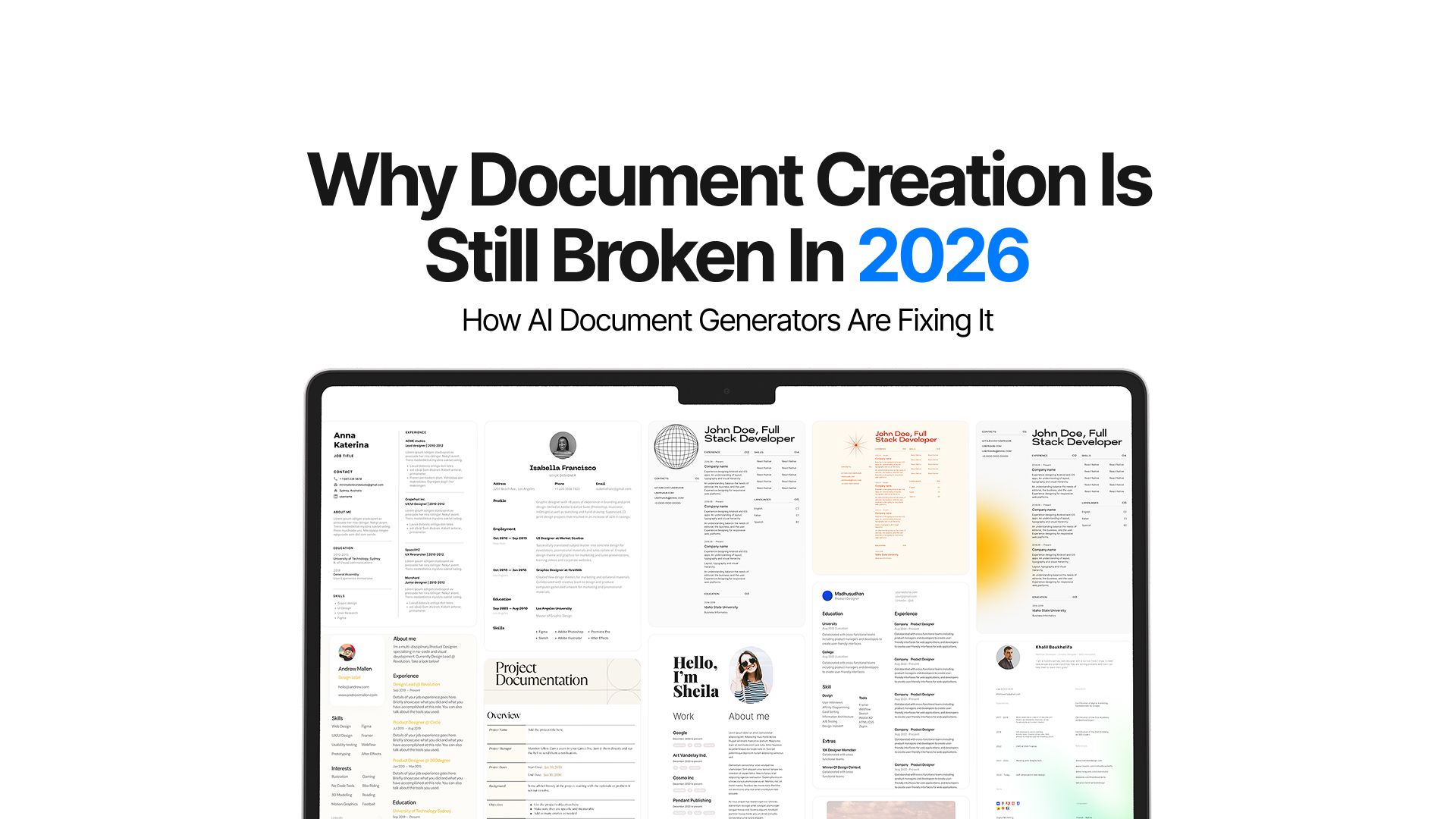
Why Document Creation Is Still Broken in 2026 — How AI Document Generators Are Fixing It
We've trained AI models that can pass the bar exam and solve mind-bending problems in minutes. Today people across domains and offices are using AI to get through their tasks quickly and effectively.
And yet somehow, creating a professional-looking document in 2026 still puts fear and anxiety in everyone’s hearts. Just the thought of dealing with incomplete tools, rigid templates, and stubborn MS Word formatting is enough to steer people away from doing it at all.
The problem isn't that we lack tools.
Microsoft Word has been around for over four decades. Google Docs revolutionized collaboration. Notion promised to reinvent documents entirely. But despite all these innovations, the fundamental experience of document creation remains frustratingly manual, cognitively exhausting, and riddled with formatting anxiety.
Now, AI writing tools have entered the scene with bold promises. But most of them fail spectacularly when you need more than a few paragraphs. The gap between "AI can write" and "AI can build complete, professionally formatted documents" has remained stubbornly wide.
But not anymore.
With the rise in AI document generators, people are discovering new ways of crafting professional reports and learning just how simple and fun document creation can be.
The Document Creation Problem Nobody Solved
Let me start by saying what most people already think but never say:
We hate creating documents from scratch.
It's not the writing itself that's painful. It's everything around it. The blank page staring back at you. The constant context-switching between thinking about what to say and how to format it. The thirty minutes you spend adjusting margins and fonts instead of refining your actual message.
This is what researchers call the "cognitive switching cost" and it's enormous. Knowledge workers spend a significant chunk of their document creation time on formatting and structural decisions rather than content.
Every document creator faces a trinity of pain points:
- Blank Page Paralysis: Starting is the hardest part. You know what you want to communicate, but translating that into a structured document feels overwhelming.
- Formatting Hell: Even when you know what to write, making it look professional requires design skills most people don't have. Alignment breaks. Fonts mismatch. PDF exports look nothing like the screen.
- The Consistency Tax: Maintaining visual consistency across sections, pages, or multiple documents is tedious manual labor that pulls focus from your actual message.
And these problems are one of the few issues that bring people together. These problems affect everyone from job seekers crafting resumes to lawyers drafting contracts to marketers building proposals.
The pain is universal, but the tools have remained stubbornly document-centric rather than human-centric.
Why AI Writing Tools Promised Too Much, Too Soon
When GPT-3 arrived, everyone thought document creation was solved. Just describe what you want, and AI writes it. Simple, right?
Not quite. AI writing tools can produce brilliant paragraphs, insightful analyses, and creative prose. But ask them to generate a complete, multi-section document, and things fall apart fast.
The problem isn't the quality of the writing. It's what happens at scale.
Context Loss
AI models have limited memory. Generate a ten-page document, and by page seven, the AI has forgotten what it wrote on page two. Sections contradict each other. Tone shifts mid-document. Key themes vanish. Even though things have gotten better with newer models, consistency is still an issue.
Formatting Drift
Most AI tools output plain text or basic markdown. You get the words, but zero visual structure. Want headings styled consistently? Bulleted lists that don't break across pages? A table that actually aligns? You're manually formatting everything yourself.
Interruption-Driven Workflows
Current tools force you to generate content in chunks, then stitch it together. Write an introduction. Generate some body paragraphs. Create a conclusion. Now copy-paste it all into Google Docs and pray the formatting holds. It's exhausting.
The result? A new workflow that's somehow worse than just writing documents manually.
- Open ChatGPT or another AI tool
- Write a careful prompt describing what you need
- Copy the AI's output
- Paste it into Google Docs or Word
- Watch your formatting explode
- Spend 20 minutes manually fixing headings, lists, and spacing
- Realize you need to revise a section
- Go back to the AI, generate new content
- Try to integrate it without breaking everything
- Repeat until you want to throw your laptop out the window
The fundamental issue is that these tools treat document creation as a linear, one-and-done process. But real documents are iterative, structural, and visual. They need consistent formatting, logical flow, and the ability to revise sections without rebuilding everything from scratch.
The AI-Native Solution: Separating Content from Design
The breakthrough isn't making AI write better. It's building editors that understand AI-generated content from the ground up.
AI document generators solve the fundamental mismatch by handling three things traditional tools don't:
- end-to-end generation
- structural stability
- streaming integration
Let's break down what "AI-native" actually means in practice.
End-to-End Generation Without Interruption
Traditional workflow: Generate content → paste → generate visuals → paste → fix formatting → Make edits → paste → fix more formatting.
AI-native workflow: Describe what you need → AI generates the complete document → you refine the substance.
Tools like Chatly's document builder AI Docs exemplify this approach. You start with a prompt or template, and the AI generates a fully structured document in one flow. No copying, no pasting, no context loss between sections. The AI maintains awareness of the entire document structure throughout generation.
Need consistent visuals? Check out hundreds of domain-specific templates on Chatly. You can even use the AI image generator right there to get the perfect visual.
This eliminates the interruption-driven workflow that makes current tools so frustrating. You're not managing the AI's output. You're collaborating with it.
Stable, Structured HTML Output
AI-native editors generate clean, semantic HTML rather than plain text or fragile formatting.
Why does this matter? Because HTML is structural. A heading is always a heading. A list is always a list. When you export to PDF, the structure translates cleanly because it was never about visual styling. It was about semantic meaning.
Traditional editors apply formatting as a layer on top of text. AI document generators create a structure that looks consistent by default. You don't fight with alignment or worry about exports breaking. The underlying architecture ensures visual consistency automatically.
Streaming with Style Safety
One of the most impressive technical achievements in modern AI document tools is streaming generation that maintains formatting integrity.
Watch Chatly's AI Docs in action, and you'll see content appear in real-time, with headings, lists, and paragraphs rendering correctly as they stream in. There's no "generate then format" step. The formatting is baked into the generation process.
This seems simple but requires sophisticated coordination between top AI models (Claude Opus 4.5, GPT-5.2, Gemini 3 Pro), the editor, and the rendering engine. Get it wrong, and formatting drifts mid-stream. Get it right, and you have a magical experience where documents build themselves before your eyes, perfectly formatted from the first character to the last.
Trust Over Control
AI-native editors ask you to trust the system with visual consistency so you can focus entirely on message and substance.
This is hard for people raised on Word and Google Docs. We're trained to control every pixel, every margin, every font choice. Letting go feels risky.
But the truth is that most people aren't designers. We don't have the training to make professional formatting decisions. We spend hours micromanaging layouts when we could trust an AI document generator to handle it competently by default.
The relief is palpable when you experience it. No more formatting anxiety. No more wondering if your resume looks "professional enough" or if your proposal's layout is hurting its credibility. The tool handles visual polish. You handle the message.
This is what separating content from design actually means in practice: you own the substance, and the AI owns the presentation layer.
Top Use Cases for AI Document Generators
The best AI document generators unlock possibilities that were previously too time-consuming or skill-intensive to pursue. LetWhat ‘s see who benefits from such tools.
Job Seekers
Job hunting is document-intensive torture. Every application needs a tailored resume, a customized cover letter, and sometimes additional materials like portfolios or project summaries.
The old workflow was to spend 30-45 minutes per application manually adjusting your resume, rewriting your cover letter, and reformatting everything to look professional. Apply to 20 jobs, and you've spent 15 hours on formatting alone.
Tools like Chatly’s AI Docs collapse this timeline dramatically:
- Generate a tailored resume from your master profile in seconds
- Customize cover letters that match the job description and company culture
- Maintain perfect formatting across all materials automatically
- Export everything to PDF with confidence it will look professional
Platforms like Chatly offer job application templates that understand the genre. They know what hiring managers expect visually and structurally. You focus on highlighting the right experience; the tool ensures professional presentation.
Professionals
Lawyers, consultants, accountants, and other professionals lose enormous amounts of billable time to document creation overhead.
Consider a lawyer drafting a contract. The legal thinking might take 30 minutes. Formatting the document, ensuring consistent section numbering, making sure definitions are styled properly? Another 20-30 minutes of tedious, non-billable work.
Luckily now they have an AI legal document generator that can turn this around:
- Generate standard contracts from templates that adapt to specific terms
- Maintain consistent formatting across multi-page legal documents automatically
- Revise sections without breaking numbering or cross-references
- Output court-ready PDFs with proper formatting every time
The same principle applies to consulting proposals, financial reports, and research briefs. Intellectual work is valuable. The formatting work is overhead. AI-native tools eliminate the overhead.
Marketing Teams
Marketing documents like one-pagers, case studies, campaign briefs, and sales proposals need to look professional while communicating clearly. Designers are expensive and often bottlenecked. Most marketers end up wrestling with tools they weren't trained to use.
AI-native document builders change the game:
- Generate visually consistent marketing collateral without designer involvement
- Iterate on messaging quickly without reformatting from scratch
- Maintain brand consistency across dozens of documents automatically
- Adapt templates for different campaigns without rebuilding structure
Chatly's marketing templates understand the genre conventions on how to structure case studies, where to place calls-to-action, how to balance text and white space. Non-designers can produce designer-quality output.
Educators and Researchers
Academic writing has notoriously strict formatting requirements. APA, MLA, Chicago—each style has hundreds of detailed rules about headings, citations, spacing, and page layout.
Students and researchers spend countless hours on formatting compliance when they should be refining their arguments. AI-native tools can help:
- Generate properly structured research papers from outlines
- Maintain consistent heading hierarchies automatically
- Format bibliographies according to style guides
- Produce submission-ready PDFs without manual intervention
Educational templates in platforms like Chatly understand academic conventions, so you can focus on research quality rather than margin measurements.
Small Business Owners
Small business owners wear many hats. They need professional-looking proposals, contracts, invoices, and reports to compete with larger companies.
Traditionally, they had to either hire expensive designers or produce mediocre-looking documents themselves. AI-native tools offer a third path:
- Generate business documents that look professionally designed
- Customize templates for different clients without starting from scratch
- Maintain brand consistency without design expertise
- Produce investor-ready reports and presentations quickly
Business and finance templates handle the visual polish automatically, so small business owners can compete on substance rather than being disadvantaged by presentation.
What Becomes Possible
Beyond specific use cases, AI-native document tools unlock entirely new possibilities:
- Personalization at Scale: Generate hundreds of customized documents (proposals, reports, letters) that maintain quality and consistency across all versions.
- Rapid Iteration: Test different messaging, structures, or approaches without rebuilding documents from scratch each time.
- Cross-Format Consistency: Maintain the same content across documents, presentations, and web pages with automatic formatting for each medium.
- Multilingual Documentation: Generate the same document in multiple languages with appropriate formatting conventions for each.
- Accessibility by Default: Produce documents with proper semantic structure that screen readers can navigate effectively.
The common thread? These possibilities were always theoretically available but practically out of reach because the formatting overhead made them too time-consuming. AI-native tools remove that barrier.
Conclusion
Document creation in 2026 is at an inflection point. We have the technology to eliminate formatting anxiety, blank page paralysis, and the cognitive burden of manual layout work. Tools like Chatly's AI Docs demonstrate what becomes possible when you build editors specifically for AI-generated content from the ground up.
But we're still early. Most people are still copy-pasting from ChatGPT into Google Docs, fighting with formatting, and wondering why AI hasn't made document creation easier.
The gap between "AI that can write" and "AI that can build complete, professionally formatted documents" is closing rapidly. The tools exist. The technology works. What's left is adoption and helping people understand that there's a better way to create documents than the workflows we've been stuck with for decades.
If you're still wrestling with formatting and still anxious about whether your documents look professional enough, know that better tools exist now. The document creation problem isn't solved everywhere yet, but it's solved enough that you don't have to keep suffering through the old workflow.
Frequently Asked Question
Learn more about AI document generators and what you can do with them.
More topics you may like
10 Different Ways You Can Use Chatly AI Chat and Search Every Day

Faisal Saeed
21 Journaling Techniques That Actually Work in 2025

Muhammad Bin Habib

GPT-5.2 Is Here: What Changed, Why It Matters, and Who Should Care
Faisal Saeed
Gemini 3 Pro Overview: Features, Pricing, and Use Cases
Faisal Saeed
Gemini 3 Pro vs GPT-5.2 vs Claude Opus 4.5: Benchmark Performance Breakdown
Faisal Saeed