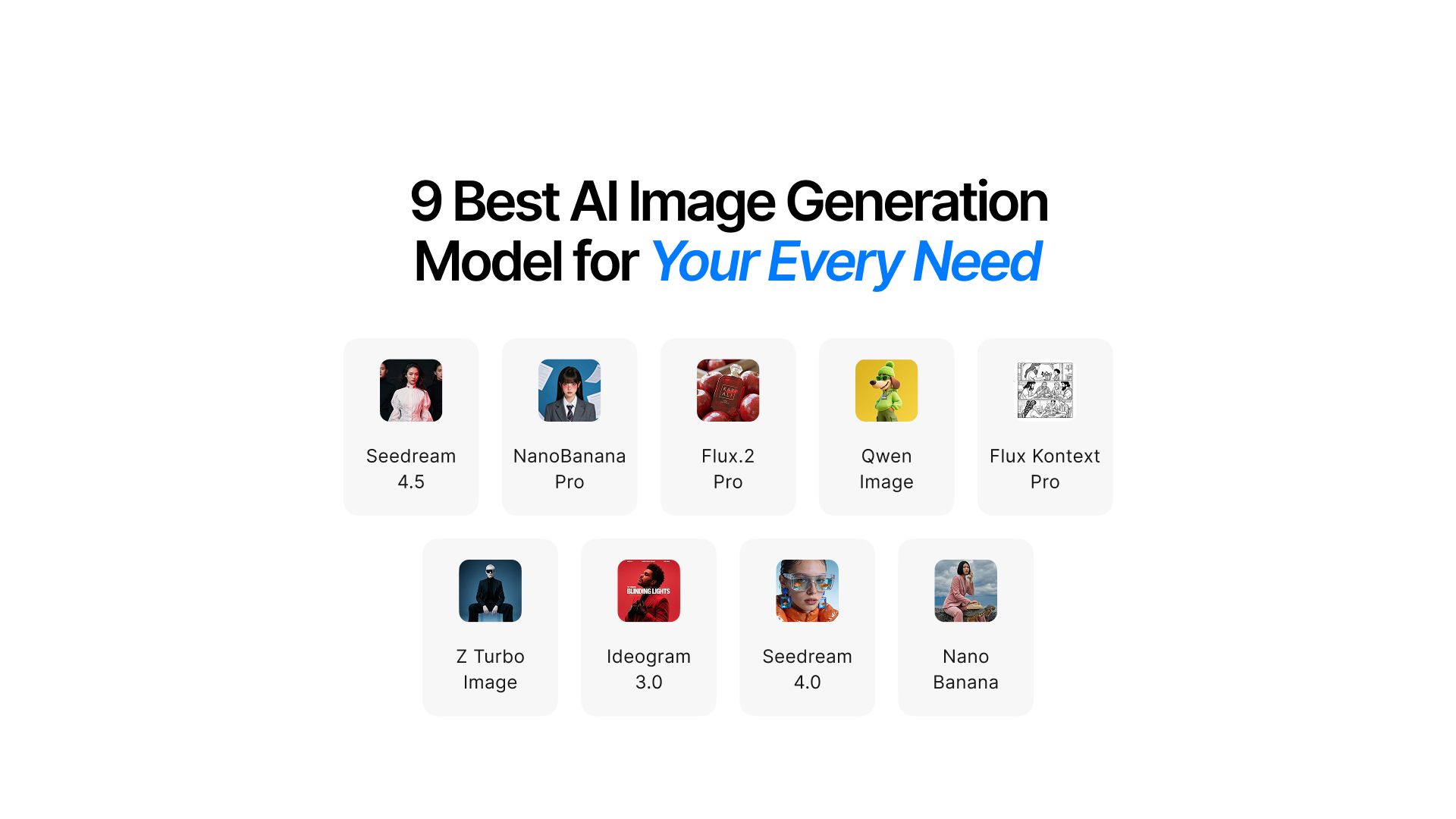
9 Best AI Image Generation Models for Your Every Need
You have an idea in mind but it requires a high-quality visual. So you go to Google in search of the best AI image generation model. But all you find is heaps of articles saying almost the same thing for every AI model.
Instead of finding answers, you come back with more questions.
- Which one is the best model?
- Does it suit my needs?
- Will the cost be worth it?
While every model claims to be the best, it might not be the best model for you. And you need to choose smartly. The wrong choice means wasted time, subpar quality, and unnecessary cost.
But one thing’s for sure: Diffusion models are better than traditional GAN models for image generation. So your choice comes down to which diffusion model you should choose.
Every AI image model is optimized for specific outputs.
Some excel at photorealism, others at speed, and some have unique capabilities you won't find anywhere else. Understanding these differences transforms how efficiently you create visual content.
This guide breaks down top AI models in 2026, their unique strengths, and exactly when to use each one. By the end, you'll know how to choose the right model in seconds.
Understanding What Makes AI Image Models Different
Models differ in their training data, processing architecture, and optimization priorities. These technical differences translate into real-world performance gaps.
Three factors determine which model you should choose for any project.
Output Destination
Consider your output destination. Print materials and client presentations demand maximum quality. Web and social media content can balance quality with speed. Internal drafts and concepts prioritize speed above all.
Content Type
Think about your content type. Are you creating photorealistic images of real-world subjects? Artistic illustrations? Graphics with readable text? Or editing existing images? Each category has specialized models.
Volume Required
These three factors guide every model selection decision. Let's explore what each model does best.
Best AI Image Generation Models and When to Use Them
When you need image generation to look indistinguishable from professional photography, these models deliver exceptional visual fidelity. Each handles photorealism differently, optimized for specific scenarios.
Seedream 4.5 & 4.0
The Seedream family excels at high-resolution image generation and editing with exceptional prompt adherence. Both versions deliver professional results, but each serves different workflow needs.
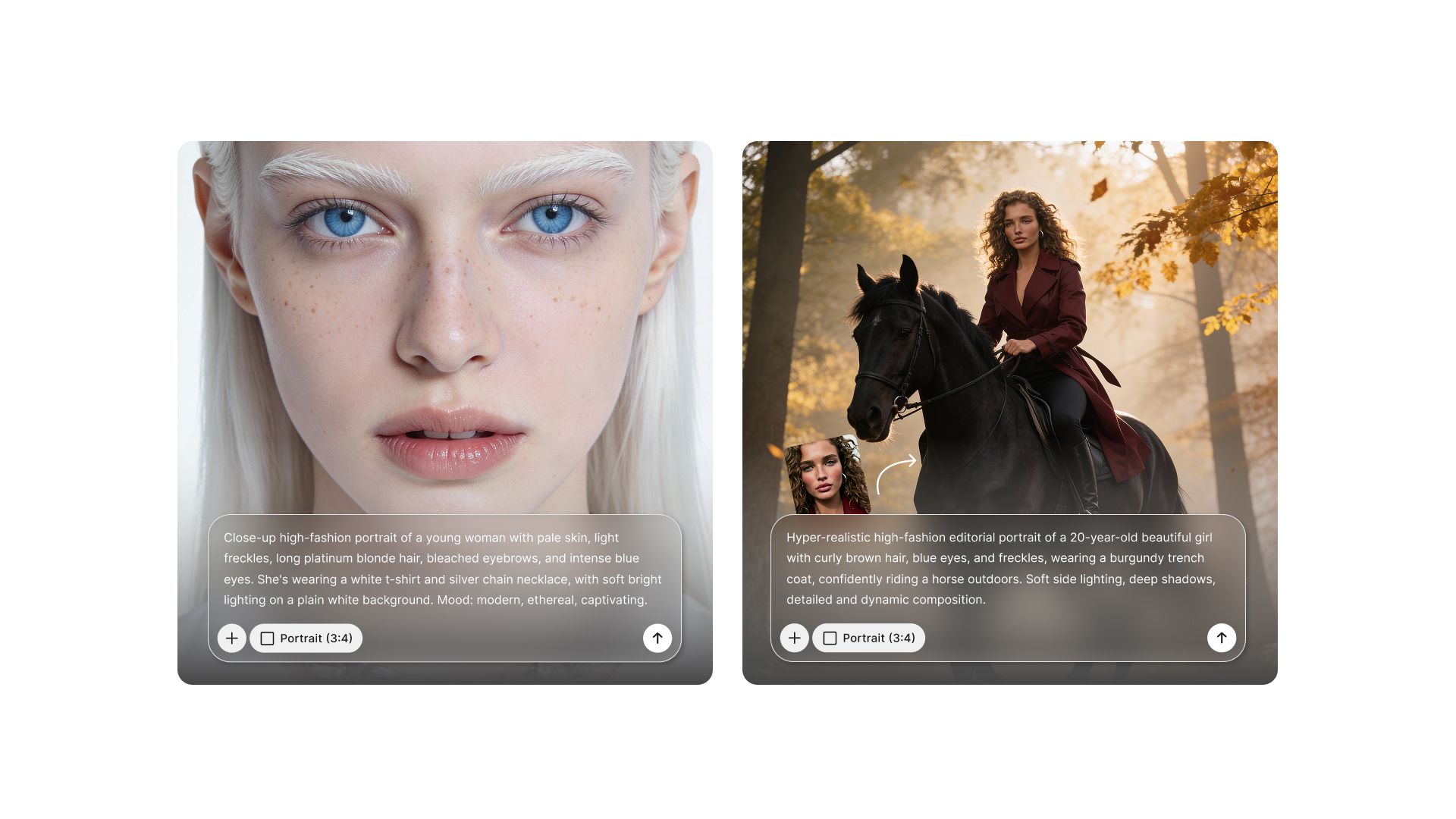
Seedream 4.5 offers superior visual fidelity with significantly faster processing (30-40% quicker than 4.0). Enhanced text rendering makes in-scene typography more accurate. Precise multi-image editing capabilities support complex professional workflows.
This model is built for commercial storytelling visuals where narrative matters. Complex compositions with multiple elements stay coherent and well-balanced. Consistent multi-view sets maintain visual unity across dozens of images, critical for product catalogs and campaigns.
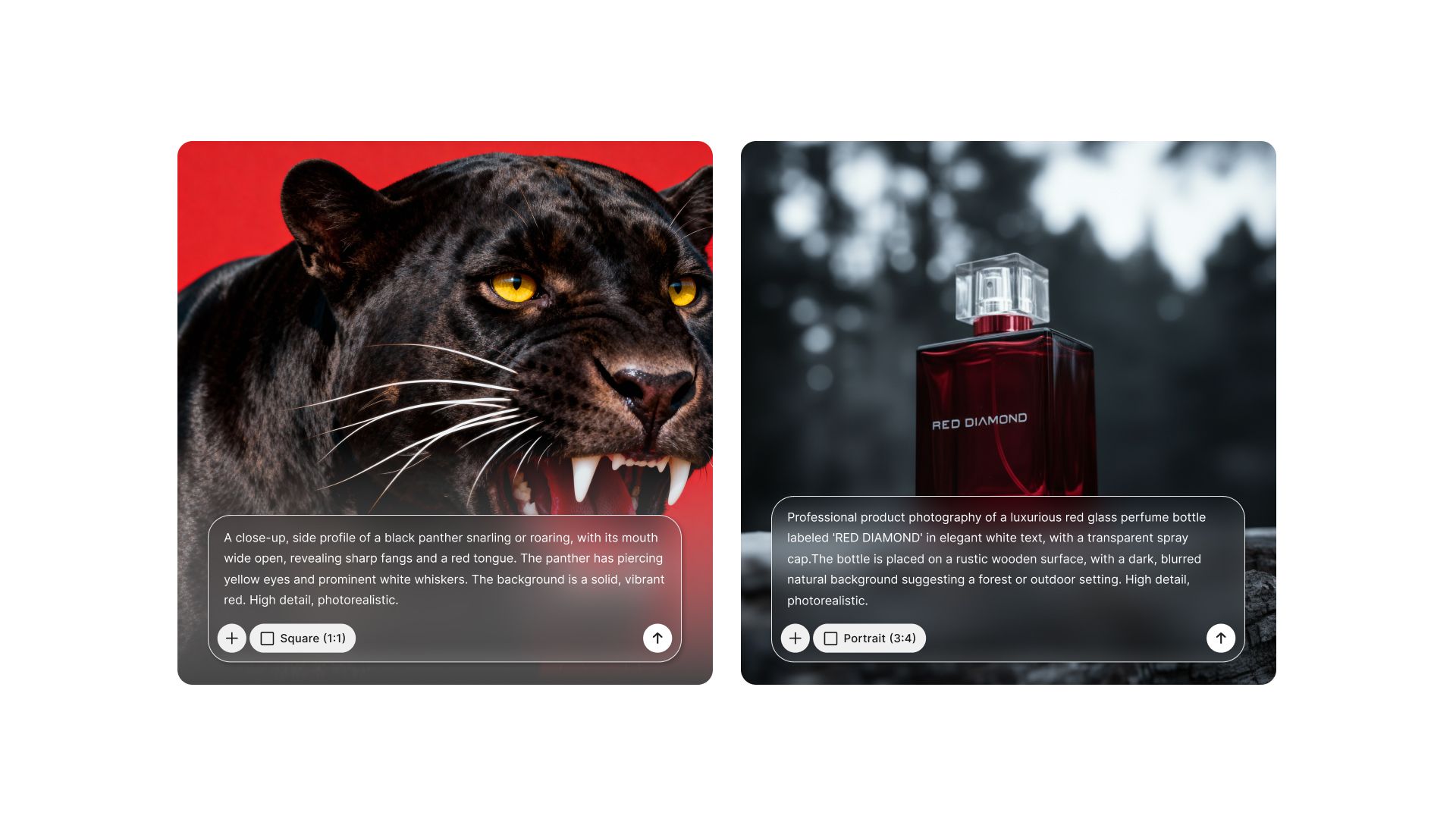
Seedream 4.0 provides unified text-to-image generation with strong 4K editing capabilities. Knowledge-based reasoning helps it interpret complex prompts intelligently. It balances quality with broader accessibility for diverse creative needs.
Use Seedream 4.5 for:
- Commercial storytelling visuals and narrative campaigns
- Complex compositions requiring precise element control
- Multi-view product sets needing perfect consistency
- Professional editing workflows with multi-image coordination
- Projects where enhanced text rendering matters
- Client deliverables demanding absolute visual fidelity
Use Seedream 4.0 for:
- High-resolution 4K image generation and editing
- Projects requiring knowledge-based prompt interpretation
- Unified text-to-image workflows
- Professional work with slightly more flexible timelines
- Complex prompts benefiting from reasoning capabilities
Professional photographers and studios choose Seedream 4.0 for its 4K capabilities. Content teams benefit from its intelligent prompt understanding. Creative professionals appreciate the balance it strikes.
Nano Banana & Nano Banana Pro
The Nano Banana models specialize in context-aware editing and photorealistic generation powered by Google's advanced models. Both versions understand spatial relationships and deliver exceptional realism.
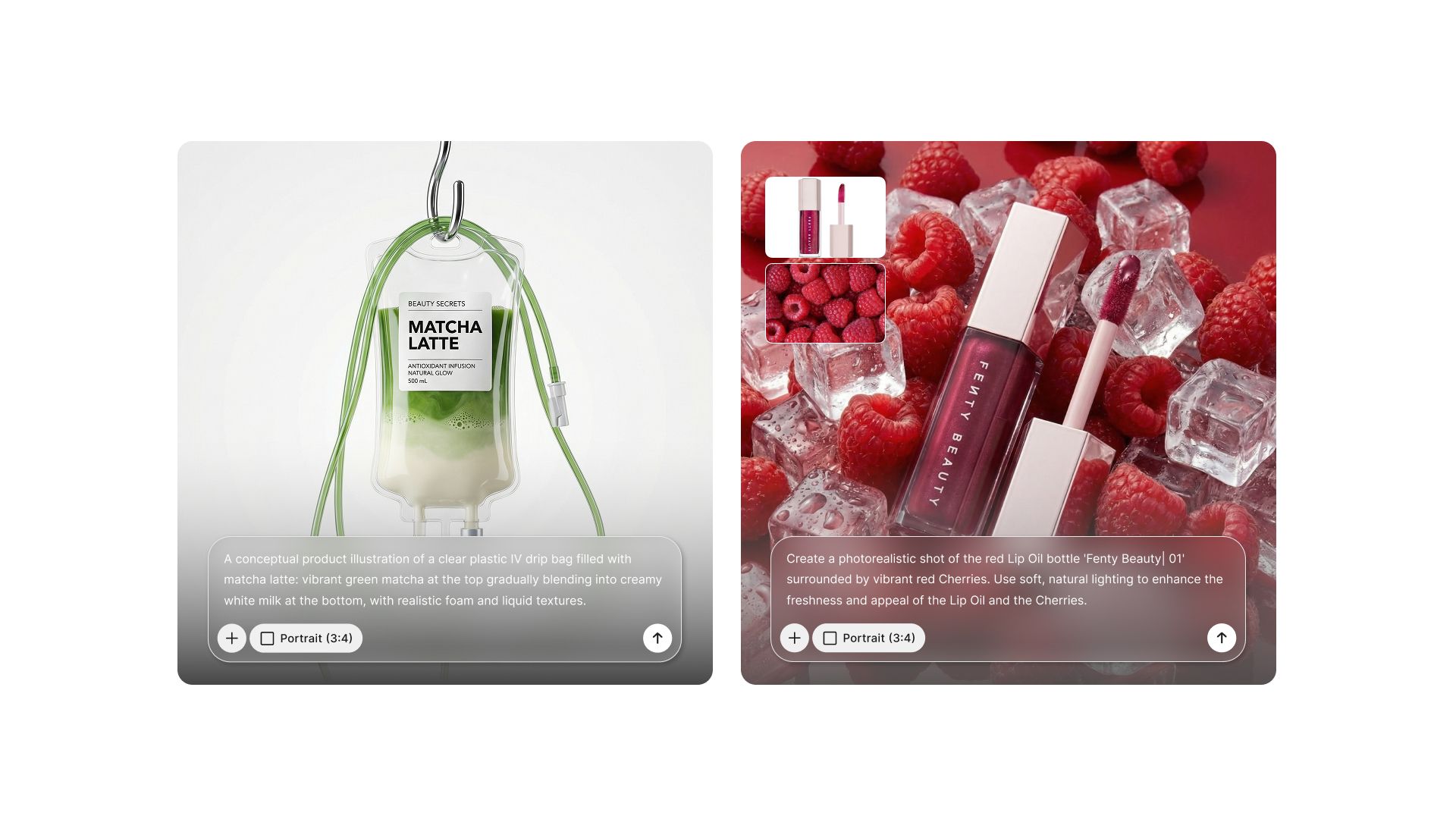
Nano Banana handles intelligent 3D object manipulation that respects perspective and lighting. Background replacement works seamlessly while preserving foreground subject integrity. Precise edits maintain consistency across the entire image, avoiding the artificial look of simple cut-and-paste.
The model understands depth, shadows, and spatial relationships.
Objects can be rotated, repositioned, or removed while keeping the scene believable. This context awareness prevents the common AI editing mistakes of mismatched lighting or incorrect shadows.
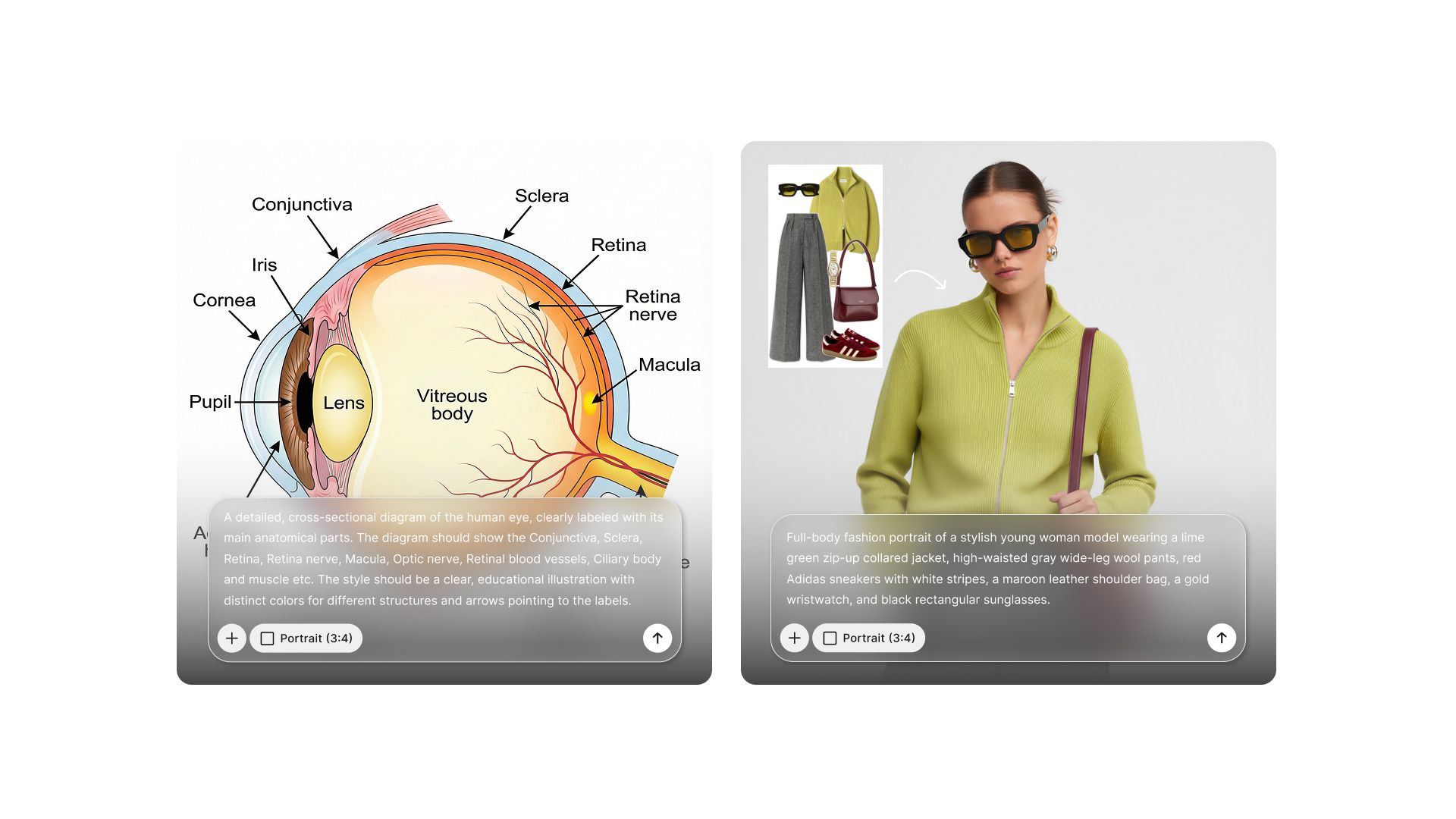
Nano Banana Pro enhances these capabilities with cinematic lighting understanding. Superior material rendering makes glass, metal, and fabric look photographically accurate. Photo terminology understanding means it interprets professional photography language correctly.
The Pro version excels at upgrading existing photos to professional standards.
Use Nano Banana for:
- Intelligent 3D object manipulation in scenes
- Context-aware background replacement
- Precise edits while preserving image consistency
- Spatial relationship adjustments
- Photo enhancement and correction
Use Nano Banana Pro for:
- Upgrading photos to professional quality
- Cinematic lighting scenarios and mood creation
- Material-specific rendering (metals, fabrics, glass)
- Client-ready images requiring zero post-processing
- Professional photography workflows
- High-volume photorealistic content creation
Photographers upgrading client photos benefit from Nano Banana Pro's material rendering. Product photographers love the cinematic lighting capabilities. E-commerce businesses needing volume photorealism rely on its efficiency.
Photo editors doing complex manipulations choose standard Nano Banana. Designers needing context-aware changes use its intelligent editing. Creative teams appreciate how it maintains visual consistency.
Flux.2 Pro
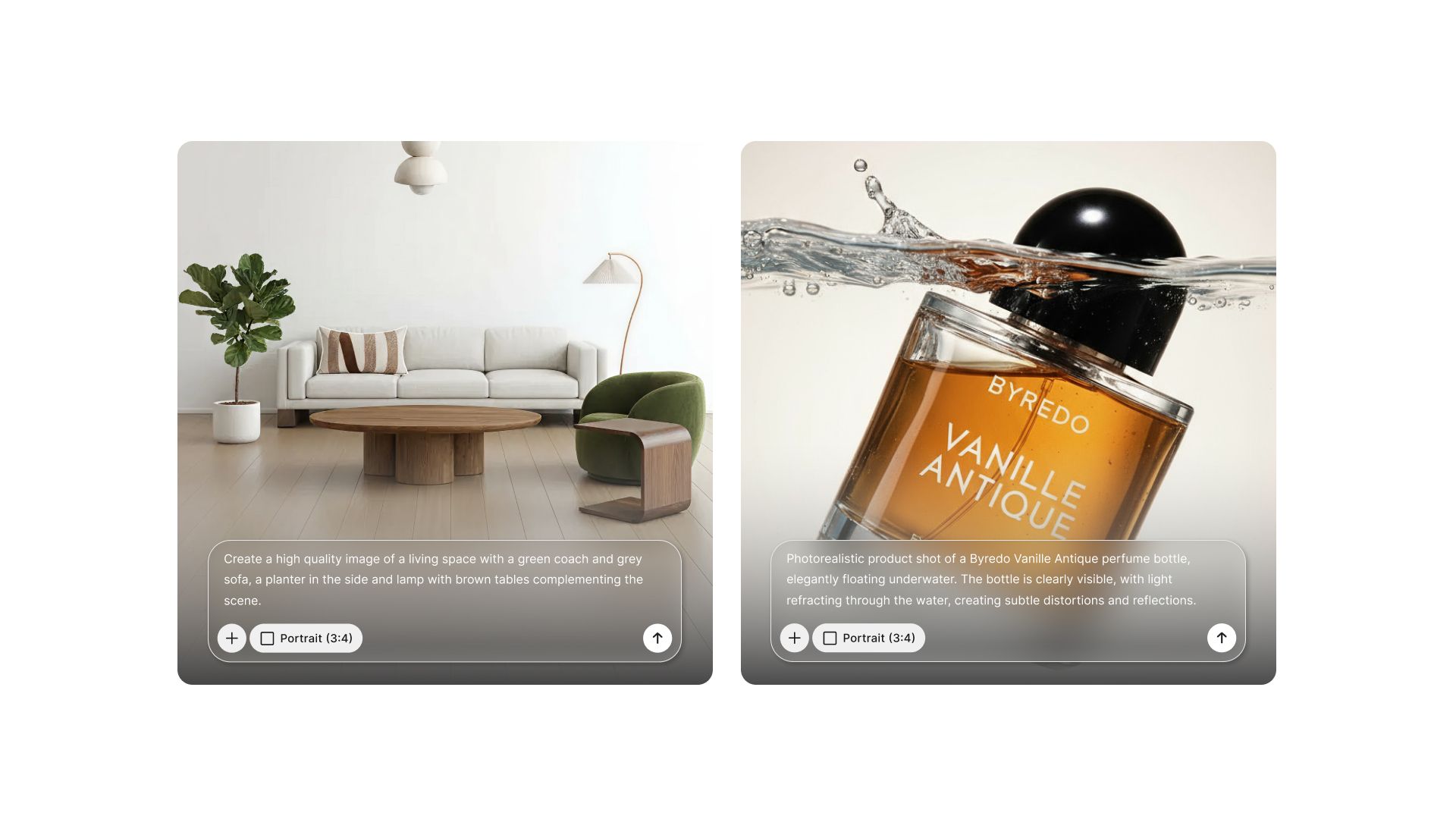
Flux.2 Pro delivers production-quality results using multi-reference editing capabilities. It processes multiple reference images simultaneously, enabling complex compositional work.
Reliable context-aware transformations set this model apart. Multiple image references guide the output while maintaining coherent results. The model understands relationships between reference images and applies them intelligently.
Compositing workflows become streamlined with natural language control. Background swaps respect lighting and perspective from multiple reference angles. Style blending across reference images creates unique hybrid aesthetics.
Use Flux.2 Pro for:
- Fashion lookbooks combining multiple product shots and lifestyle references
- Real estate virtual staging using multiple interior design references
- Film and video production concept art with specific visual targets
- Advertising campaigns blending brand assets with location references
- Editorial photography compositing multiple scene elements
- Product photography placing items in contextual environments from references
- Architecture visualization combining design sketches with material samples
- E-commerce creating lifestyle shots from multiple product angle references
Creative agencies working on complex campaigns use this extensively. Production teams needing reference-guided outputs depend on its multi-image capabilities. Designers blending styles from multiple inspirations find it invaluable.
Flux Kontext Pro
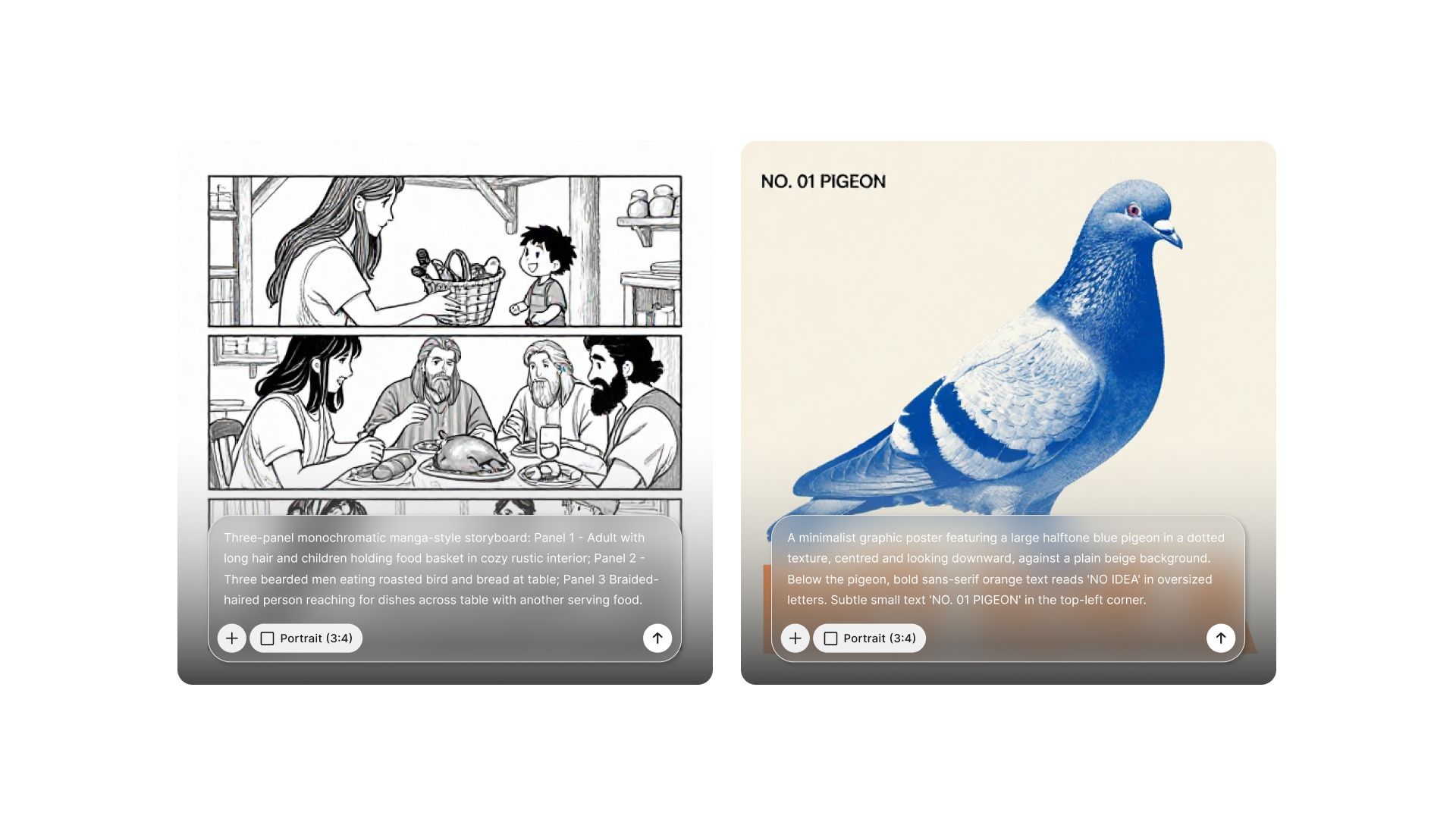
Flux Kontext Pro focuses on contextual accuracy when handling complex multi-element scenes. It excels where other models struggle with compositional coherence.
Multi-character compositions maintain proper spatial relationships and interaction logic. Characters don't float awkwardly or overlap incorrectly. The model understands how people and objects interact in three-dimensional space.
Storyboard creation benefits from its scene understanding. Sequential images maintain character and style consistency. Semantic emotion rendering means characters express appropriate feelings for their context.
Text editing capabilities within complex scenes work reliably. Style consistency across long-form visual narratives remains stable. Character consistency means the same person looks identical across dozens of images.
Use Flux Kontext Pro for:
- Multi-character scene compositions
- Storyboard and sequential image creation
- Semantic emotion rendering in character work
- Text editing within complex visual contexts
- Long-form visual narratives requiring consistency
- Character-driven storytelling across image sets
- Projects needing maintained style throughout
Comic creators and graphic novelists rely on its character consistency. Storyboard artists use it for sequential narratives. Animation pre-production teams leverage its multi-character scene capabilities.
Z Turbo Image
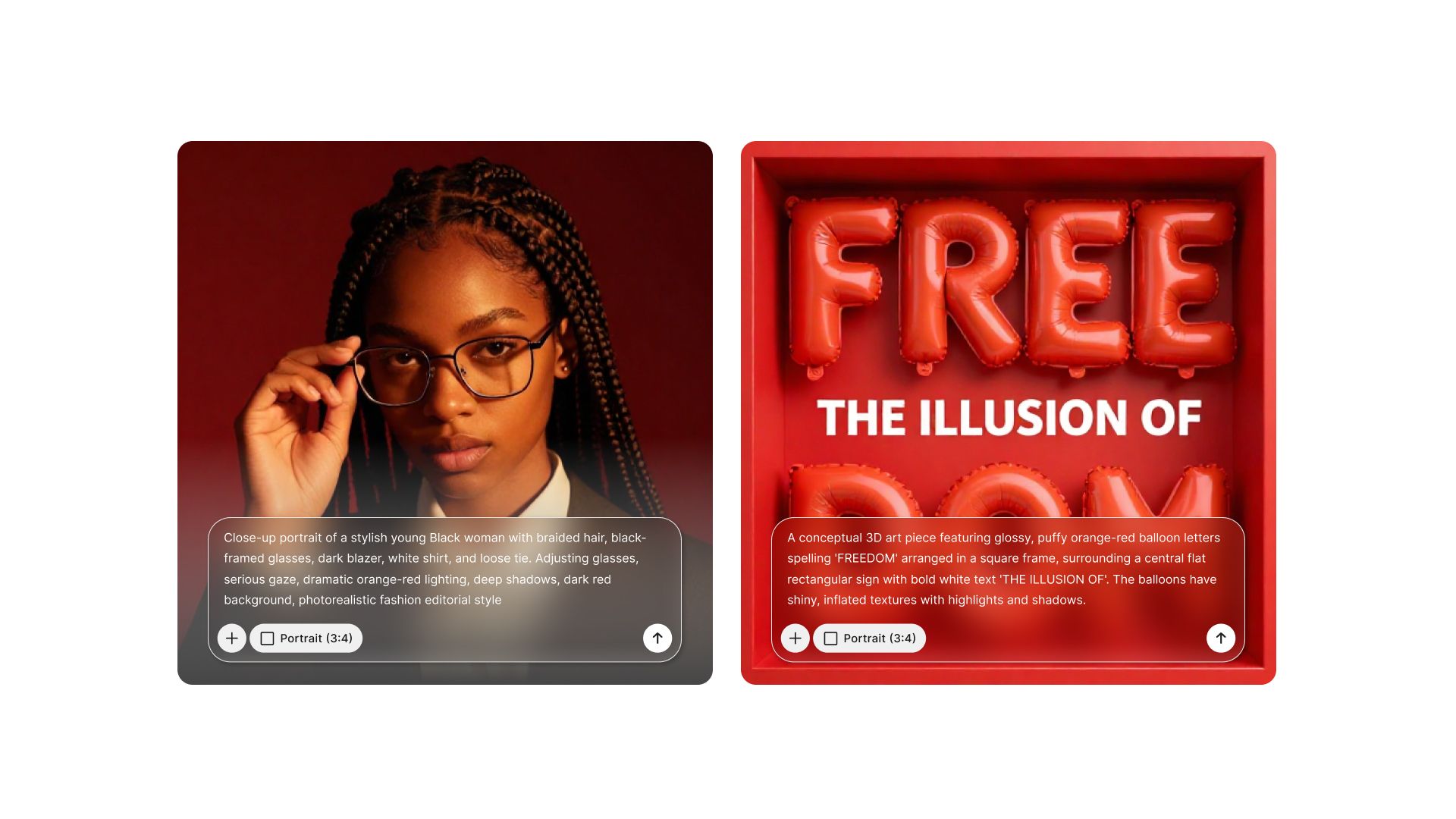
Z Turbo Image is a compact 6-billion-parameter model optimized for speed. Despite its smaller size, it delivers photorealistic text-to-image generation efficiently.
Lightning-fast processing makes high-volume tasks manageable. Rapid prototyping becomes practical when you can generate dozens of variations quickly. Batch creation of similar assets streamlines production workflows.
Bilingual text support for English and Chinese expands its utility. Cost-efficient asset creation up to 4MP resolution keeps project budgets reasonable. The model punches above its weight class given its compact architecture.
Use Z Turbo Image for:
- High-volume rapid prototyping sessions
- Batch variations of similar concepts
- Cost-efficient asset creation at scale
- Bilingual text rendering (English/Chinese)
- Production workflows needing speed over absolute maximum quality
- Budget-conscious projects requiring volume
- Quick iterations during creative exploration
Marketing teams creating A/B test variations use this extensively. Agencies needing rapid client concept presentations benefit from the speed. Small businesses handling content creation in-house appreciate the cost efficiency.
Ideogram 3.0
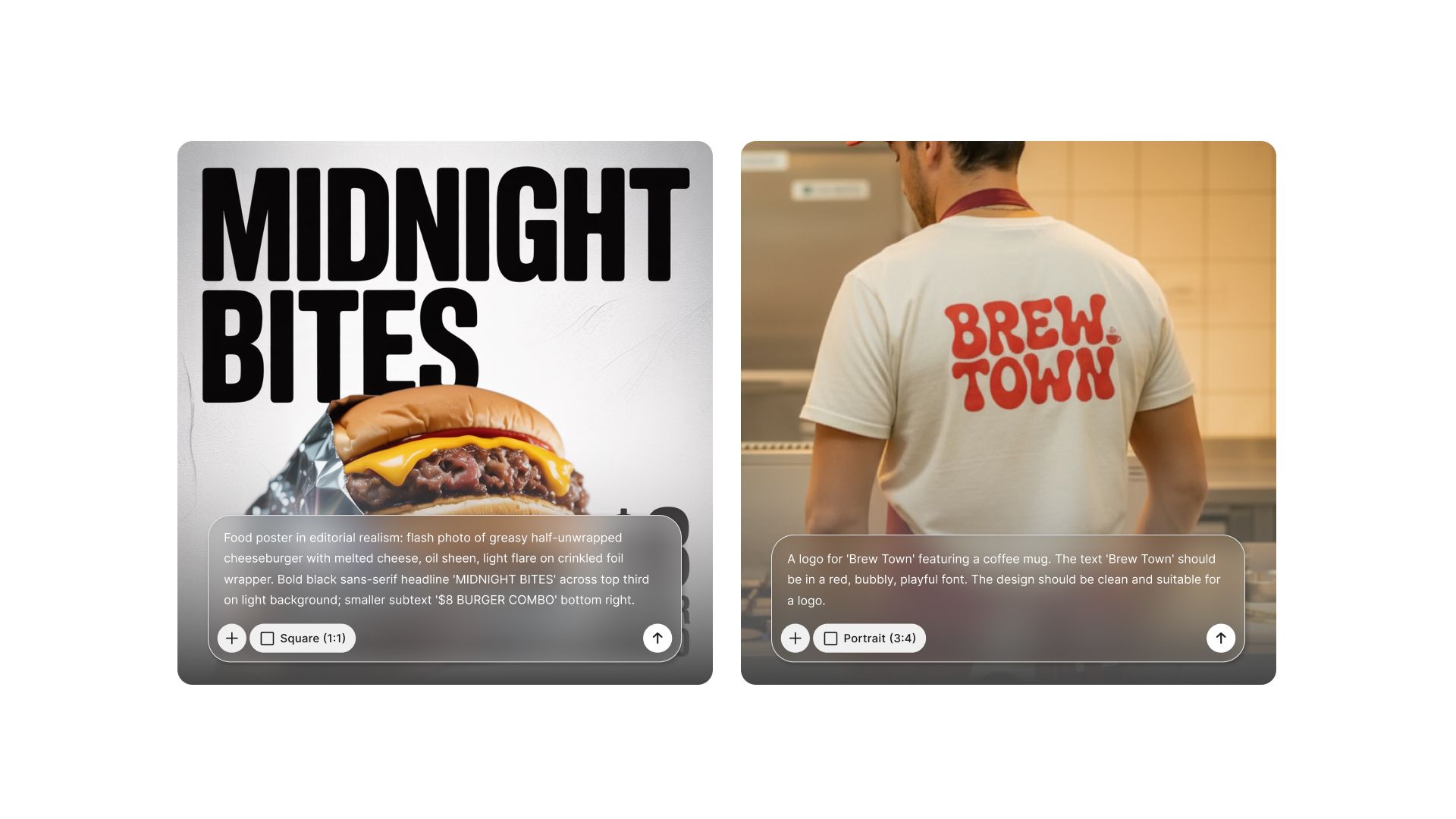
Ideogram 3.0 generates ultra-realistic images with a critical differentiator: accurate in-scene text rendering. Most AI models fail at typography, while Ideogram succeeds.
Legible text generation within images opens entirely new use cases. Typography integrates naturally into scenes rather than appearing pasted on. Style reference control helps match existing brand aesthetics.
Graphic design workflows finally have reliable AI support. Advertising posters with readable headlines become possible. Marketing campaigns requiring specific text messaging work reliably.
Use Ideogram 3.0 for:
- Graphic design with integrated typography
- Advertising posters and promotional materials
- Marketing campaigns requiring specific text
- Brand visuals needing legible messaging
- Social media graphics with quote overlays
- Event announcements and invitations
- Logo concepts incorporating text elements
- Any project where text accuracy is critical
Graphic designers creating text-heavy materials depend on this exclusively. Marketing teams producing promotional content need readable text. Event planners making announcements have no alternative for quality typography.
Qwen Image & Qwen Image Edit
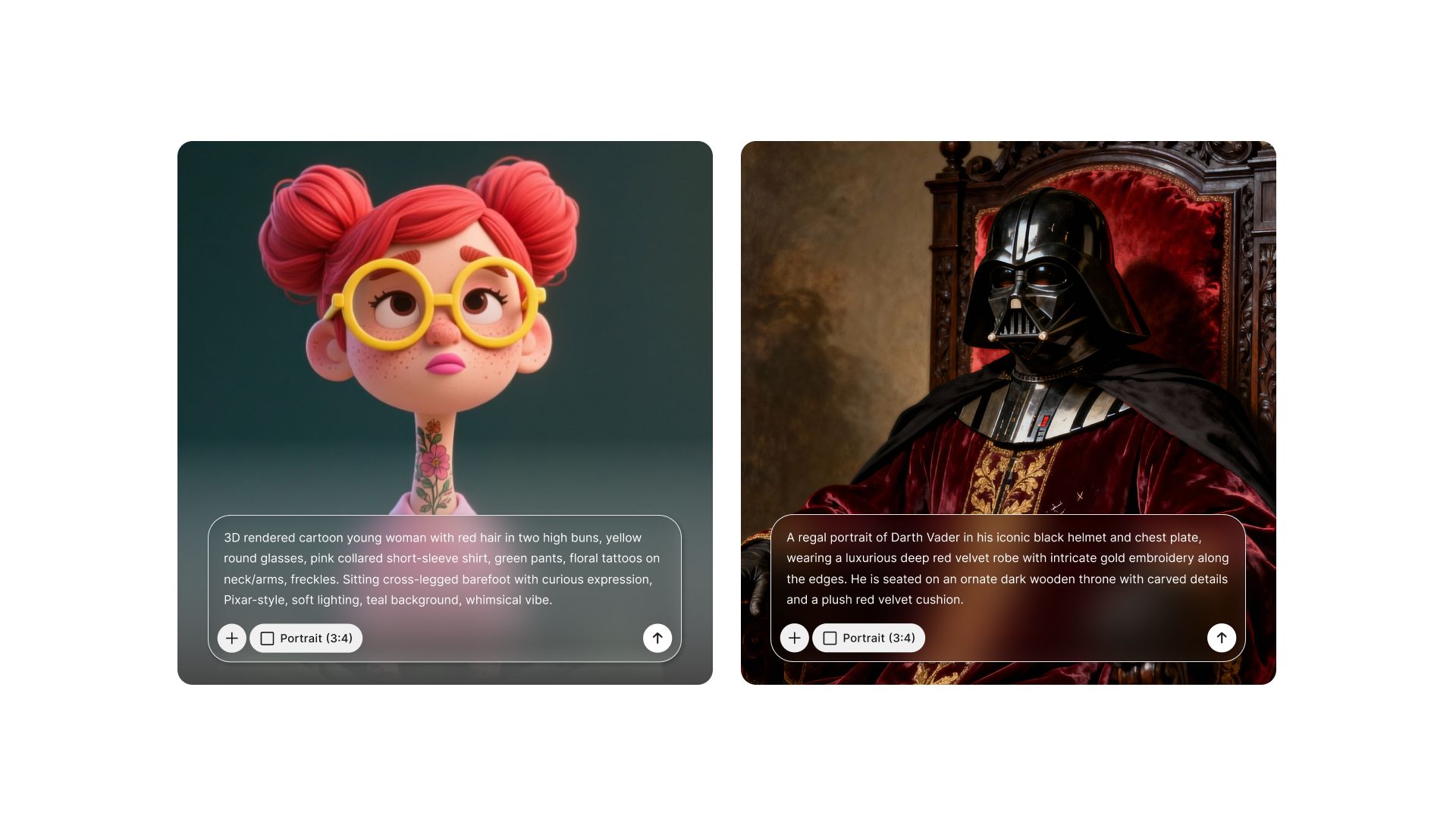
The Qwen family supports multimodal generation, understanding, and dual-mode editing capabilities. Each version serves different creative needs.
Qwen Image excels at custom artwork creation with artistic flexibility. Product visual generation works across varied styles and aesthetics. Social media content creation benefits from its versatility and creative range.
The model understands diverse artistic styles from photorealism to illustration. Color palettes, moods, and compositional styles all respond well to prompting. It's particularly strong at non-photographic visual content.
Qwen Image Edit handles semantic transformations with precision. Text and style changes apply accurately to specific image areas. Object rotation maintains proper perspective and lighting.
Precise editing capabilities mean changes happen exactly where intended. Semantic understanding prevents nonsensical transformations. The model grasps what you're trying to accomplish and executes accordingly.
Use Qwen Image for:
- Custom artwork in varied artistic styles
- Product visuals across different aesthetic approaches
- Social media content requiring creative flexibility
- Artistic interpretations of concepts
- Stylized brand content
- Non-photorealistic visual creation
Use Qwen Image Edit for:
- Semantic transformations of existing images
- Precise text and style modifications
- Object rotation with maintained perspective
- Targeted content editing in specific areas
- Local adjustments without affecting entire image
- Surgical precision editing workflows
Illustrators and concept artists use Qwen Image for creative work. Social media managers appreciate its stylistic range. Brands wanting distinctive visual identities leverage its versatility.
Photo editors needing precision rely on Qwen Image Edit. Designers making targeted changes use its semantic understanding. Teams requiring local edits benefit from its surgical precision.
How to Choose the Right Model in 30 Seconds
Follow this decision process to eliminate guesswork. Start at the top and work through each question.
- Does your image need accurate readable text? If yes, use Ideogram 3.0. No other model handles typography reliably.
- Are you working with multiple reference images? If yes, use Flux.2 Pro for multi-reference editing and compositing.
- Do you need multi-character scenes or storyboards? If yes, use Flux Kontext Pro for contextual accuracy and character consistency.
- Are you editing existing images rather than creating new ones? If yes, use Nano Banana for context-aware edits, or Qwen Image Edit for precise semantic transformations.
- Do you need artistic/illustrated styles rather than photorealism? If yes, use Qwen Image for custom artwork and creative flexibility.
- What's your primary need for photorealistic generation? For commercial multi-image consistency and storytelling, use Seedream 4.5. For high-resolution 4K work with knowledge reasoning, use Seedream 4.0. For cinematic lighting and material rendering, use Nano Banana Pro. For high-volume cost-efficient work, use Z Turbo Image.
This decision tree covers every scenario you'll encounter. Bookmark it and reference it until model selection becomes intuitive.
Start Choosing Smarter Today
AI image models give you specialized tools for every content creation scenario. The key is matching each project's requirements to the right model's strengths.
Remember the three determining factors:
- output destination dictates quality tier
- content type determines model category
- volume requirements influence speed priority
Start by testing three different models with the same prompt this week. Notice the quality differences, unique capabilities, and specialized strengths. Identify your go-to model for your most common use cases.
The right model choice saves significant time while improving output quality substantially. That's the advantage of having specialized tools. Download a model comparison cheat sheet and start experimenting with models you haven't tried yet. Your workflow will never be the same.
Frequently Asked Question
Learn more about AI image generation and top image generation models through online user queries.
More topics you may like
What Is AI Image Generation? The Complete Practical Guide for 2025

Muhammad Bin Habib
How to Write AI Art Prompts: A Complete Guide
Muhammad Bin Habib
GPT Image 1.5: OpenAI's Production-Ready Vision Model for the Enterprise Era

Faisal Saeed

Why Diffusion Models Outperform Traditional Generators in Modern AI Systems
Muhammad Bin Habib

What Are JSON Prompts and What's So Special About Them?
Muhammad Bin Habib