GPT Image 2 Prompt Guide: Examples That Get the Best Results
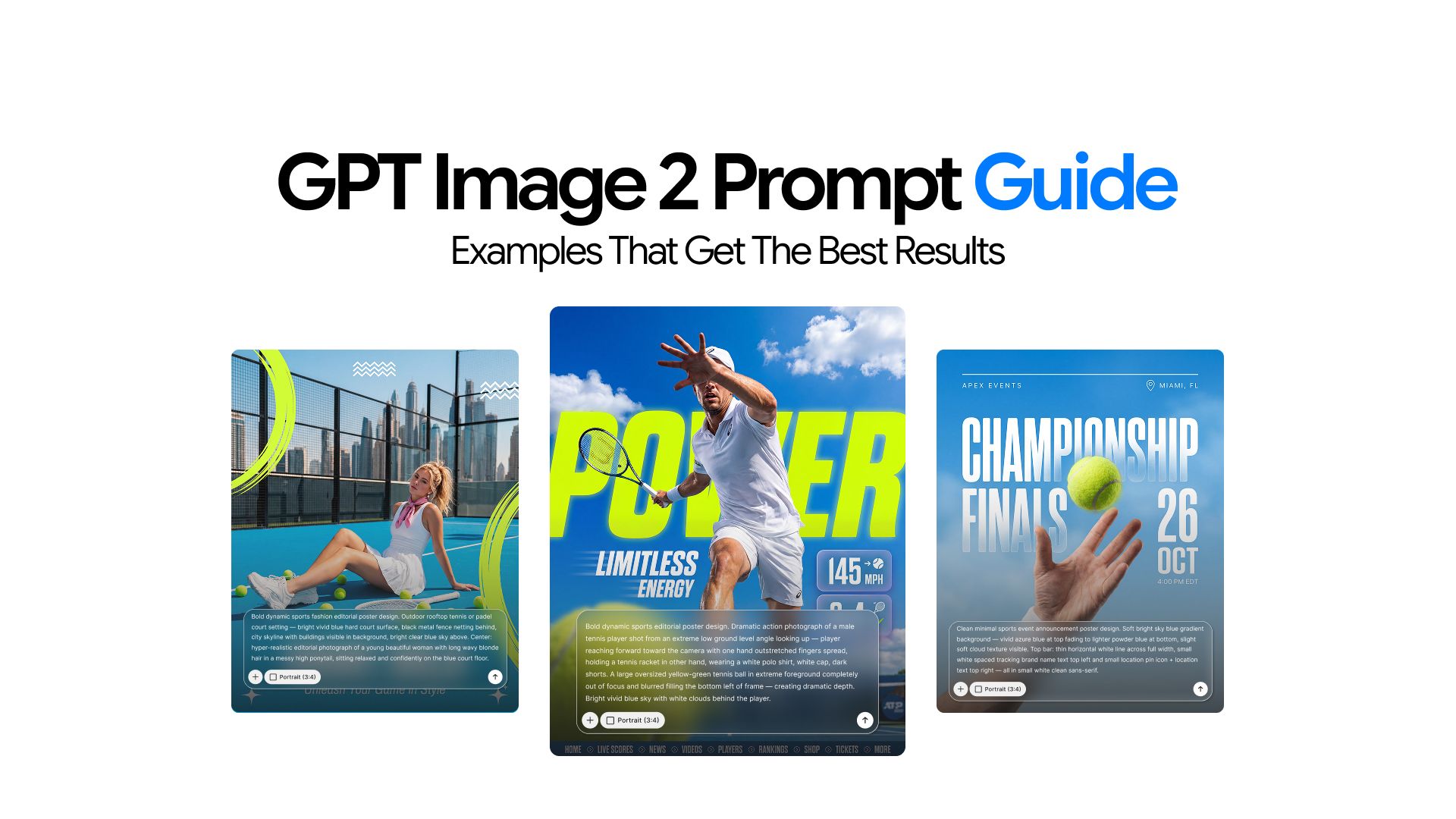
GPT Image 2 integrates directly into the GPT system rather than running as a standalone image model. It understands context, follows multi-step instructions, and interprets cultural and historical references without requiring special formatting or memorized command flags. This changes how you prompt it and what you can get out of it.
This guide shows you how to use those capabilities. It covers the prompt structure that works, side-by-side weak and strong examples, and ready-to-adapt templates for photorealistic images, product photography, infographics, UI mockups, ad campaigns, logo generation, comic strips, image editing, style transfer, and character consistency.
How GPT Image 2 Reads Your Prompts
GPT Image 2 is integrated into the GPT system rather than operating as a separate image generation model. It can interpret context, follow multi-step instructions, and refine outputs more effectively during generation. What this means for prompting:
- You can describe the image normally without memorizing prompt formulas, command flags, or special formatting
- Complex scenes with multiple subjects and details usually need fewer retries to get right
- It also understands historical and cultural references fairly well. For example, if you mention “a crowd in Bethel, NY on August 16, 1969,” it can recognize the Woodstock reference and generate imagery that matches the time period without extra explanation
The Prompt Template That Works
When writing specific prompts, structure and context matter more than detail. All AI image models respond to the same order: Scene, Subject, Key Details, Intended Use, and Constraints. Follow this sequence when directing the model to produce visual content. For more complex prompts, use short labeled sections or line breaks and avoid bullet points or long paragraphs.
Scene: [where this happens, time of day, background, environment]
Subject: [who or what is the main focus]
Important details: [materials, clothing, texture, lighting, camera angle, lens feel, composition, mood]
Use case: [editorial photo / product mockup / poster / UI screen / infographic / concept frame]
Constraints: [no watermark / no logos / no extra text / preserve face / preserve layout]`
Constraints are the slot most prompts skip. Leave the idea unbounded, and the model fills the gaps in directions you did not intend.
Vague vs. Visual GPT Image 2.0 Prompt
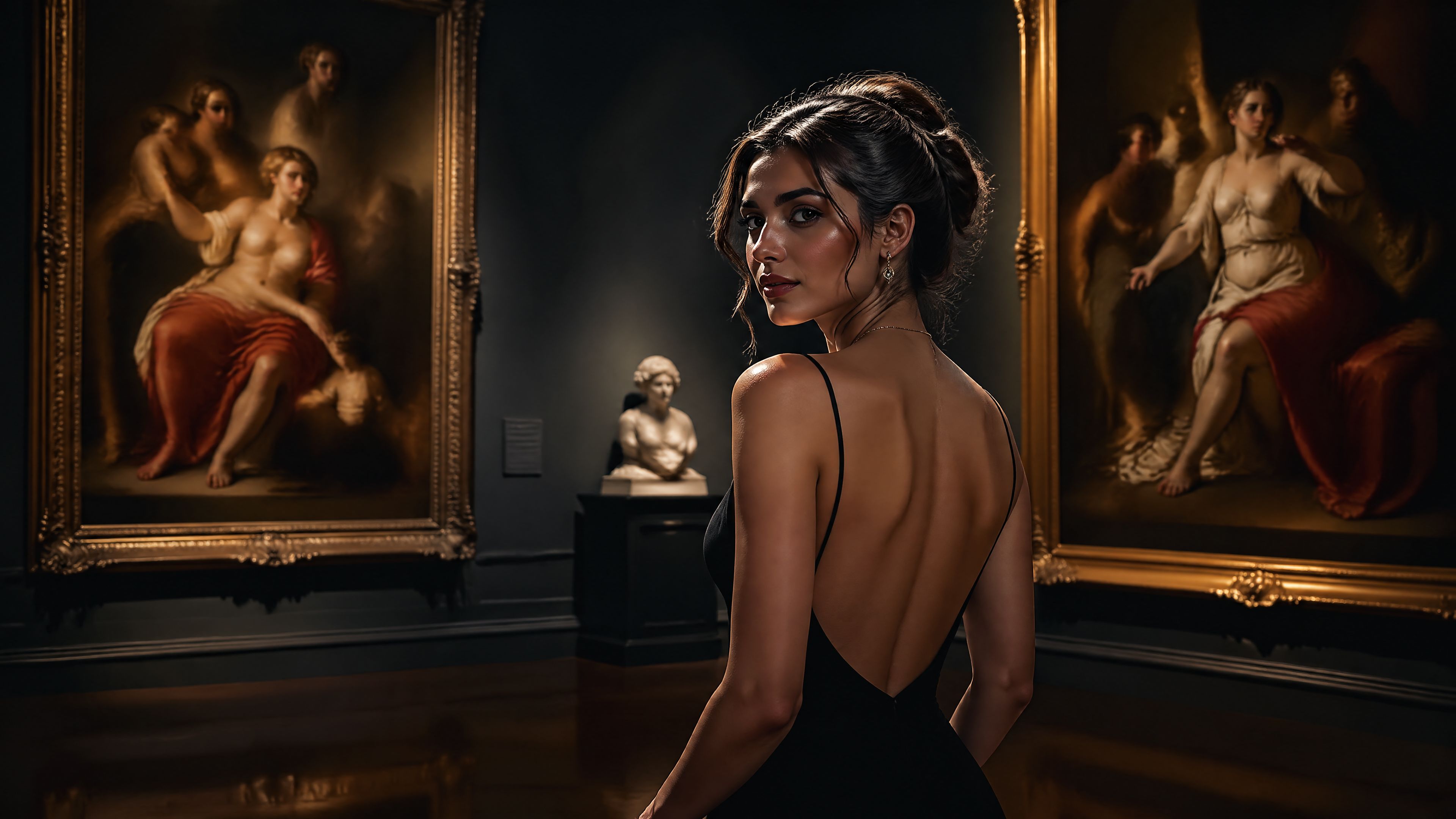
A stronger prompt is not a longer one. It gives the model something concrete to work with. Here is the same scene prompted two ways.
Weak prompt:
A stunning ultra-detailed cinematic masterpiece of a woman in a museum, beautiful, photoreal, 8K, award-winning.
Strong prompt:
Scene: A quiet classical museum gallery in soft afternoon light.

Subject: A woman in her 30s standing casually in front of a large oil painting.

Important details: Natural smile, realistic skin texture, beige knit sweater, dark jeans, white sneakers, eye-level full-body framing, marble floor reflections, warm neutral color balance, shallow depth of field, believable indoor ambient light.

Use case: Editorial lifestyle photograph.

Constraints: No watermark, no logos, no extra people in the foreground, no heavy retouching.
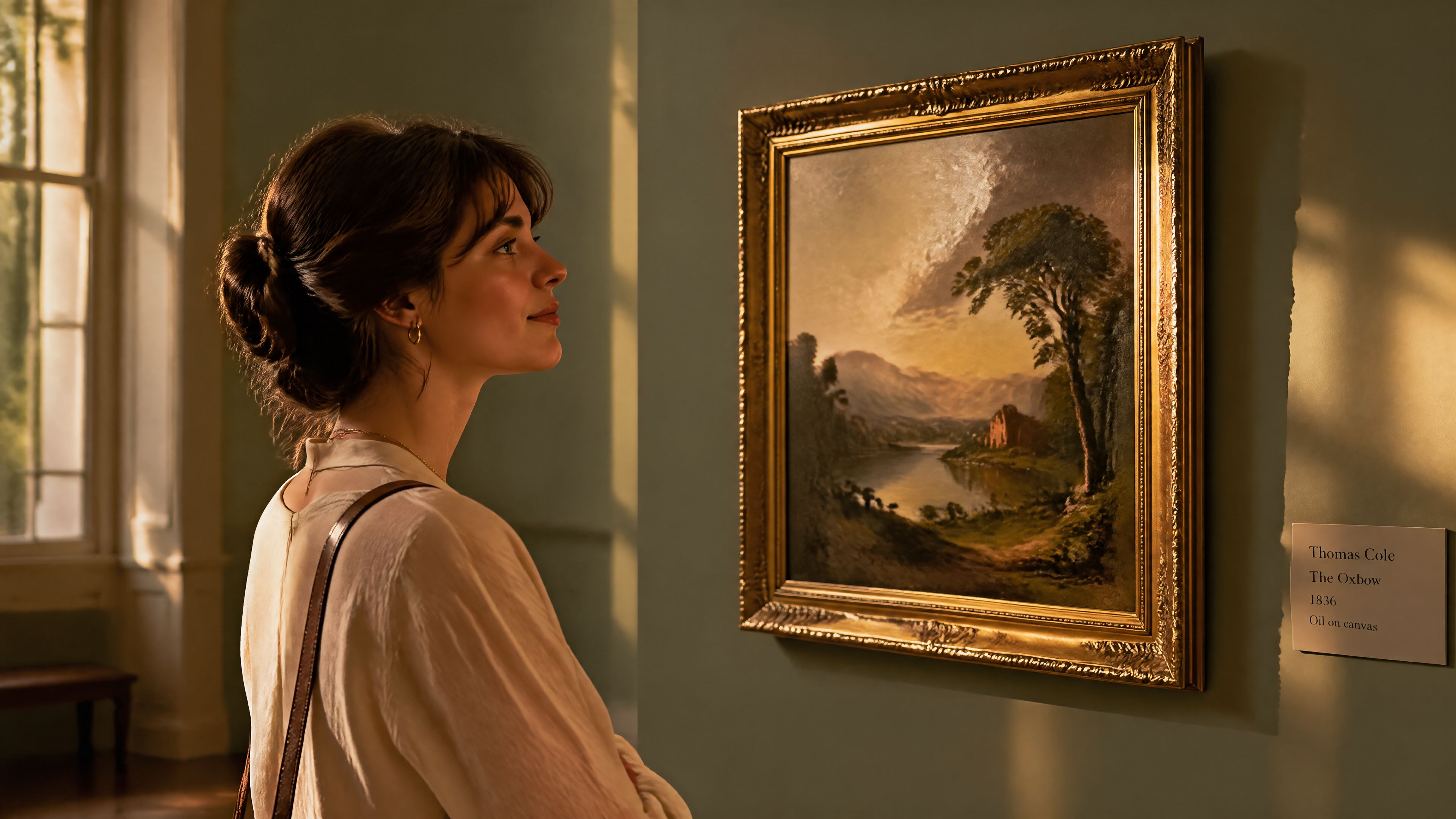
Excitement does not render. The second version gives the model something to draw.
Core Prompting Rules For GPT Image 2.0
1. Visual facts over vague praise
- Avoid: Stunning, incredible, epic, masterpiece, gorgeous, insane detail
- Use instead: Overcast daylight, brushed aluminum, chipped paint, clean kerning, 50mm feel, soft bounce light, slightly worn canvas
2. Style tags need visual targets
- Weak: Minimalist brutalist editorial luxury photoreal cinematic modern premium
- Usable: Cream background, heavy black condensed sans-serif, asymmetrical type block, one hero object, generous negative space, studio tabletop lighting
3. Say the real thing. If the image needs a transit kiosk, say transit kiosk. If it needs a readable boarding pass, say boarding pass. Mood language buries the actual brief.
4. Treat text like typography. Wrap literal text in quotes or ALL CAPS. Specify font style, size, color, and placement. For words the model keeps getting wrong, spell them out letter by letter.
5. Separate change from preserve in edits. Use "change only X" and "keep everything else the same." Repeat the preserve list on every iteration to prevent drift.
6. One revision per turn. Targeted edits outperform full rewrites:
Make the light warmer. Remove the extra chair on the left. Restore the original wall texture. Keep everything else the same.
Prompts for Infographics and Educational Visuals
Write these prompts like an instructional design brief: define the audience, lesson objective, visual format, required labels, and what to leave out. For dense layouts or heavy in-image text, use quality: high.
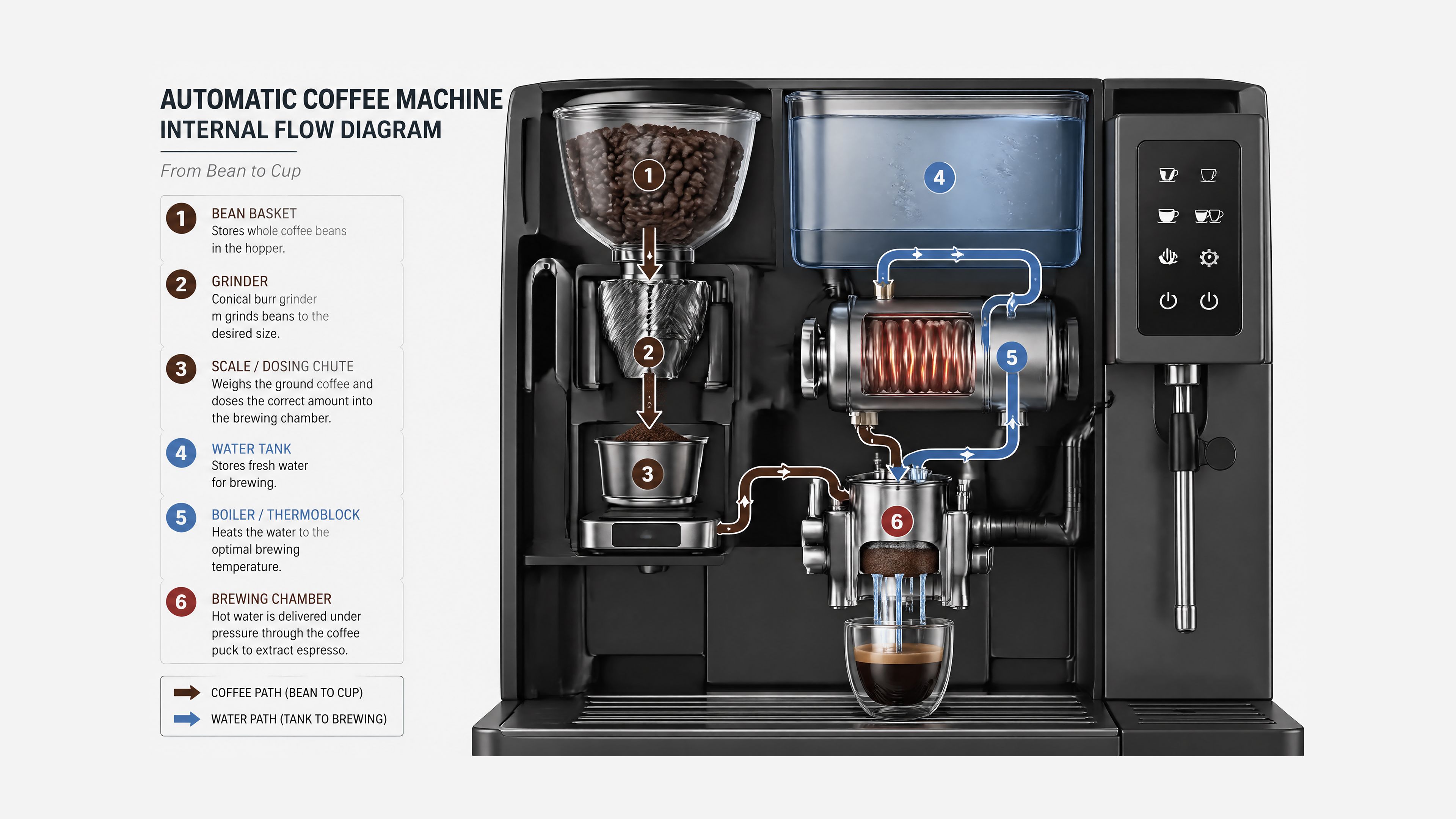
Coffee machine flow infographic:
Create a detailed infographic of the functioning and flow of an automatic coffee machine like a Jura. From bean basket, to grinding, to scale, water tank, boiler, etc. I'd like to understand technically and visually the flow.
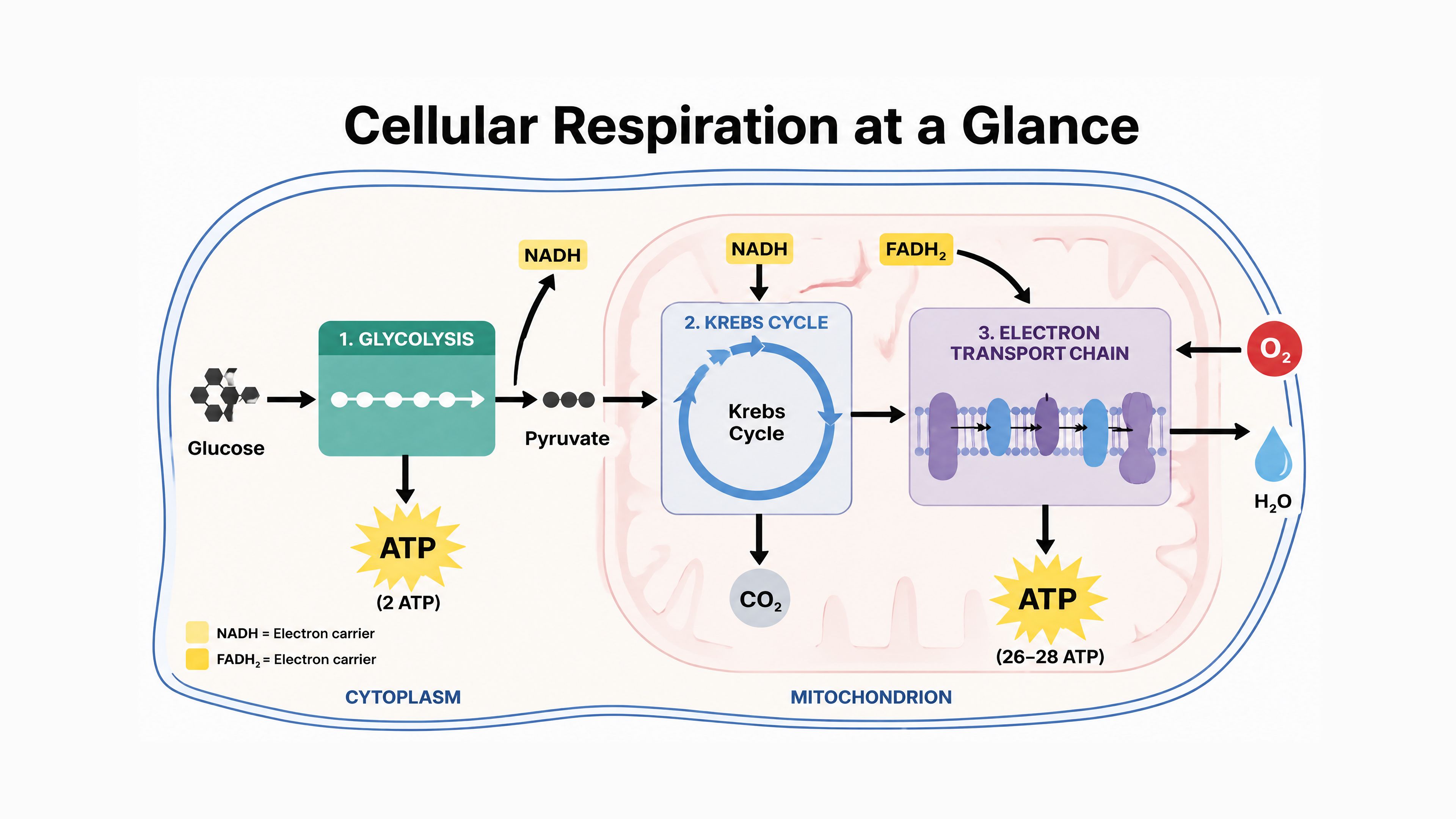
Biology diagram for high school students:
Create a simple biology diagram titled "Cellular Respiration at a Glance" for high school students. Show how glucose turns into energy inside a cell. Include glycolysis, the Krebs cycle, and the electron transport chain. Use arrows to connect the steps, and label the main molecules: glucose, pyruvate, ATP, NADH, FADH2, CO2, O2, and H2O. Make it look like a clean classroom handout or slide, with a white background, simple icons, clear labels, and easy-to-read text. Avoid tiny text, extra decoration, or anything that makes the diagram hard to understand.
Set
size: 1536x1024(landscape) andquality: highwhen the image contains small text, legends, axes, or footnotes.
Prompts for Photorealistic Images
Prompt as if a real photograph is being taken in the moment. Use photography language — lens, lighting, framing — and ask for real texture: pores, wrinkles, fabric wear, imperfections. Including the word "photorealistic" directly in the prompt strongly engages the model's photorealistic mode.
Candid portrait — elderly sailor:
Create a photorealistic candid photograph of an elderly sailor standing on a small fishing boat. He has weathered skin with visible wrinkles, pores, and sun texture, and a few faded traditional sailor tattoos on his arms. He is calmly adjusting a net while his dog sits nearby on the deck. Shot like a 35mm film photograph, medium close-up at eye level, using a 50mm lens.
Soft coastal daylight, shallow depth of field, subtle film grain, natural color balance. The image should feel honest and unposed, with real skin texture, worn materials, and everyday detail. No glamorization, no heavy retouching.
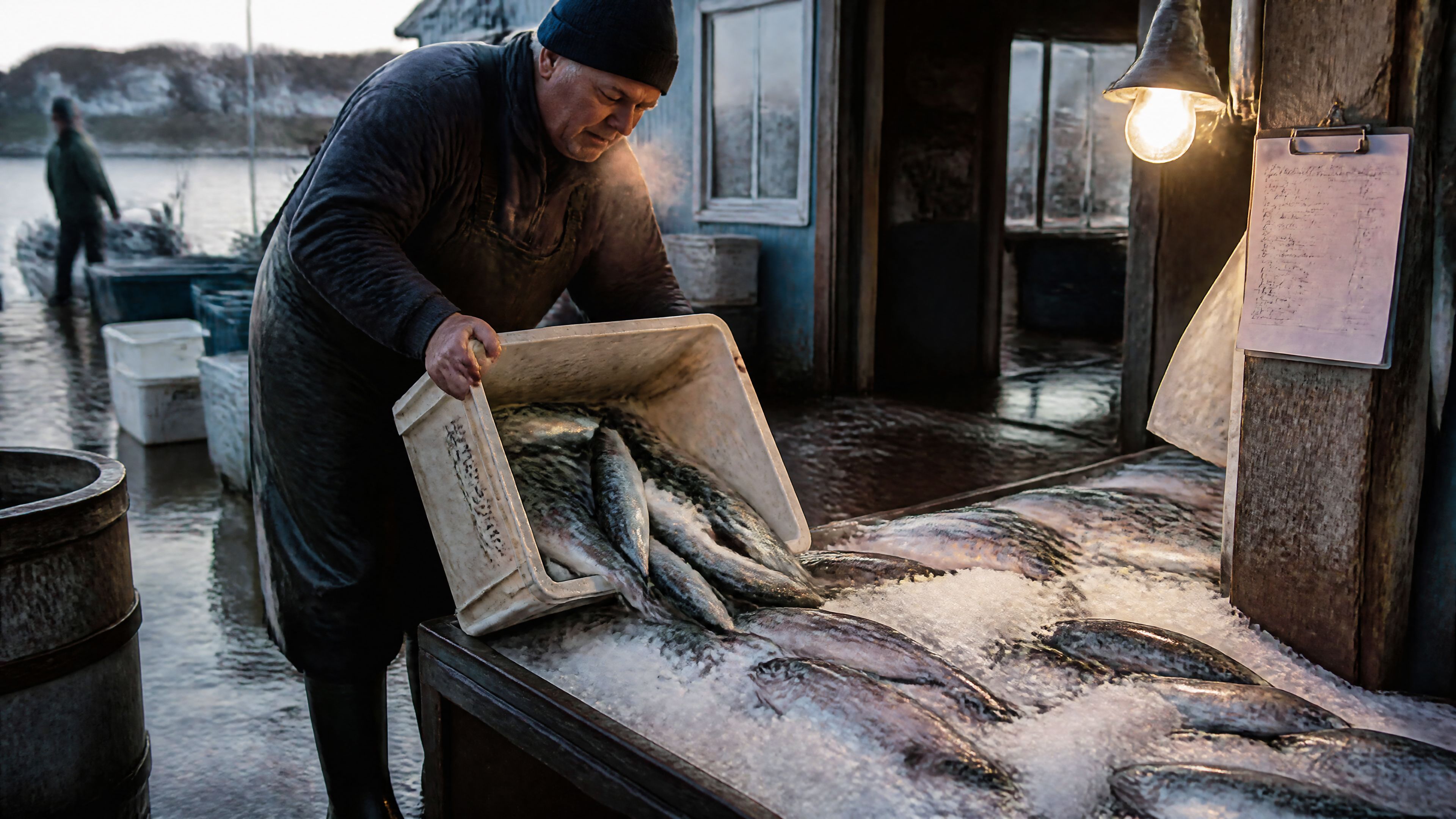
Documentary market scene:
Create a color documentary photograph of a fishmonger unpacking crates of mackerel onto crushed ice at a small coastal market just after dawn. Steam from breath in the cold air, rubber boots, wet concrete floor, incandescent work lamp spilling warm light, a paper ledger with handwritten prices clipped to a wooden post. Realistic skin texture and fish scales, shallow depth of field, 35mm feel. No commercial styling, no watermark.
World knowledge — period-accurate crowd:
Create a realistic outdoor crowd scene in Bethel, New York on August 16, 1969. Photorealistic, period-accurate clothing, staging, and environment.
The model infers Woodstock from the date and location without being told. This is an example of using world knowledge instead of over-explaining.
Night train reflection self-portrait:
Create a reflection self portrait in a night train window showing a young traveler with headphones and a tired expression, while the landscape outside blurs past at speed. Cool overhead train light mixed with warm town lights outside, ghosted double reflection on the glass, condensation at the edge, a thermos and a book on the tray table. Cinematic but believable. No watermark.
Prompts for Product Photography
Specify four things in every product prompt: shot type, surface material, lighting setup, and background treatment.
Shot types: close-up, flat-lay, three-quarter angle, front-facing, bird's eye view Surface options: white marble, grey concrete, dark walnut, light oak, glass, acrylic Lighting options: soft studio diffused, natural window light, ring light overhead, hard directional Background options: white seamless, gradient, blurred lifestyle environment
Museum archive concept product shot:
Create a museum archive photograph of two perfectly recognizable wireless earbuds carved from worn gray stone and placed on neutral conservation foam under soft overhead museum light. Accession card next to the pieces reads: ACC. 2126.04 - EARLY 21C PERSONAL ACOUSTIC IMPLEMENT. Flat even lighting, no dramatic shadow, neutral beige backdrop, shallow depth of field, the material reads as carved stone not plastic. No watermark, no brand logos.
Product cutout with transparent background:
Extract the product from the input image.
Output: transparent background, crisp silhouette, clean edges, no halos, no fringing. Preserve the bottle geometry, cap shape, label text, label colors, and print sharpness exactly.
Optional: a very subtle realistic contact shadow only if it respects the alpha. Do not restyle the product. Do not change proportions.
Transparency works on PNG and WebP outputs when
background: "transparent"is set. JPEG silently falls back to opaque.
Prompts for Advertising and Campaigns
Write ad prompts like a creative brief — include brand positioning, target audience, scene, concept, and exact copy. The model interprets cultural cues and proposes creative visual decisions inside your boundaries.
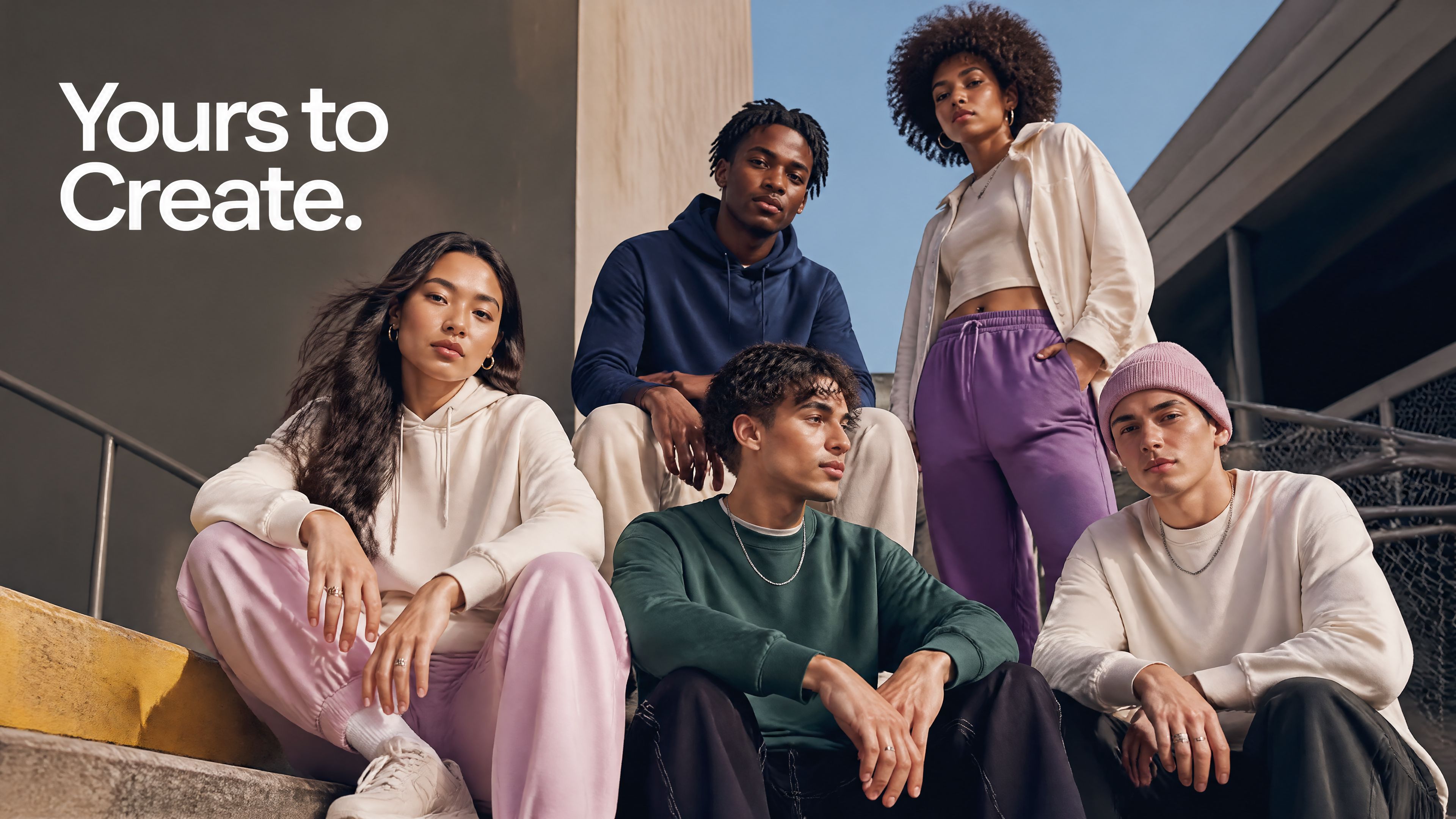
Streetwear brand campaign:
Give me a cool in-culture ad and fashion shot for a brand called Thread.
It's a hip young street brand. The ad shows a group of friends hanging out together with the tagline "Yours to Create."
Make it feel like a polished campaign image for a youth streetwear audience: stylish, contemporary, energetic, and tasteful.
Use clean composition, strong color direction, natural poses, and premium fashion photography cues. Render the tagline exactly once, clearly and legibly, integrated into the ad layout. No extra text, no watermarks, no unrelated logos.
Billboard with exact text — weak vs. strong:
Weak:
Make a shampoo billboard with some nice clean text.
Strong:
Create a realistic roadside billboard mockup at sunset.
Billboard headline (EXACT TEXT, one line only): "Fresh and clean"
Typography:
Bold sans serif, centered, high contrast, clean kerning, readable from a distance.
Layout:
Bottle on the right, headline on the left, generous negative space.
Constraints:
Render the text verbatim. No extra words. No duplicate text. No additional logos. No watermark.
Prompts for Logo Generation
Describe the brand's personality, use case, and visual constraints. Ask for clean, original marks with strong shape and balanced negative space. You can request multiple variations in one call by specifying n=4 via the API.
Local bakery logo (with 4 variations):
Create an original, non-infringing logo for a company called Field & Flour, a local bakery.
The logo should feel warm, simple, and timeless. Use clean, vector-like shapes, a strong silhouette, and balanced negative space. Favor simplicity over detail so it reads clearly at small and large sizes. Flat design, minimal strokes, no gradients unless essential. Plain background. Deliver a single centered logo with generous padding. No watermark.

Prompts for UI Mockups
Describe the product as if it already exists — focus on layout, hierarchy, spacing, and real interface elements. Avoid concept art language so the result looks like a shippable interface rather than a design sketch. Name the specific design system for authenticity: "iOS 18 native interface," "Material Design 3," or "Figma-style system."
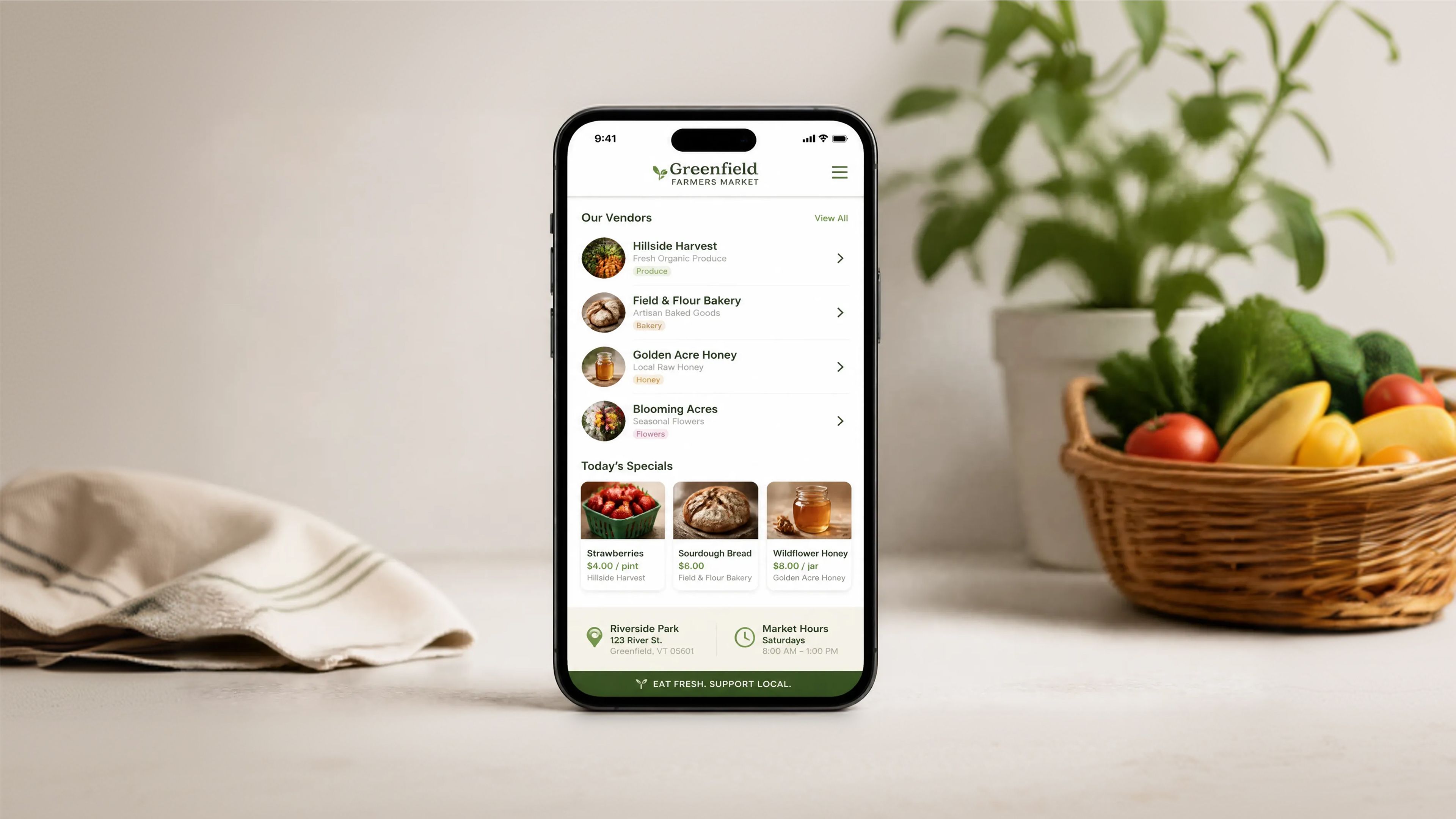
Farmers market app:
Create a realistic mobile app UI mockup for a local farmers market.
Show today's market with a simple header, a short list of vendors with small photos and categories, a small "Today's specials" section, and basic information for location and hours. Design it to be practical and easy to use. White background, subtle natural accent colors, clear typography, and minimal decoration. It should look like a real, well-designed, beautiful app for a small local market. Place the UI mockup in an iPhone frame.
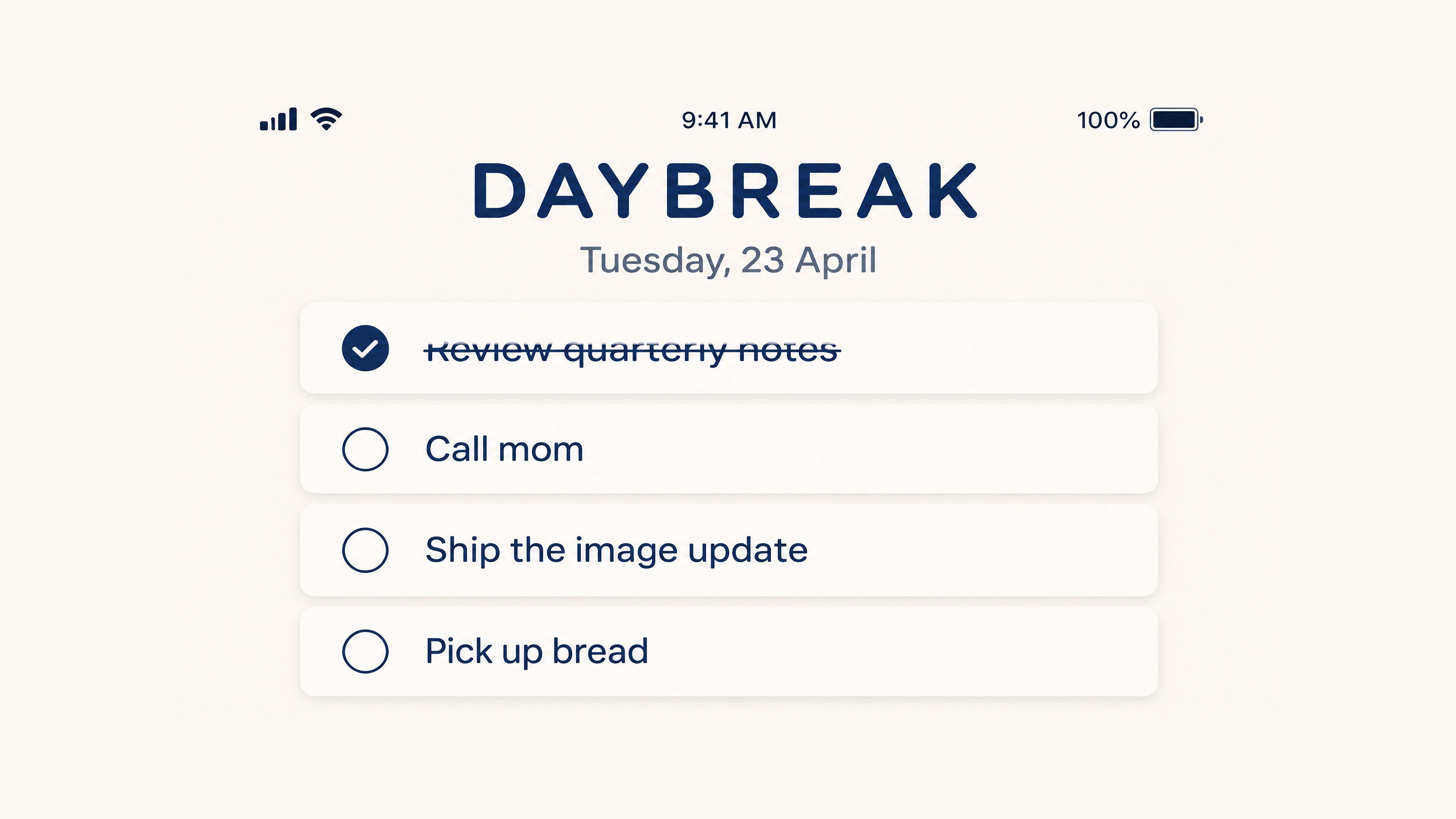
Minimalist to-do app:
Create a clean mobile app screenshot for a minimalist to-do app called DAYBREAK.
Top status bar reads 9:41 AM.
Title: DAYBREAK.
Subtitle: Tuesday, 23 April.
Four tasks listed:
- Review quarterly notes
- Call mom
- Ship the image update
- Pick up bread
One task is checked off.
Muted cream background, deep navy accent color, rounded sans serif, soft card shadows,
perfect legibility, generous spacing. No watermark. No real app branding.
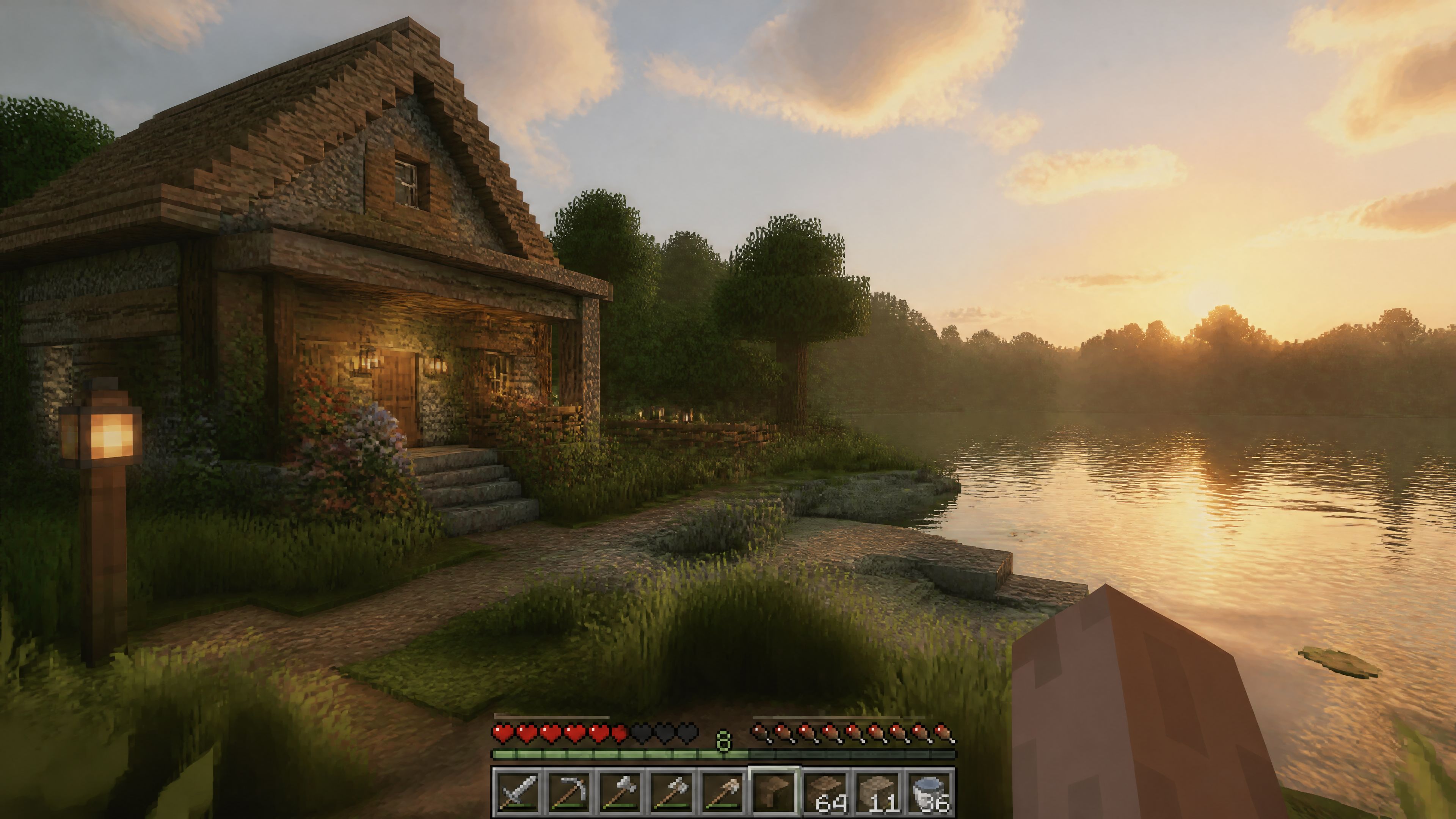
Survival game UI screenshot:
Create a high-resolution first-person gameplay screenshot of a cozy stone cottage by a lakeside in a block-based survival game world at golden hour.
The scene should feature:
Ray-traced lighting with soft global illumination
Lush grass, flowers, and natural shoreline details
Calm reflective water with atmospheric haze
Subtle player hand visible in the lower right
Clean, minimal survival HUD along the bottom (simple and unobtrusive)
Style: premium AAA game-engine realism with natural, grounded design and soft cinematic lighting.
Constraints: no logos, no watermarks, no fantasy exaggeration, no branded UI elements.
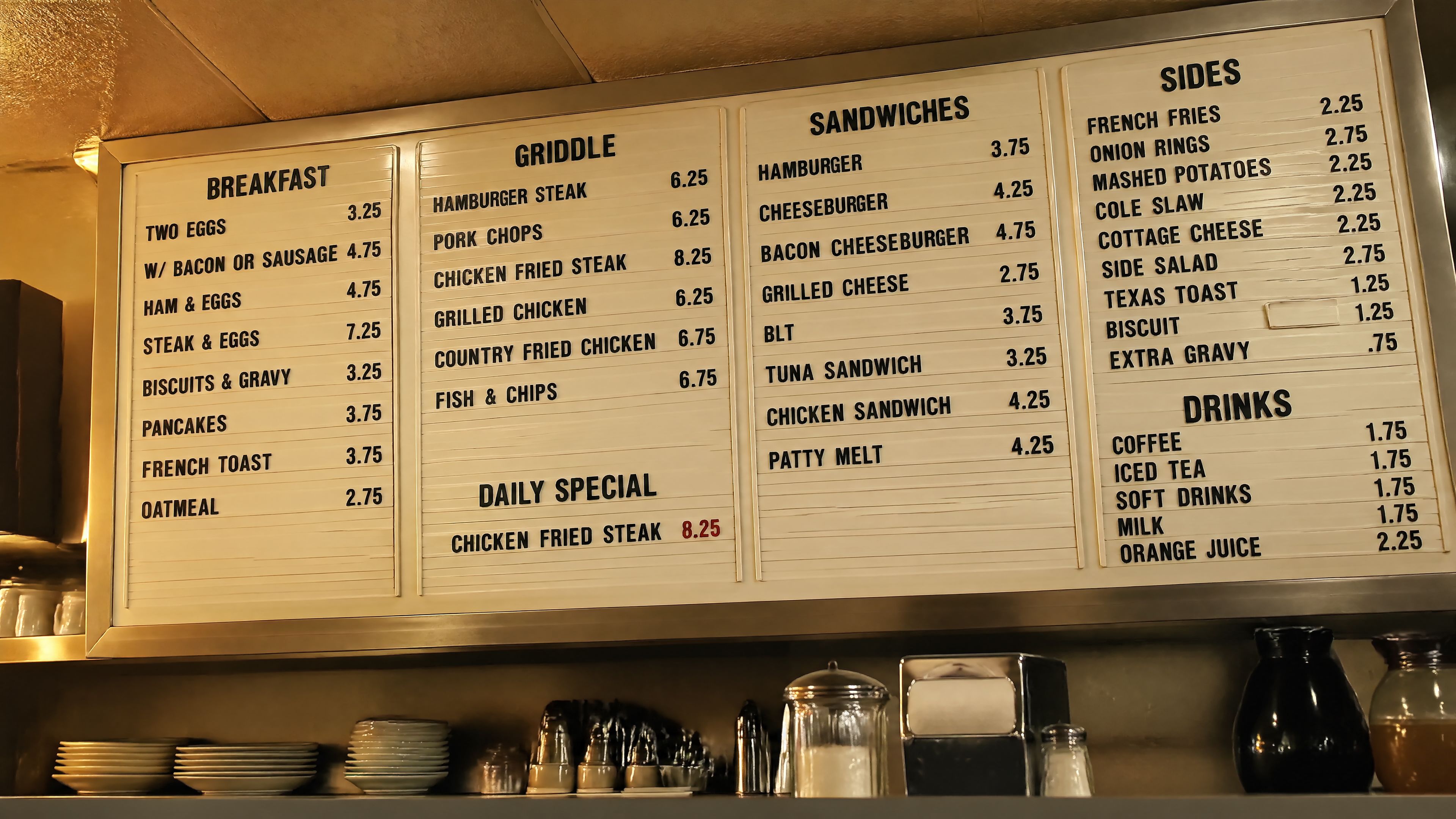
Prompts for Text Inside Images
Always write the text exactly as it should appear. Mark it as EXACT TEXT or verbatim, specify placement and typography, and state "no extra words" and "no duplicate text" as explicit constraints. Use medium or high quality for small text and dense layouts.
Diner menu board:
Create a photoreal photograph of a 24-hour diner menu board at 5 in the morning, shot from the counter seat at a slight angle. Plastic letter tracks, uneven letter spacing, one missing letter slot, yellowed light from incandescent bulbs, legible prices,
categories labeled BREAKFAST, GRIDDLE, SANDWICHES, SIDES, DRINKS, and a daily special that reads CHICKEN FRIED STEAK 8.25. The type must be 100 percent readable and physically believable. No watermark, no brand logos, no text artifacts.
Translating text in an existing image:
Translate the text in the infographic to Spanish. Do not change any other aspect of the image.
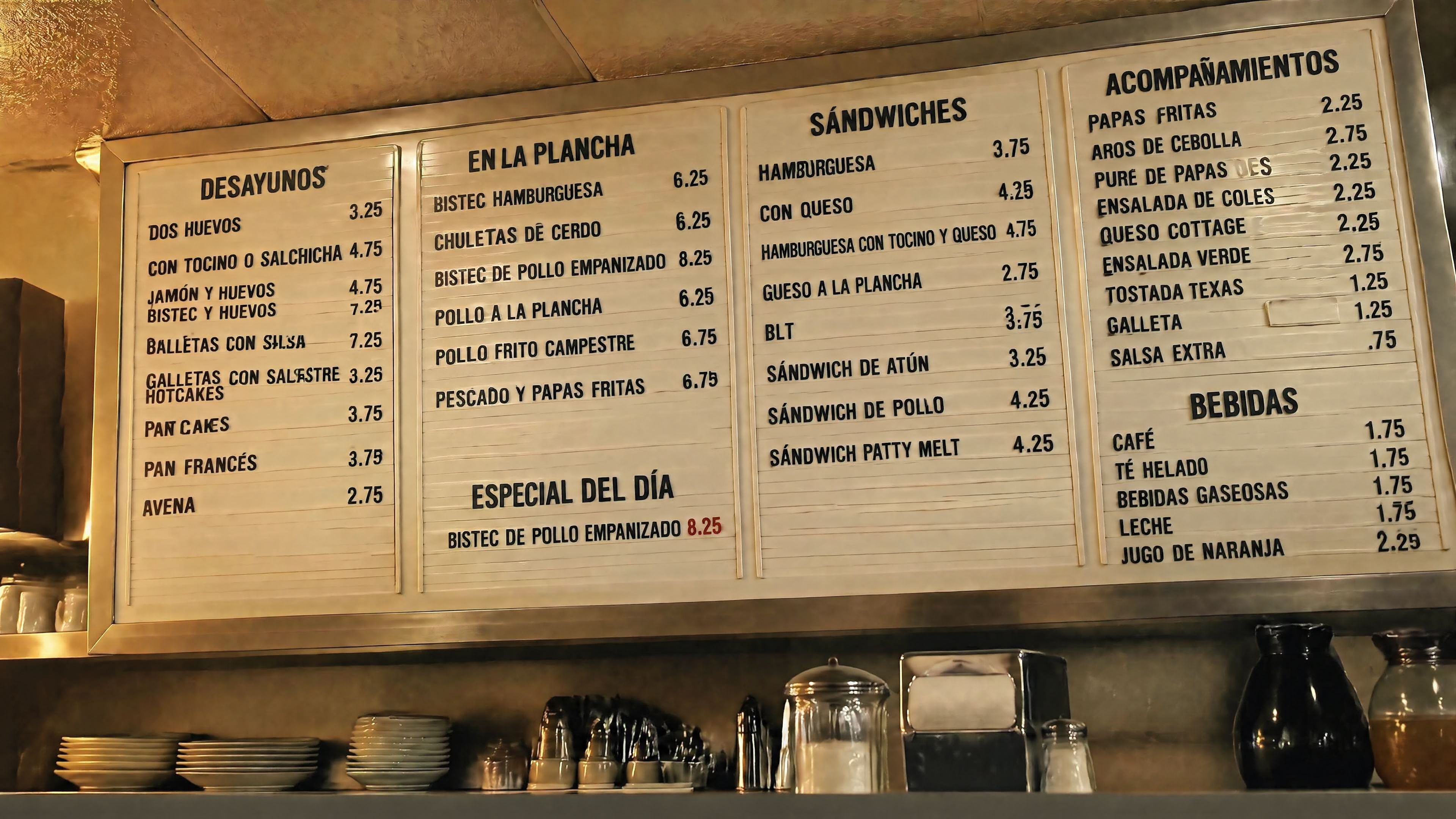
Localization edits work well for ads, UI screenshots, packaging, and infographics. Preserve typography style, placement, spacing, and hierarchy while translating verbatim with no unintended edits to logos, icons, or imagery.
Prompts for Comic Strips and Multi-Panel Sequences
Define the narrative as a sequence of clear visual beats — one per panel. Keep descriptions concrete and action-focused so the model can translate the story into readable, well-paced panels.
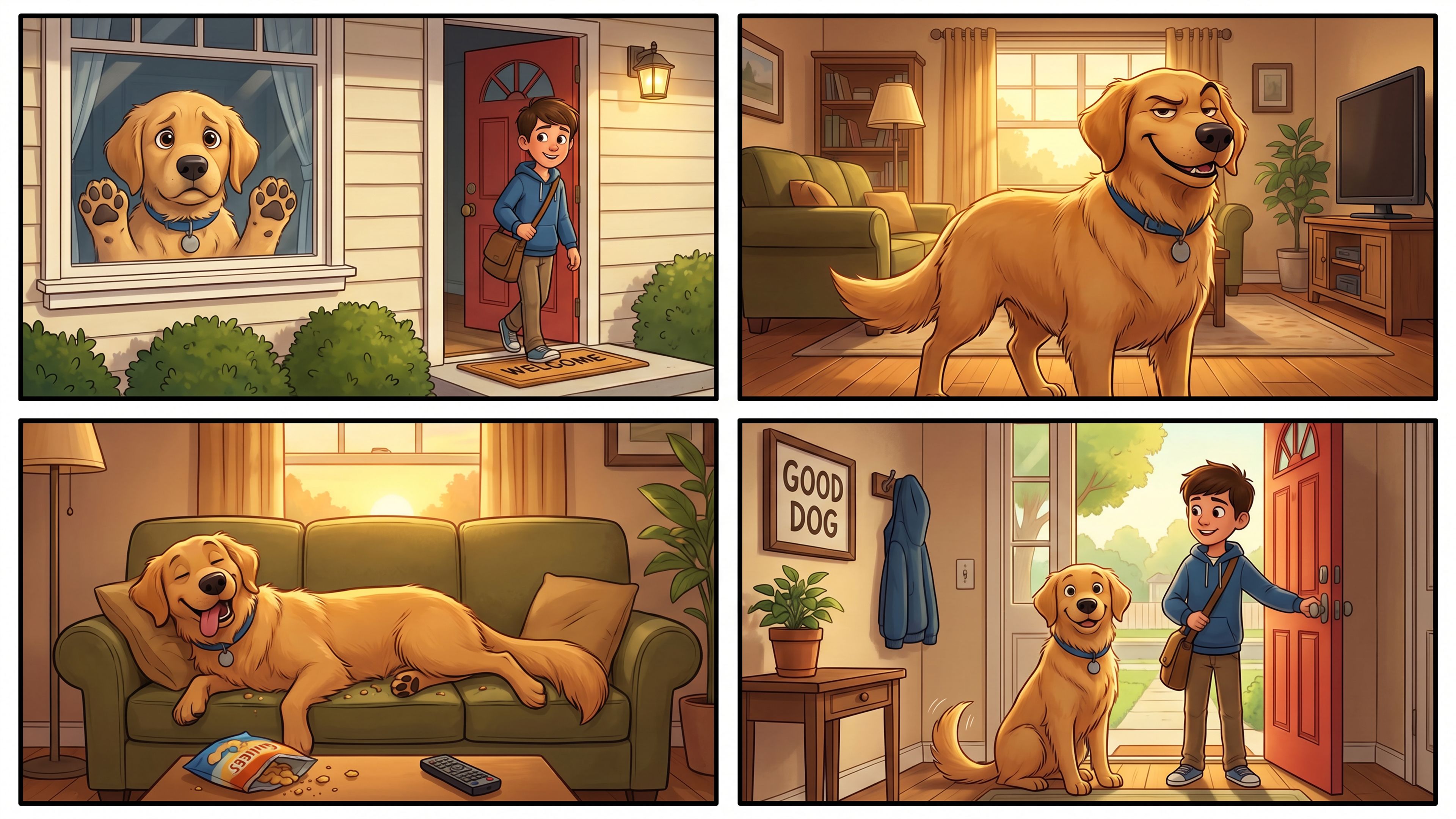
Pet home alone — 4-panel comic strip:
Create a short vertical comic-style reel with 4 equal-sized panels.
Panel 1: The owner leaves through the front door. The pet is framed in the window behind them, small against the glass, eyes wide, paws pressed high, the house suddenly quiet.
Panel 2: The door clicks shut. Silence breaks. The pet slowly turns toward the empty house, posture shifting, eyes sharp with possibility.
Panel 3: The house transformed. The pet sprawls across the couch like it owns the place, crumbs nearby, sunlight cutting across the room like a spotlight.
Panel 4: The door opens. The pet is seated perfectly by the entrance, alert and composed, as if nothing happened.
Prompts for Image Editing
Structure every edit in two columns: what changes and what stays locked. Repeat the preserve list on every iteration to prevent drift.
Remove signage from a storefront:
Remove every advertising sign and poster from the shop windows in this storefront photograph.
Preserve the awning, the brick facade, the mullions, the window reflections, the sidewalk, and every person on the sidewalk exactly.
Reconstruct the glass naturally: clean reflections of the street, no ghosting of the removed posters, no leftover adhesive marks, no logo drift.
Match the original lighting, white balance, and film grain. No watermark.
Outfit swap — weak vs. strong:
Weak:
Make the outfit better.
Strong:
Change only the clothing.
Keep the face, skin tone, body shape, hands, hair, expression, pose, background, camera angle, framing, and lighting exactly the same.
Use a dark olive waxed cotton jacket, charcoal trousers, and brown leather boots. Fit the garments naturally with realistic folds and contact shadows. No jewelry, no text, no logos.
Prompts for Style Transfer and Multi-Image Compositing
Label each input image by role and reference the labels in the instruction. The model accepts up to 16 reference images for edits.
Virtual try-on from multiple references:
Image 1: base scene to preserve.
Image 2: jacket reference.
Image 3: boots reference.
Instruction:
Dress the person from Image 1 using the jacket from Image 2 and the boots from Image 3.
Preserve the face, body shape, pose, background, lighting, and framing from Image 1.
No extra accessories.
Style transfer from a visual reference:
Use the same visual language as the input image: chunky pixel forms, limited arcade palette, bright glow accents,
clean silhouette edges, playful 1980s poster energy. Generate a new scene of a motorcycle chase through a neon desert at night. White background. No watermark.
Drawing to a photorealistic image:
Turn this drawing into a photorealistic image. Preserve the exact layout, horizon line, proportions, river path, mountain placement, tree placement, and overall perspective. Choose realistic materials and lighting consistent with a quiet sunrise scene. Do not add new objects or text.
Prompts for Character Consistency
Establish a detailed anchor in the first prompt and repeat the critical identity details exactly in every follow-up. The model does not have memory between sessions, so the preserve list must do the continuity work.
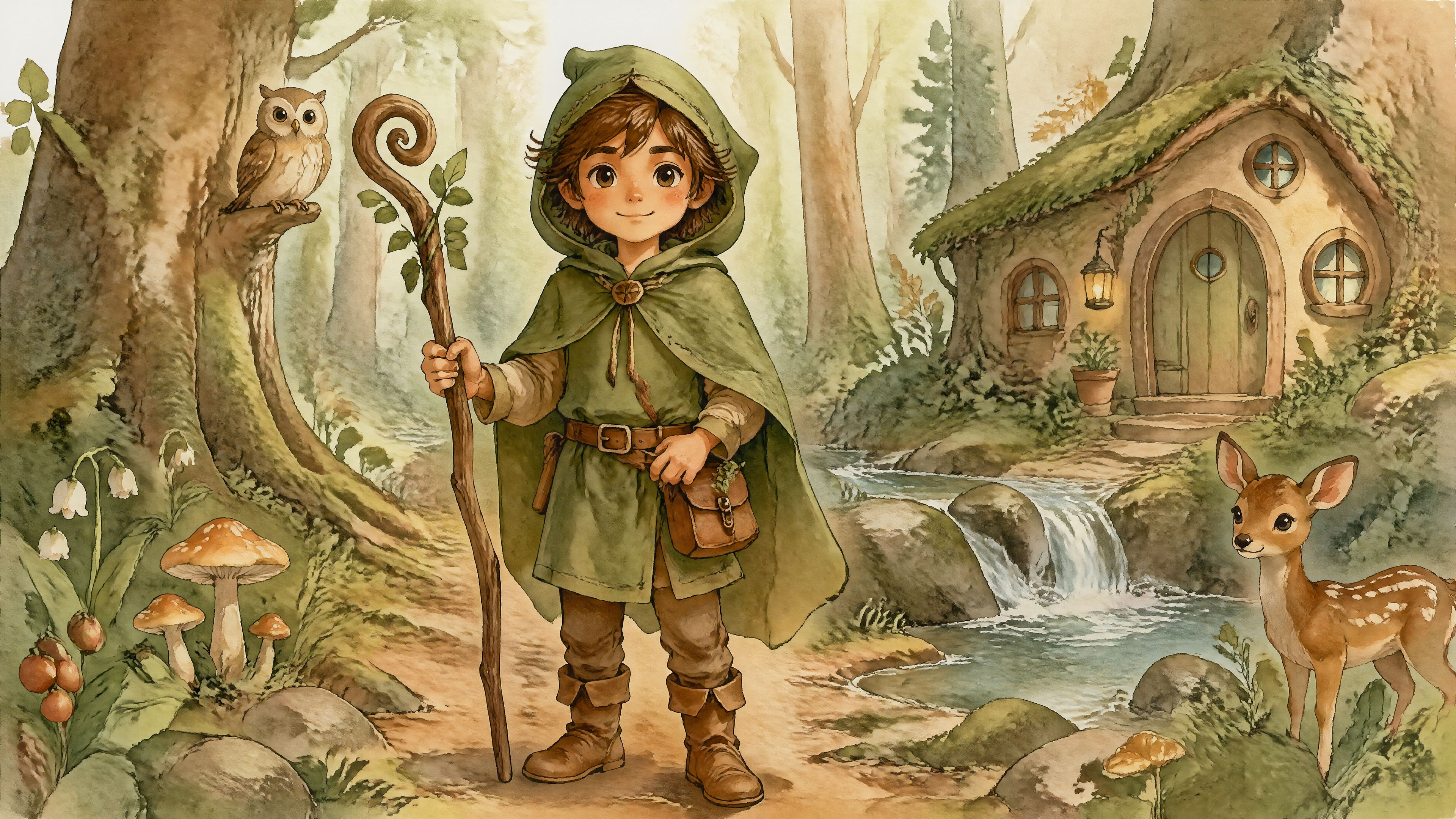
First prompt — establish the character:
Create a children's book illustration introducing a main character. A young forest helper wearing a green hooded tunic, soft brown boots, and a small belt pouch. Kind expression, gentle eyes, warm but brave personality. Hand-painted watercolor look, earthy colors, soft outlines, whimsical but grounded. No text. No watermark.
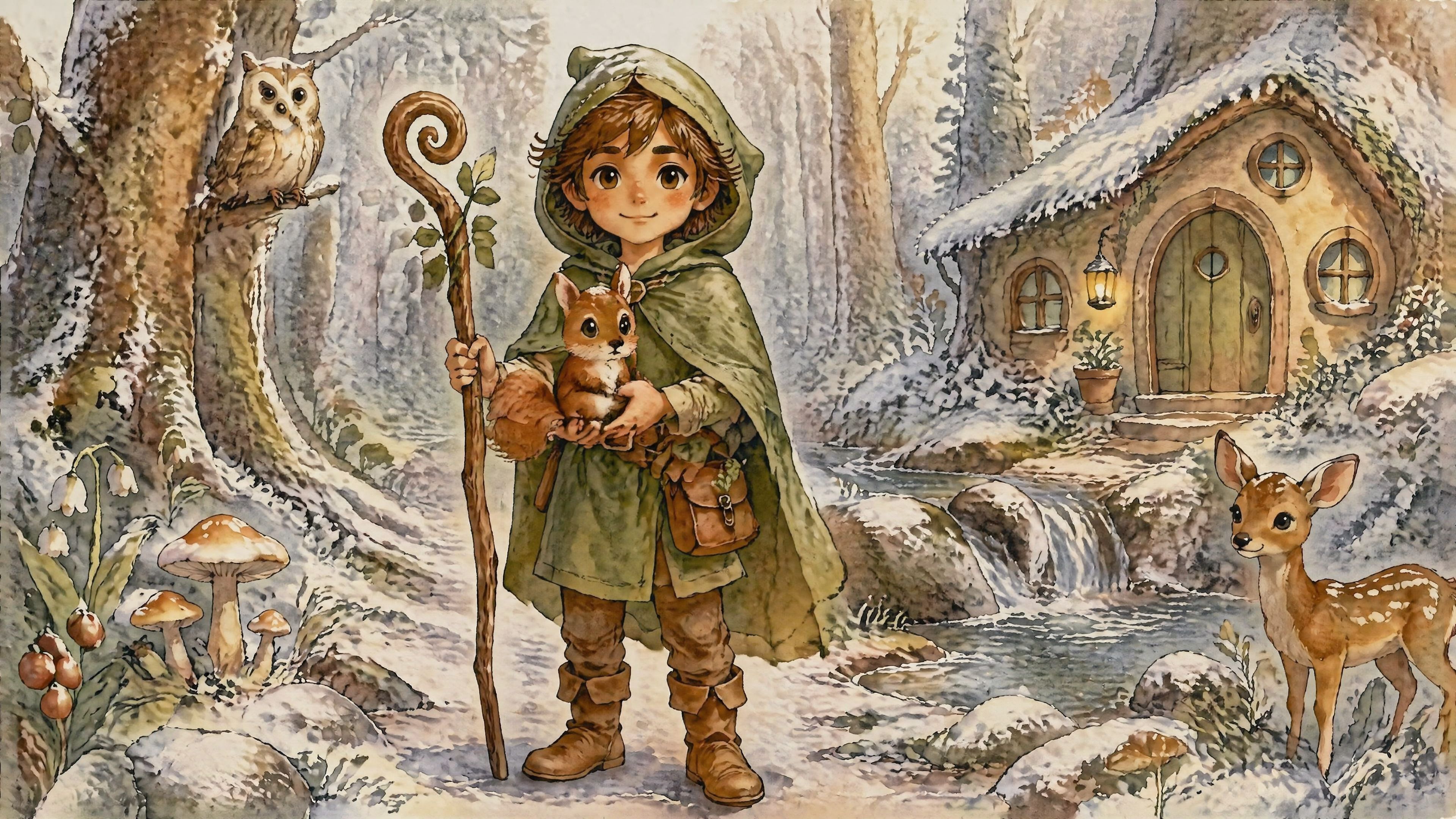
Second prompt — new scene, same character:
Continue the children's book story using the same character. The same forest helper is rescuing a frightened squirrel after a winter storm. Keep the same face, same green hooded tunic, same proportions, same color palette, and same gentle personality. Same watercolor look, snowy forest light, warm comforting mood. Do not redesign the character. No text. No watermark.
Prompt Patterns That Consistently Fail
Before you start prompting, it helps to know what trips people up. These are the mistakes that show up most often and why they produce bad results.
- Contradictory style instructions. Asking for a hyperrealistic photograph that also looks like a cartoon puts the model in an impossible spot. It cannot be both at once, so it guesses, and the result satisfies neither. Decide what the image actually needs to look like before you write the prompt.
- Vague mood language. "Make it feel mysterious" means something different to everyone. The model has nothing concrete to work with, so the output changes every time. Swap mood words for things the camera or painter would actually do: dark shadows, low-key lighting, a deep blue and charcoal color palette, fog in the background.
- Long text inside images. The model handles short text well. Anything beyond 10 words in a single element starts to break down, with letters transposing, words running together, or characters appearing that were never in the prompt. Generate the image first, then add any longer copy in a design tool.
- Abstract ideas with no visual anchor. "An image representing isolation" can go in a hundred directions. The model picks one, and it is rarely the one you had in mind. Describe the actual scene: a single empty wooden chair facing a large window in an otherwise bare white room, late afternoon grey light, wide-angle shot.
- Making too many changes at once. Asking the model to change the lighting, swap the outfit, and remove the background in one message usually means at least one of those changes goes wrong or pulls something else off. One change at a time, with a clear note about what to keep, gets cleaner results every time.
Conclusion
Most people who struggle with image generation are not bad at prompting. They are prompting the way they would search Google, short phrases with the hope that the model fills in the rest. It does fill in the rest, just not always the way you expected.
The examples in this guide work because they leave less to chance. They describe the scene, the subject, the details that matter, how the image will be used, and what should not change. That is the whole system. Start with any template here, cut what does not apply to your brief, and adjust from there.`
Frequently Asked Questions
Learn more about Image Generation with GPT Image 2
More topics you may like
GPT Image 2 Free: How to Use It Without Paying (2026)

Arooj Ishtiaq
GPT Image 2 vs ImagineArt 2.0: Textual Accuracy vs. Realism
Arooj Ishtiaq
GPT Image 2 vs Midjourney: Which AI Image Model Is Better in 2026?
Arooj Ishtiaq

GPT Image 2 Pricing: API Cost, Per-Image Rates, and Cheapest Access
Arooj Ishtiaq
What Is ChatGPT Images 2.0? Features, Capabilities, and How to Get Started
Arooj Ishtiaq
GPT Image 2 vs DALL-E 3: What Changed and Is It Worth the Upgrade?
Arooj Ishtiaq