
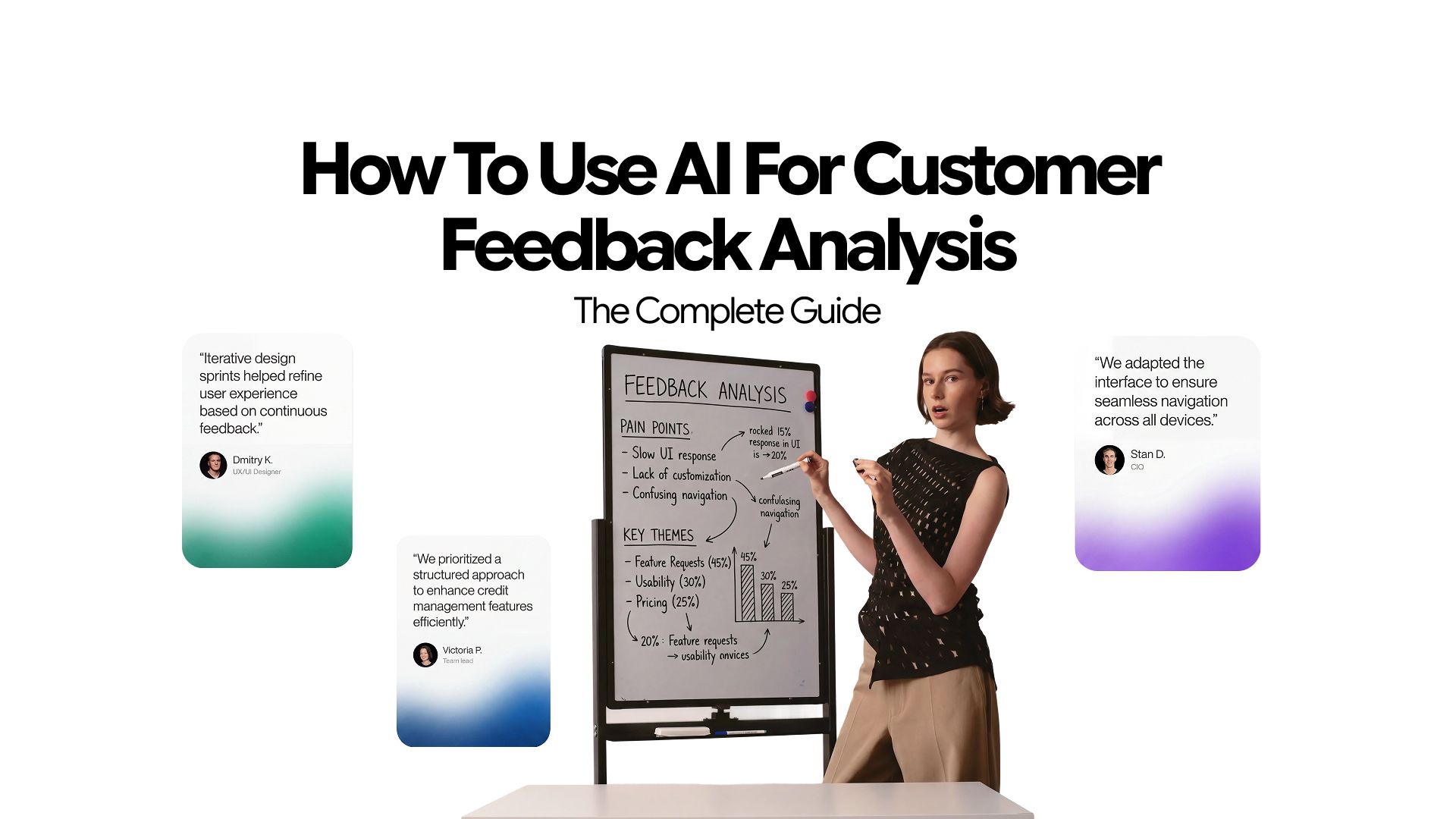
How to Use AI for Customer Feedback Analysis (The Complete Guide)
95% of companies collect customer feedback. Only 10% utilize it to improve their product/service. While only 5% close the feedback loop by telling customers about it.
The issue here is not the collection. You already have the surveys, the NPS (Net Promoter Score) responses, the support tickets, the review threads. The problem is what happens after they land. Most teams either drown in unstructured text or rely on a gut-feel summary from one person who skimmed the responses on a Monday morning.
Analyzing feedback data thoroughly and manually can prolong the process and create bottlenecks. So most companies just end up ignoring it.
AI for customer feedback analysis changes that completely. Not by collecting more, but by making sense of what you already have, faster and more accurately than any manual process can.
This guide is built around the CLEAR Method, a five-step analysis framework for turning raw feedback into decisions:
- C: Classify
- L: Listen for Sentiment
- E: Extract Themes
- A: Act on Priorities
- R: Report Back
By the end, you will have a repeatable system for running AI customer feedback analysis that surfaces the insights your competitors are missing.
Why Manual Feedback Analysis Fails at Scale
Manual analysis captures only 30–40% of actionable themes in a feedback dataset. The issue compounds with volume.
A team reading 500 NPS responses in a spreadsheet will cluster feedback into 4 or 5 broad categories. AI will find 15 to 20 distinct themes, including the sub-patterns buried inside each category.
The onboarding complaints are not one problem. They are five separate problems that look like one when you read them individually and only reveal themselves when analyzed across the full dataset.
Speed is the other cost.
A junior analyst spending two weeks preparing a quarterly feedback report is not just slow. They are delivering insights that are already six weeks stale by the time a decision gets made. Product decisions get made in that window based on guesswork, and by the time the report arrives, the team has already moved on to the next sprint.
The real cost of manual analysis is the decisions that never got made, the churn that was predictable, and the product priorities that were set on incomplete information.
This is precisely why teams across marketing, product, and customer success are turning to AI chat to handle analytical work that used to require a dedicated analyst or a specialized tool.
The following five sections walk through each step of the CLEAR Method in detail.
Step 1: Classify Your Feedback First
Classification is the foundation of every other analysis step. If you skip it, everything downstream becomes noise.
Classification means sorting each piece of feedback into a defined category before any further analysis happens. Common categories for SaaS and product teams include:
- Bug reports
- Feature requests
- Onboarding complaints
- Billing and pricing issues
- Performance and reliability feedback
- Praise and positive reinforcement
The reason most teams skip this step is that it feels slow when done manually. AI makes it instant. Using natural language processing, a model can read 1,000 feedback responses and return a structured table with every response labeled, in under a minute.
There are two levels of classification worth understanding.
- Coarse classification assigns a top-level category to each response.
- Fine-grained classification goes one level deeper, assigning a sub-topic within the category.
A coarse label might be "onboarding complaint." A fine-grained label refines it to "confusion during initial setup" or "no guidance on first login." The fine-grained version is the one that actually informs a decision.
Here is a prompt you can paste into Chatly right now to classify a feedback batch:
Classify Feedback Prompt
Here is a batch of customer feedback responses. Using a multi-label NLP classification approach (similar to zero-shot classification via models like RoBERTa or BART-MNLI), classify each response into the following categories: Bug Report, Feature Request, Onboarding Complaint, Billing Issue, Performance Feedback, or Praise. For responses that span multiple topics, apply a primary/secondary label system — assign the dominant intent as the primary category and note any secondary category if present. Return a structured table with three columns: Response, Primary Category, and Secondary Category (if applicable).
Once your feedback is classified, you have a clean, structured dataset. Every step that follows works on that structure.
Without this foundation, sentiment analysis scores pile onto mixed content, theme extraction picks up noise, and priority scoring becomes unreliable. Classification is not a preliminary step. It is the step everything else depends on.
One practical tip: define your categories before you run the prompt, not after. AI suggest categories can be inconsistent with labels that shift slightly from run to run.
Step 2: Listen for Sentiment
Sentiment is where most teams start, and where most tools stop. AI sentiment analysis can knock basic positive/negative/neutral labeling out of the park.
AI achieves 85–95% sentiment accuracy compared to 70–80% for human reviewers. The gap exists because humans are inconsistent under volume. The 400th response you read is scored differently than the 40th, not because the feedback changed, but because your attention did.
But raw sentiment scores are only useful when they are contextual.
A negative sentiment score attached to a pricing response tells a completely different story than a negative score attached to a core product feature. One might signal price sensitivity. The other signals a product problem that, if uncorrected, will drive churn.
Advanced AI sentiment analysis on customer feedback breaks down along three dimensions:
- Overall sentiment (positive, negative, neutral)
- Intensity score (how strongly positive or negative, typically on a 1–5 scale)
- Target (which specific product area, feature, or process the sentiment is directed at)
The third dimension, target-level sentiment, is what makes segment-level analysis possible. When you can see that your onboarding has a 4.2 average sentiment score while your billing process sits at 2.1, you know exactly where to look next. That clarity is not possible without targeted sentiment analysis.
Here is a Chatly prompt for this step:
Sentiment Analysis Prompt
Using a three-dimensional sentiment model (valence, arousal, and target — grounded in the VAD framework used in models like VADER, BERT-based SentimentR, or Aspect-Based Sentiment Analysis), analyze each feedback response below. For each one, return: overall sentiment (positive, negative, or neutral), an intensity score on a 1–5 scale reflecting emotional arousal, and the specific product area, feature, or process the sentiment is directed at (aspect-level targeting). Flag any responses where sentiment is mixed or ambiguous rather than forcing a clean label. Return a structured table with four columns: Response, Sentiment, Intensity, and Target.
AI outputs are confident by default. The model will assign a sentiment score to every response, including ambiguous ones. This is worth knowing before you act on the results. Teams that understand how AI models can over-confirm patterns tend to use AI analysis as a strong signal, not a final verdict.
Step 3: Extract Themes with AI
Thematic analysis is the highest-value step in the entire process. It is also the one that scales least gracefully without AI.
The distinction between a category and a theme is important.
- Categories are buckets.
- Themes are narratives.
"Onboarding" is a category. "Users repeatedly describe confusion at the same step in setup, specifically around connecting their first integration" is a theme. Categories tell you where to look. Themes tell you what to fix.
Thematic AI customer feedback analysis works by reading across your entire dataset and identifying recurring patterns in language, concern, and intent.
A theme does not have to use the same words in every response to be a theme.
AI recognizes semantic similarity, not just keyword repetition. Three users saying "the setup took forever," "getting started was a nightmare," and "I spent two hours on the first step alone" are all expressing the same theme.
There are two variables to weigh once themes are surfaced:
- Frequency
- Intensity
A theme that appears in 80 responses with mild negative sentiment is different from a theme that appears in 10 responses, all from enterprise customers, all with maximum intensity scores. The second one is often the higher-priority problem even though it has a tenth of the volume.
Sub-theme clustering adds another layer. The theme "onboarding friction" might contain three distinct sub-themes:
- Confusion during integration setup
- No in-app guidance on first login
- Slow response from onboarding support
Each sub-theme represents a separate fix. Treating them as one problem leads to one generic solution that partially addresses all three and fully solves none.
Here is the Chatly prompt for thematic extraction:
Theme Extraction Prompt
This output becomes the analytical backbone of everything that follows.
Product managers use it to build roadmap arguments. Customer success teams use it to identify at-risk segments. Marketers use it to find messaging gaps. The prompt above is one of dozens of structured analytical prompts that, when used consistently, function as a repeatable system for extracting specific outputs from AI.
Step 4: Act on Priority Insights
Themes provide insights, not value. The value is in what you decide to do next. Prioritization is the next logical step that separates an analysis from a strategy.
But not every theme deserves the same urgency.
A feature request from 200 free users carries less revenue weight than a billing complaint from 15 enterprise customers. Frequency alone is a misleading signal. The right priority framework scores each theme across multiple dimensions simultaneously:
- Number of mentions (frequency)
- Average sentiment intensity (severity)
- Customer segment value (free vs. paid, SMB vs. enterprise)
- Estimated churn risk (is this complaint in exit surveys or mid-lifecycle feedback?)
Companies that build a prioritization step into their analysis process, rather than treating it as a separate judgment call, see 10–15% higher revenue impact from product and CX decisions.
The mechanism is straightforward. Better-prioritized fixes reduce churn and increase expansion revenue more reliably than volume-driven roadmap decisions.
Here is the Chatly prompt for this step:
Priority Scoring Prompt
Using a weighted priority scoring model (based on the RICE framework — Reach, Impact, Confidence, Effort — adapted for CX analysis), score each of the following themes. Assign scores across four dimensions: number of mentions (Reach), average sentiment intensity on a 1–5 scale (Impact), whether feedback came primarily from paid or free users with enterprise weighted higher (Confidence/Segment Value), and estimated churn risk inferred from language patterns such as cancellation intent, competitor mentions, or exit-survey phrasing (Effort proxy for urgency). Normalize each dimension to a 1–10 scale, compute a weighted composite score, and return a ranked list with the composite score, individual dimension scores, and one sentence of prioritization reasoning per theme.
The output is a ranked action list with reasoning attached. That is something you can put in front of a product meeting, a leadership review, or a customer success planning session and actually use.
Step 5: Report Back to Close the Loop
Closing the loop has internal and external components. Both matter, and most teams do neither consistently.
Internal brief
This is a one-page summary of your analysis output, written for decision-makers who did not run the analysis themselves. It should contain:
- The top 3 to 5 prioritized themes with scores
- The customer segments most affected by each theme
- A recommended action for each theme (fix, investigate further, or deprioritize with reason)
- One paragraph on the overall sentiment trend compared to the previous period
- A single sentence on what the data suggests about near-term churn risk
With AI at your disposal, the brief should take 20 minutes to produce once your analysis is complete. If it is taking longer than that, the analysis output was not structured clearly enough.
External close
This is what most teams treat as optional. It is not.
- Telling customers that their feedback shaped a decision, specifically and directly, is one of the highest-leverage retention moves available.
- "You asked for a faster integration setup. We shipped it in March" is more powerful than most retention emails a marketing team will write this quarter.
The external close does not require a public announcement for every fix. A changelog entry, a follow-up email to users who raised the issue, or an in-app notification for the customers who reported the problem are all sufficient. What matters is that the loop closes, not that it closes loudly.
Just as AI-generated content can be repurposed and redistributed across channels, your analysis output can serve multiple internal and external audiences simultaneously. The same CLEAR Method output that briefs your product team can inform your customer communications and your quarterly business review with a few targeted reformats.
Use this prompt inside Chatly:
Using a structured insight brief format (aligned with the Pyramid Principle — lead with the conclusion, support with evidence, close with recommended action), generate two outputs from the analysis below. First, an internal brief containing: the top 3–5 prioritized themes with scores, the customer segments most affected, a recommended action per theme (fix, investigate, or deprioritize with rationale), a sentiment trend comparison vs. the prior period if data is available, and a one-sentence near-term churn risk assessment. Second, a set of 3–5 short external-facing customer communication snippets (suitable for changelog, email, or in-app notification) that close the feedback loop by directly connecting a specific customer-reported problem to a completed or planned action.
AI Customer Feedback Analysis Methods Compared
There are four primary methods used in AI customer feedback analysis. Understanding what each one does helps you choose the right approach for your team's resources and goals.
1. NLP-based classification
This uses natural language processing to read and label unstructured text at scale. It is best suited for teams with large feedback volumes that need structured data before any analysis begins. This is the method behind Step 1 of the CLEAR Method.
2. Sentiment scoring models
These apply trained statistical models to assign emotional valence and intensity to text. They are most useful when you need to track sentiment trends over time or compare sentiment across customer segments. This is what powers Step 2.
3. Topic modeling (including LDA and its AI-enhanced variants)
This identifies statistical clusters of co-occurring words and phrases across a corpus of text. It is powerful for discovery on completely unstructured datasets where you have no predefined categories. The limitation is that topic model outputs often require human interpretation to become actionable themes.
4. Conversational AI analysis
This is the most accessible entry point for teams without data science resources. You paste your feedback into a conversational AI interface, give it a structured prompt, and get a structured output back. No model training required, no API setup, no dedicated tooling.
This is the method this entire guide is built around, and it is the method Chatly makes available to any team with a chat window and well-crafted prompts.
The right method is usually a combination of the first three for teams with technical infrastructure and the fourth for everyone else. Conversational AI analysis does not require you to choose between speed and structure.
Start Analyzing Smarter with Chatly
You are not short on feedback. You are short on a system for making sense of it.
The CLEAR Method gives you that system. Classify, listen for sentiment, extract themes, act on priorities, and report back. Five steps, each one building on the last, each one executable today using nothing more than Chatly's AI chat and the prompts in this guide.
The teams winning on customer experience are not the ones with the most feedback. They are the ones who act on it faster, more accurately, and more consistently than their competitors. AI customer feedback analysis is how that speed becomes possible without adding headcount or infrastructure.
Start using Chatly to run your first CLEAR Method analysis today.
Frequently Asked Question
Categorize and analyze feedback with minimum effort for maximum impact.
More topics you may like

AI for Developers: Code Review, Debugging, Documentation, and Integrated Workflows

Arooj Ishtiaq

AI for Frontend Engineers: Component Generation, Refactoring, and Accessibility
Arooj Ishtiaq
How to Onboard onto an Unfamiliar Codebase Using AI?
Arooj Ishtiaq

11 Best AI Tools for Businesses in 2026

Umaima Shah

11 Best AI Tools for Marketers in 2026
Umaima Shah