How to Use the App
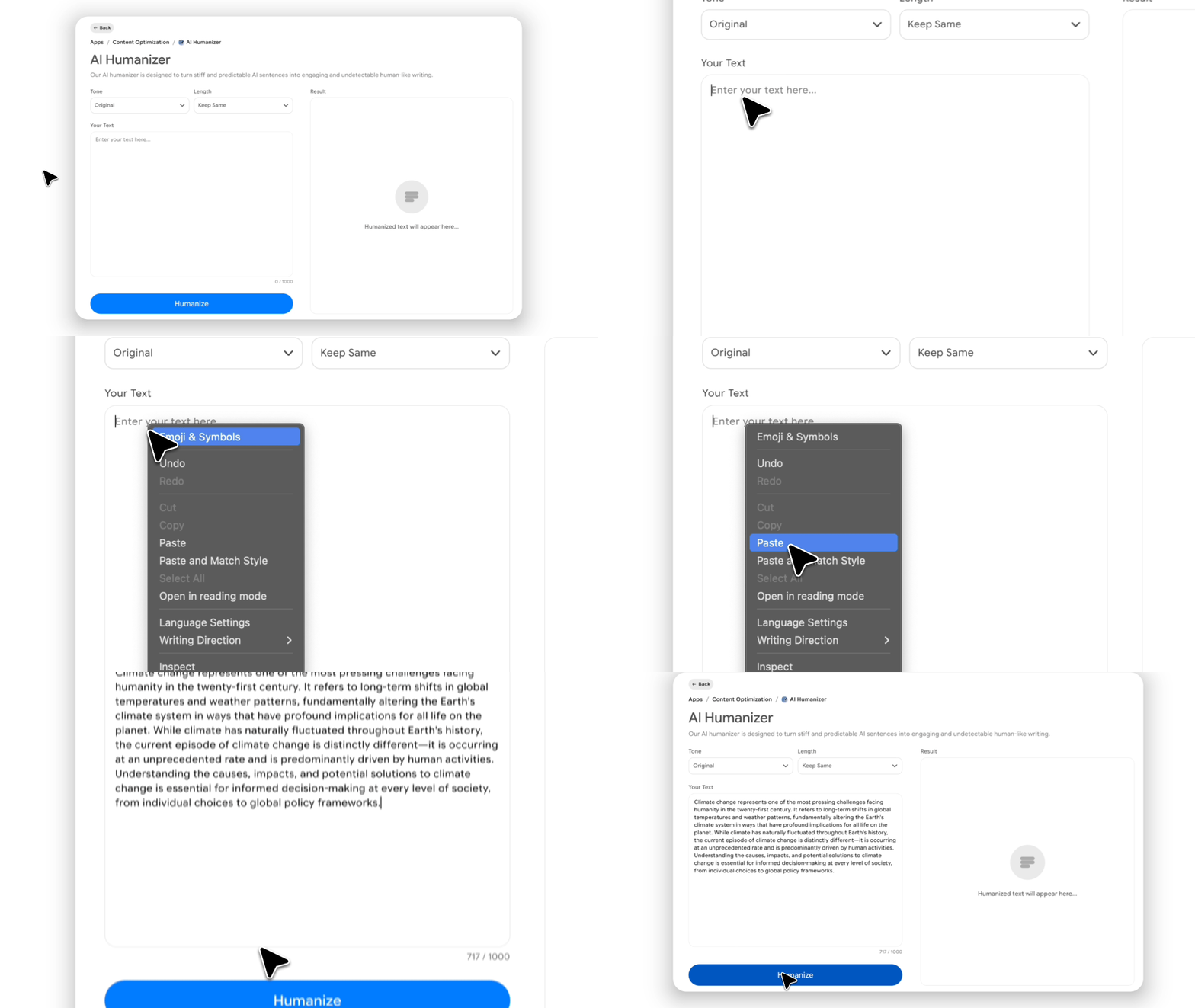
Paste Your Content
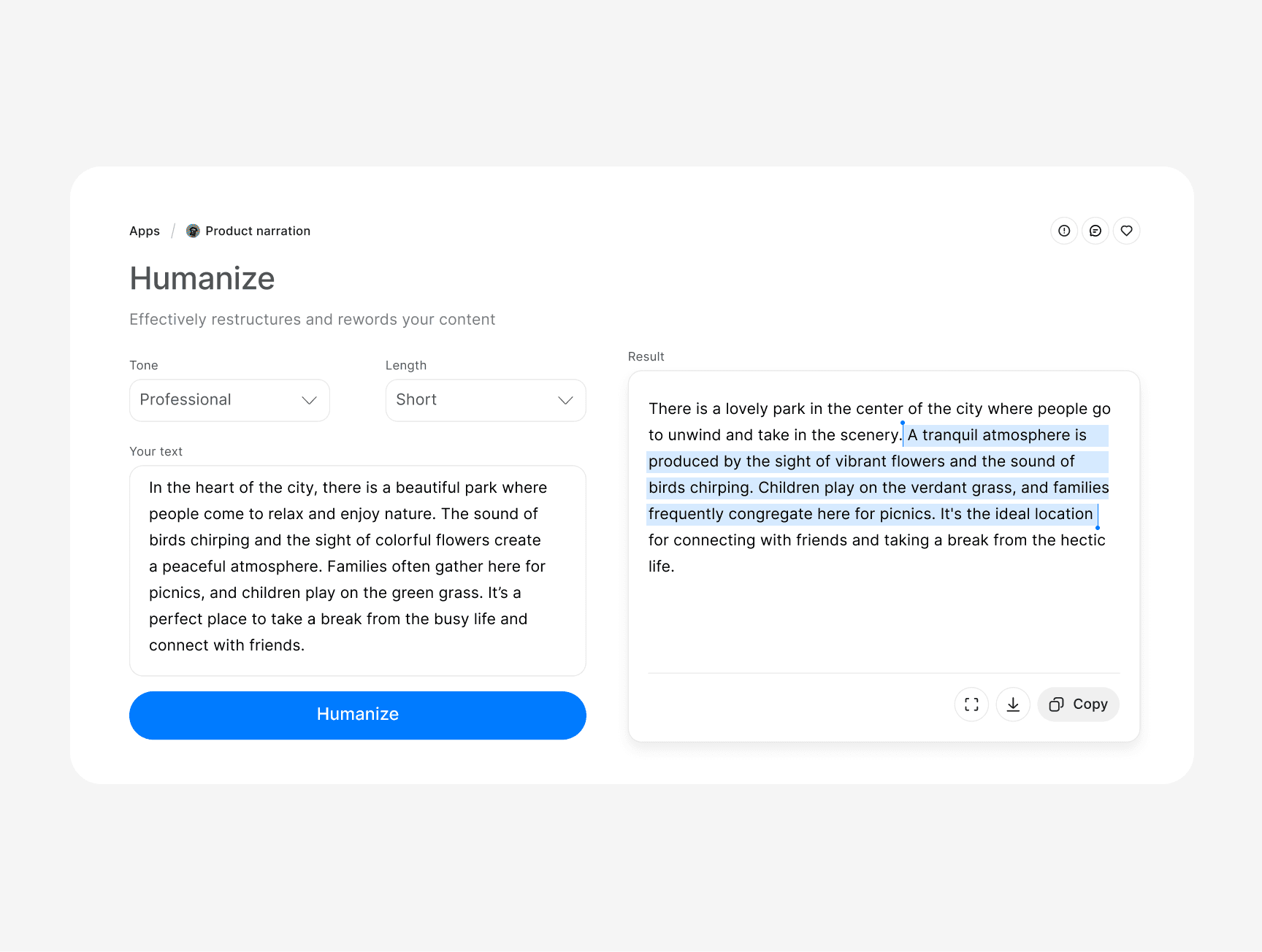
Simply copy and paste your AI content into our AI text humanizer. The tool excels at understanding the context and providing relevant results.
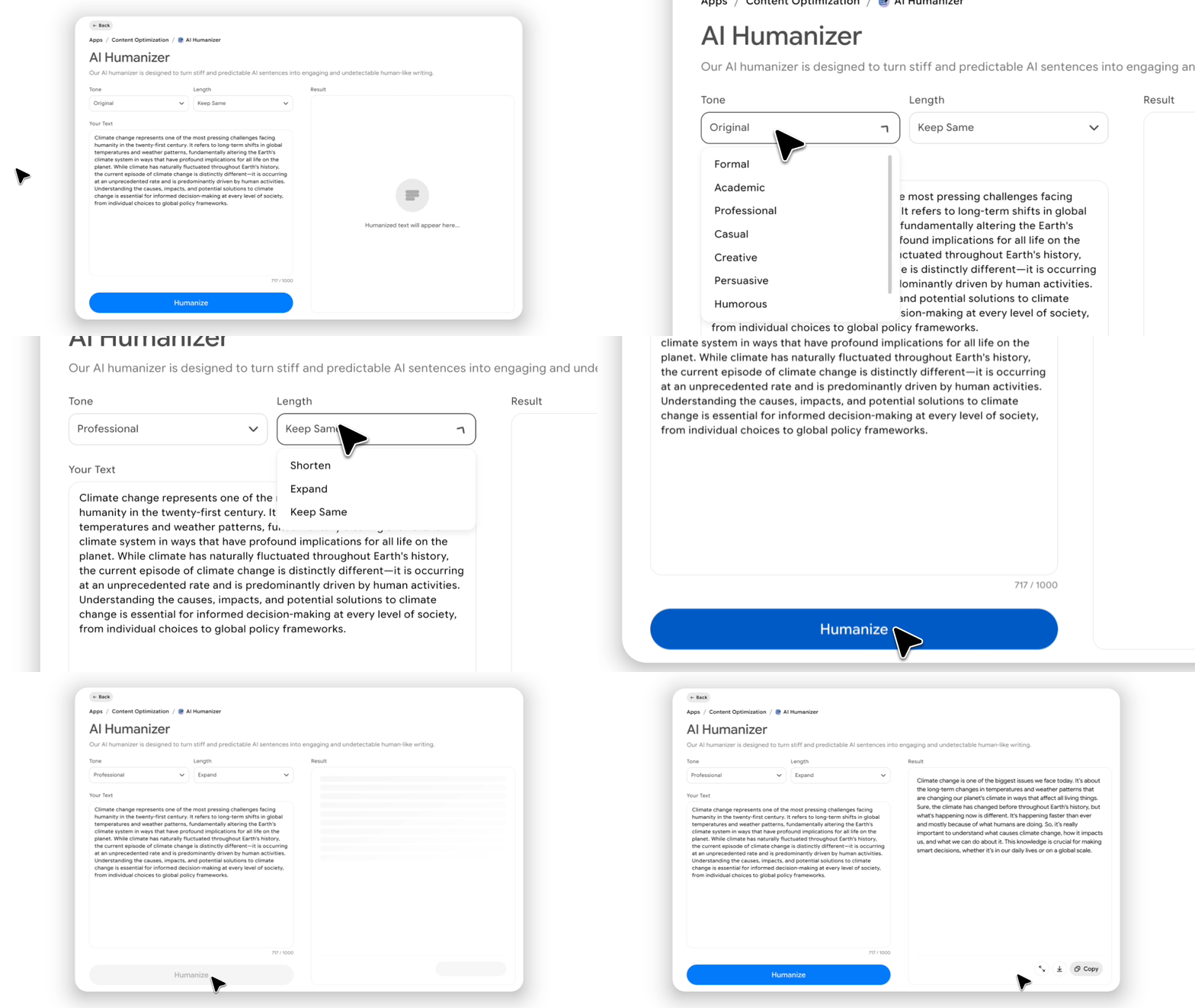
Refine and Humanize
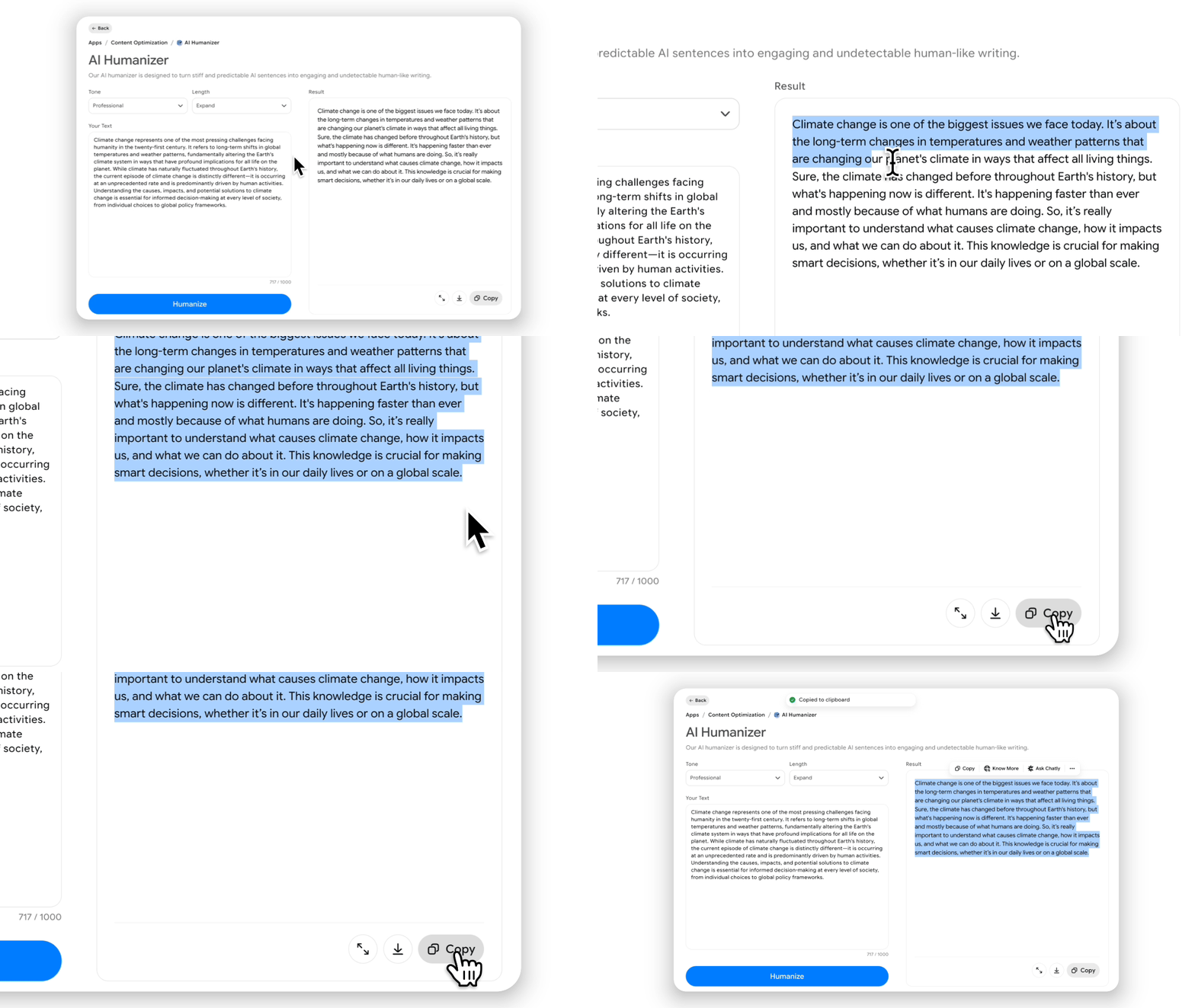
Click the “Humanize” button and restructure your text for a natural flow. The system will vary sentence length and inject personality while preserving meaning.
Review and Export
Read through your polished, human-sounding result and make any final personal tweaks if desired. Once you're satisfied, copy the text and use it in your documents.
All Features

Advanced Linguistic Modeling
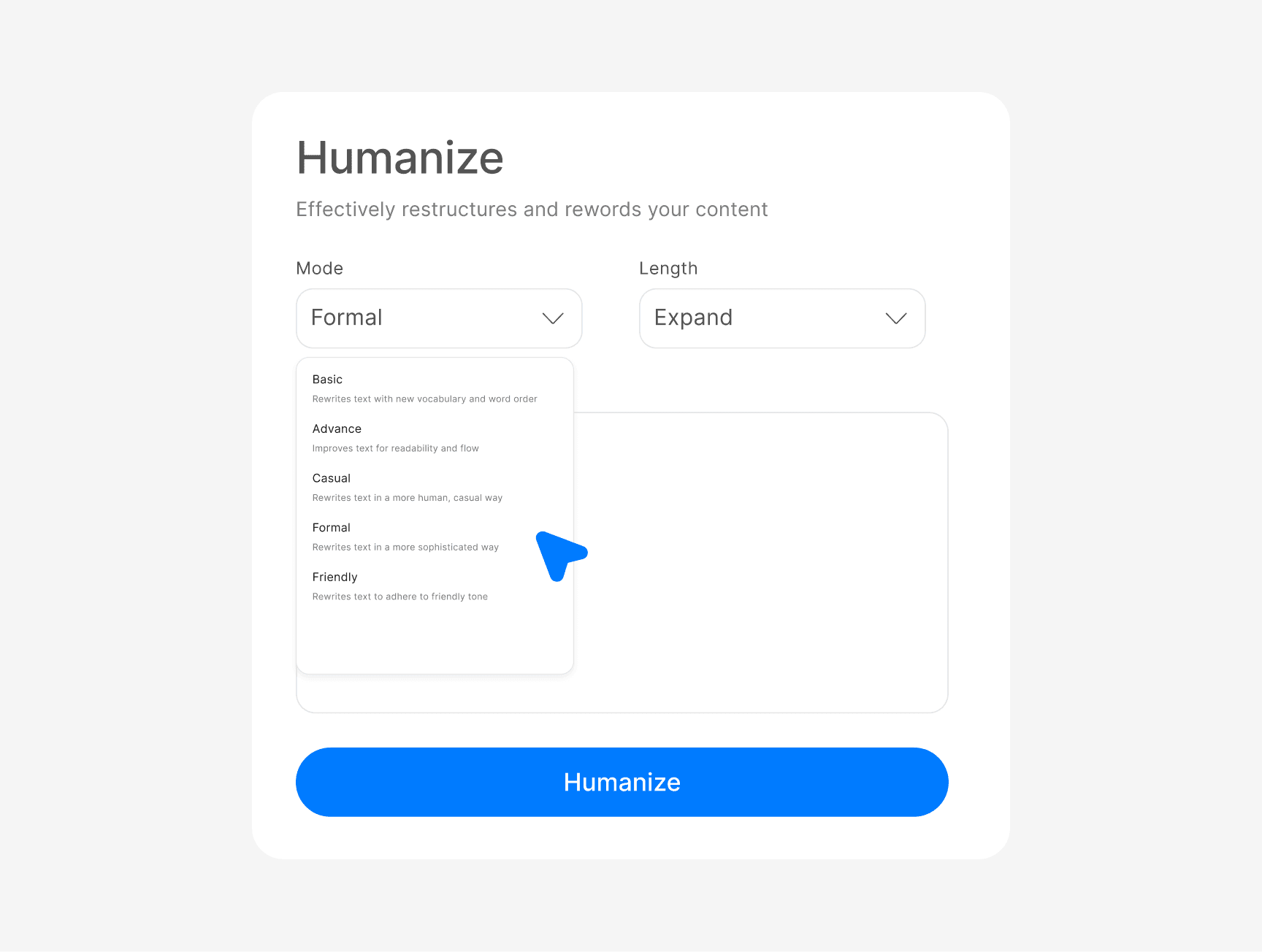
Unlike basic rewriters, our AI text humanizer uses deep learning to understand nuance and emotion. It doesn't just swap words. It rebuilds your content to reflect the subtle "imperfections" that make human writing believable.
Complete Detection Evasion
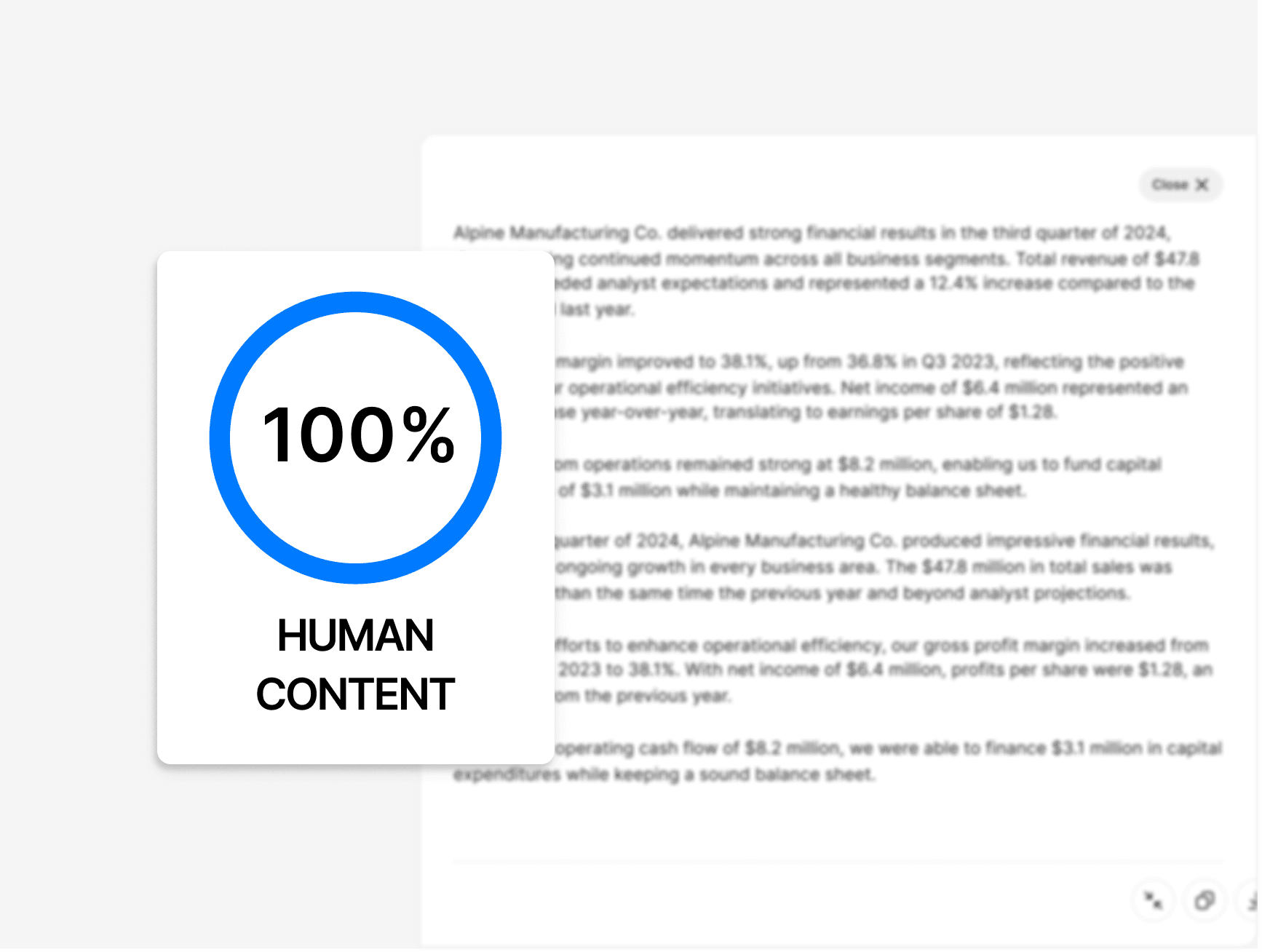
We have engineered our clever AI humanizer to stay ahead of even the most sophisticated AI detectors. Your content will consistently achieve "human-written" scores, giving you total peace of mind for any project.
Preservation of Original Intent
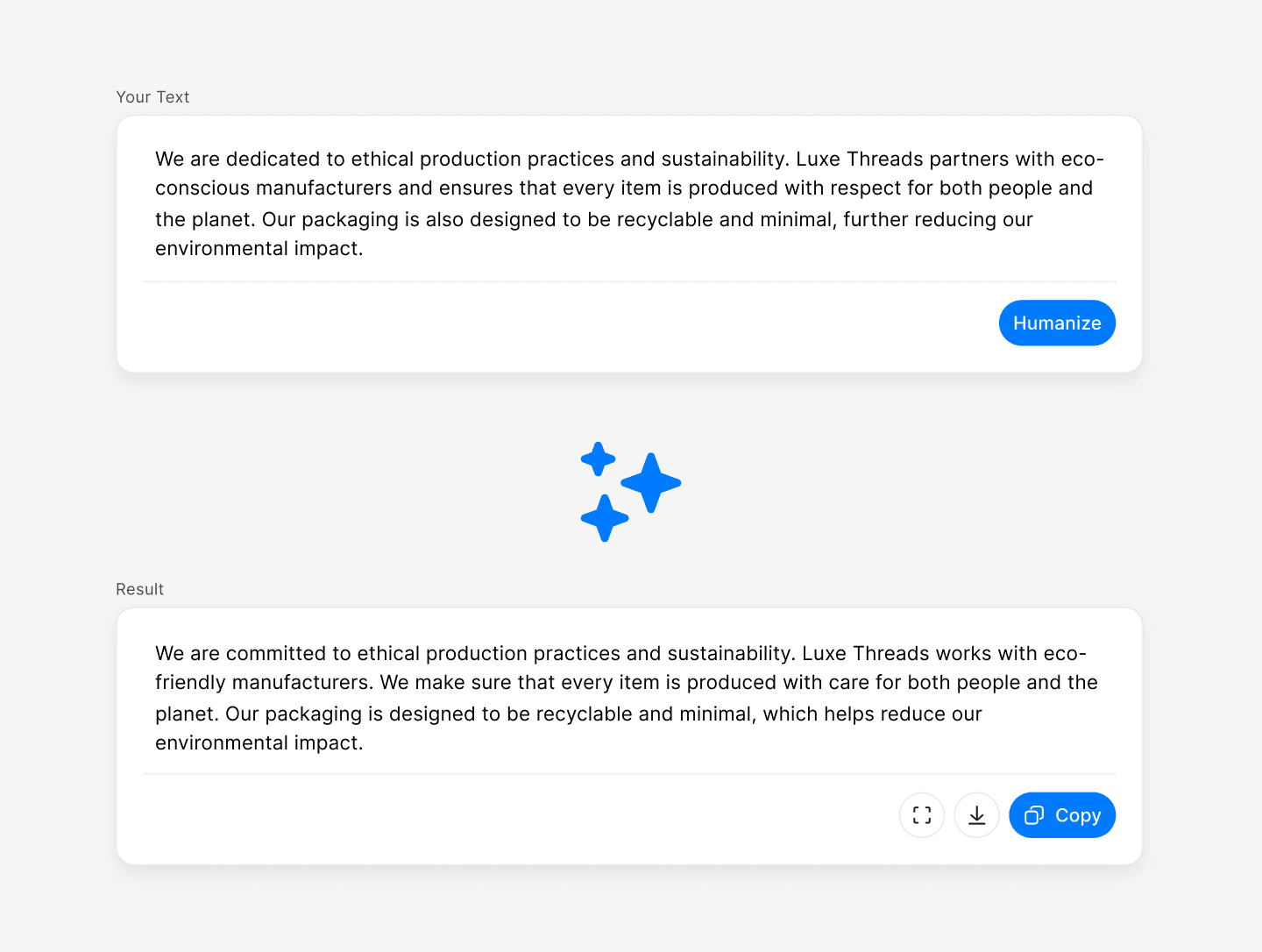
The biggest fear with rewriting is losing the core message, but our system is built for accuracy. It analyzes the context of your work to ensure that every humanized version remains 100% faithful to your original facts.
Why Humanized Content Wins
By fixing the repetitive patterns of AI writing, Chatly’s AI humanizer tool makes your work easy to read and easy to trust.
Maintain Your Unique Identity
Most AI tools produce a generic tone that sounds like everyone else. Our humanizer AI injects your specific brand personality back into automated drafts so your company always sounds like itself.
What Our Users Are Saying
We’ve helped thousands of writers, students, and business owners turn robotic drafts into natural, high-quality content. Here is why they trust our best AI humanizer.
I used to spend hours manually editing AI drafts to make them sound less stiff. This AI text humanizer does the heavy lifting for me in seconds. It keeps my SEO keywords intact while making the flow sound like I wrote it from scratch!


I was worried about my essays being flagged even though I wrote the ideas myself. Using the AI humanizer free version helped me smooth out the formal parts that sounded too 'robotic.' It passed every check with a 100% human score!


I’ve tried other tools, but they usually just make the grammar worse. This humanizer AI is different—it actually improves the writing quality. It’s easily the most reliable tool I’ve found online for daily work.


People can tell when an email is a copy-paste job. This clever AI humanizer helped me add a warm, professional tone to my outreach. I’m actually getting replies now because the messages feel like a real conversation.


As an agency owner, we produce a high volume of content for various clients. My biggest challenge was the 'robotic' output from standard AI that clients would often flag. Since integrating this best AI humanizer into our workflow, our approval times have plummeted. It keeps the facts precise while adding that essential human warmth, making our work indistinguishable from a top-tier human writer.

Frequently Asked Questions
Here are the most common questions and clear answers to help you get the most out of our AI humanizer.
Chatly: Your Everyday AI Partner for Smart Learning
Try Chatly for Free