How to Create an Outstanding Resume Using AI Resume Builder (Secret Sauce = Chatly’s AI Docs)
Everyday you wait, the job market gets more competitive. You think recruiters sit there and go through every resume individually? Think again.
Your resume has six seconds to make an impression. That's how long the average recruiter spends on an initial scan before deciding whether to keep reading or move on to the next candidate.
In today's competitive job market, a generic resume is as good as not submitting one. It gets:
- lost in applicant tracking systems
- overlooked by hiring managers
- buried under hundreds of other applications
The difference between landing an interview and getting ghosted often comes down to how well your resume stands out. And the pain of document creation and formatting does not make this any easier.
But all hope is not lost.
Transforming your resume from forgettable to outstanding doesn't require days of work or a professional writer's fee. With the right framework and modern tools like an AI resume builder, you can create a compelling, professional document in minutes.
This guide walks you through every step of building a resume that gets noticed, gets read, and gets results.
Stick around till the end to learn more about Chatly’s AI Docs which is designed to make the resume building process more efficient and effective through AI Chat and hundreds of top-performing resume templates.
Elements of an Outstanding Resume
You need the list of ingredients before you even think about cooking. And believe me, if you need that job, you need to cook.
So let me tell you what makes a good resume.
Every outstanding resume contains five core components that work together to tell your professional story.
- Contact Header: It sits at the top and should include your name, phone number, email, LinkedIn profile, and city/state. Skip your full street address, photo, age, or marital status. These details waste space and can introduce bias.
- Professional Summary: A three-to-four sentence pitch that answers who you are, what you do, and what value you bring. Think of it as your elevator pitch in written form.
- Work Experience: This is where most resumes fail or succeed. Each position should include your title, company name, dates of employment, and three to five bullet points highlighting achievements rather than responsibilities.
- Skills Section: It helps you pass applicant tracking systems and gives recruiters a quick snapshot of your capabilities. List both hard and soft skills relevant to your target role and group them logically.
- Education and Certifications: Recent graduates should place this section near the top, while experienced professionals can move it toward the bottom. Include relevant coursework, honors, or certifications that strengthen your candidacy.
It doesn’t end there. Just adding content is not enough; how you add it also matters.
Clean formatting helps in making your resume readable for both ATS software and humans. Use standard fonts like Calibri, Arial, or Garamond in 10-12 point sizes.
White space is your friend. Dense blocks of text signal that your resume is hard to read, which means it won't get read. Leave breathing room between sections and use consistent margins.
The one-page versus two-page debate has a simple answer:
- Use one page if you have less than ten years of experience
- Two pages if you have more.
- Never sacrifice readability by cramming everything onto one page with tiny fonts.
Choosing the Right Resume Template
Template selection matters more than most job seekers realize. The right resume template enhances your content and signals professionalism. The wrong template can get your resume rejected before anyone reads a word.
Why Your Template Choice Impacts Success
Your resume template creates a first impression in milliseconds. Before a recruiter processes any content, they form an opinion based on visual presentation. A polished, appropriate template suggests attention to detail and professionalism.
Industry expectations vary dramatically.
A creative template that impresses a marketing director might get you rejected at a law firm. An ultra-minimalist design that works for tech startups could seem sparse to traditional corporations.
So, you are looking for that sweet spot. Your goal is not only standing out but also fitting in. You might be scratching your head right now. But believe me, by the end of this blog, you’ll know exactly how to do that.
The Four Main Resume Template Categories
Understanding template categories helps you choose one that aligns with your industry and career level. Each serves a specific purpose and sends different signals to employers.
1. Classic/Traditional Templates
These templates feature clean lines, minimal color, and conventional structure. They typically use a single-column layout with chronological sections and serif fonts like Times New Roman or Georgia.
Conservative industries expect classic templates. Finance, law, government, healthcare, and academia favor traditional presentation. Senior-level positions in most fields also benefit from classic formatting that emphasizes substance over style.
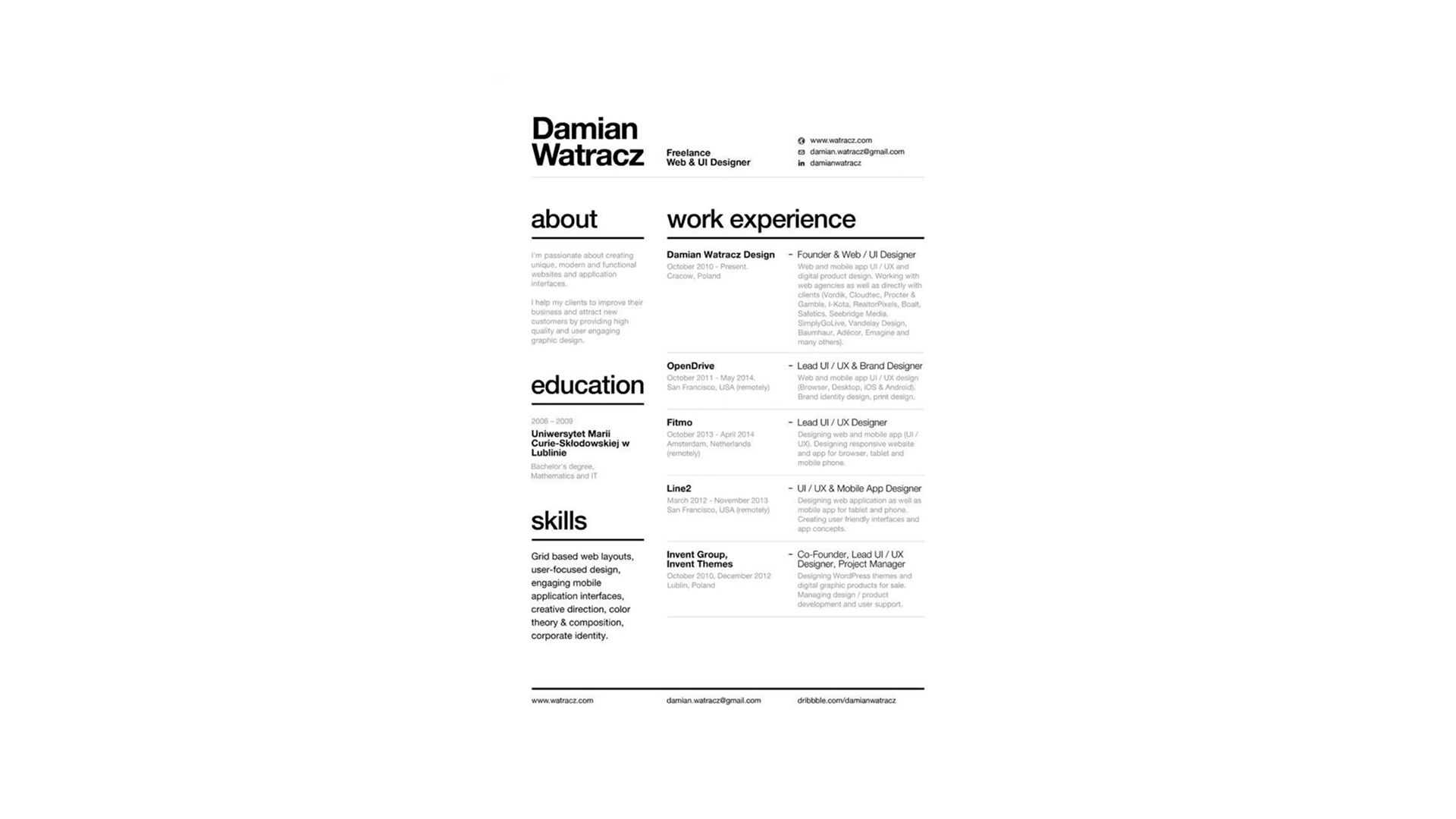
2. Modern/Contemporary Templates
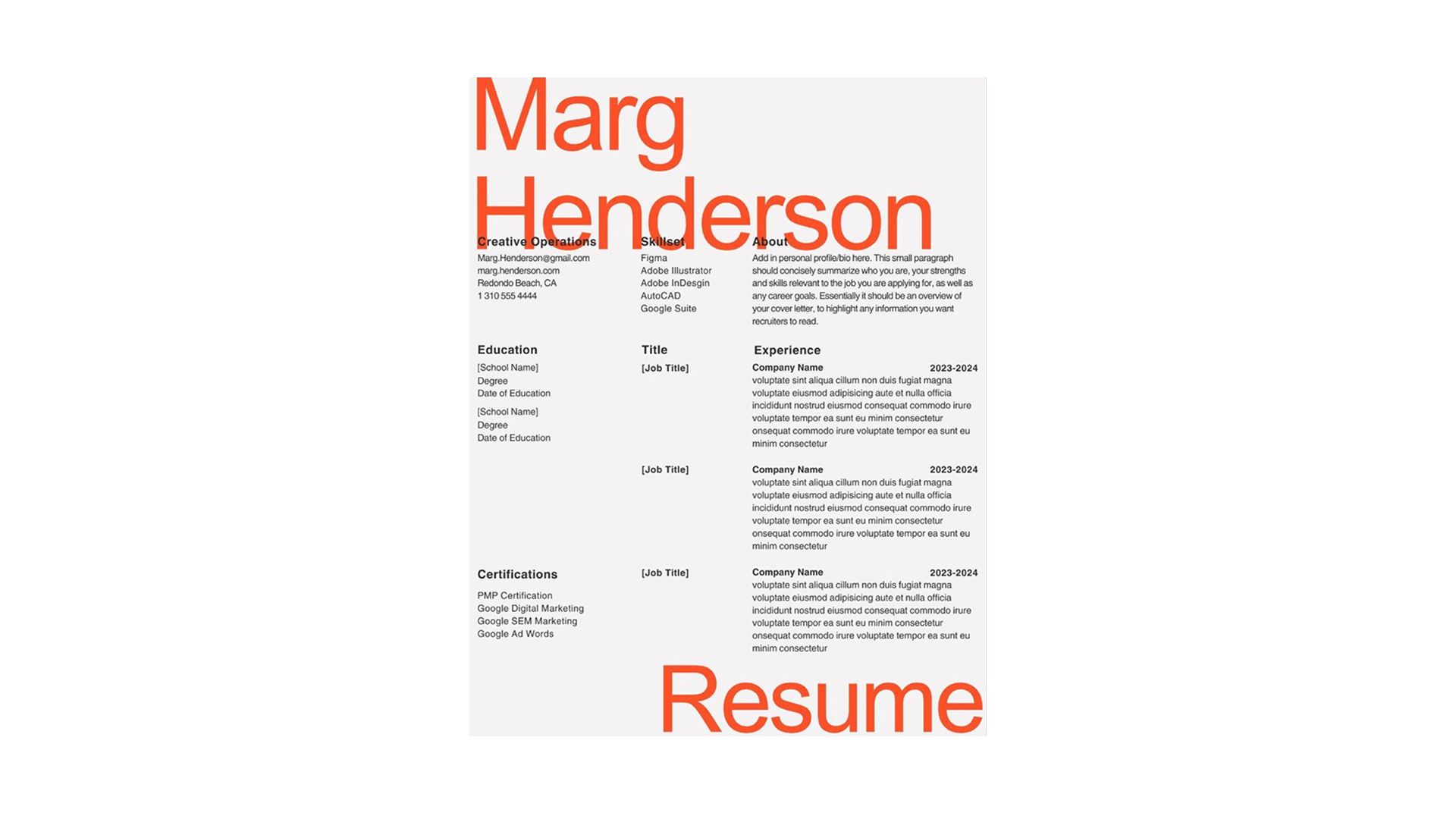
Modern templates incorporate strategic color use, sans-serif fonts, and clear visual hierarchy. They feel current without being flashy. These designs often include subtle geometric elements or accent colors that guide the eye.
Tech companies, startups, marketing firms, and general business roles respond well to modern templates. They signal that you understand current professional standards while maintaining appropriate formality.
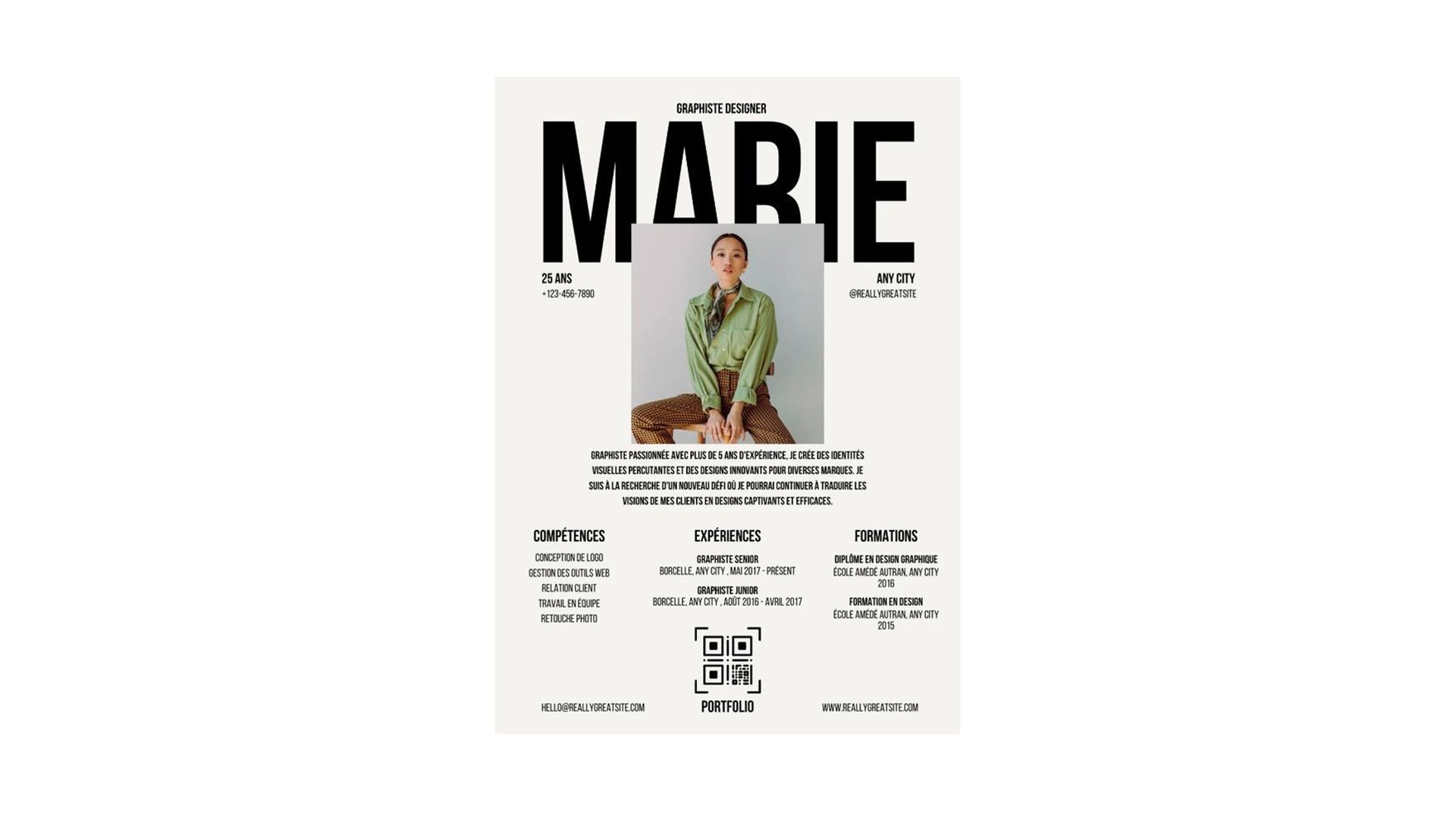
3. Creative/Visual Templates
Creative templates feature unique layouts, graphics, and personality-driven design. They might include two-column formats, visual skill bars, icons, or branded color schemes. These templates make bold statements.
Design, advertising, media, and creative roles benefit from templates that showcase aesthetic sensibility. However, these templates risk ATS rejection. Use them when you know a human will review your resume first or when applying to positions where creativity is the primary qualification.
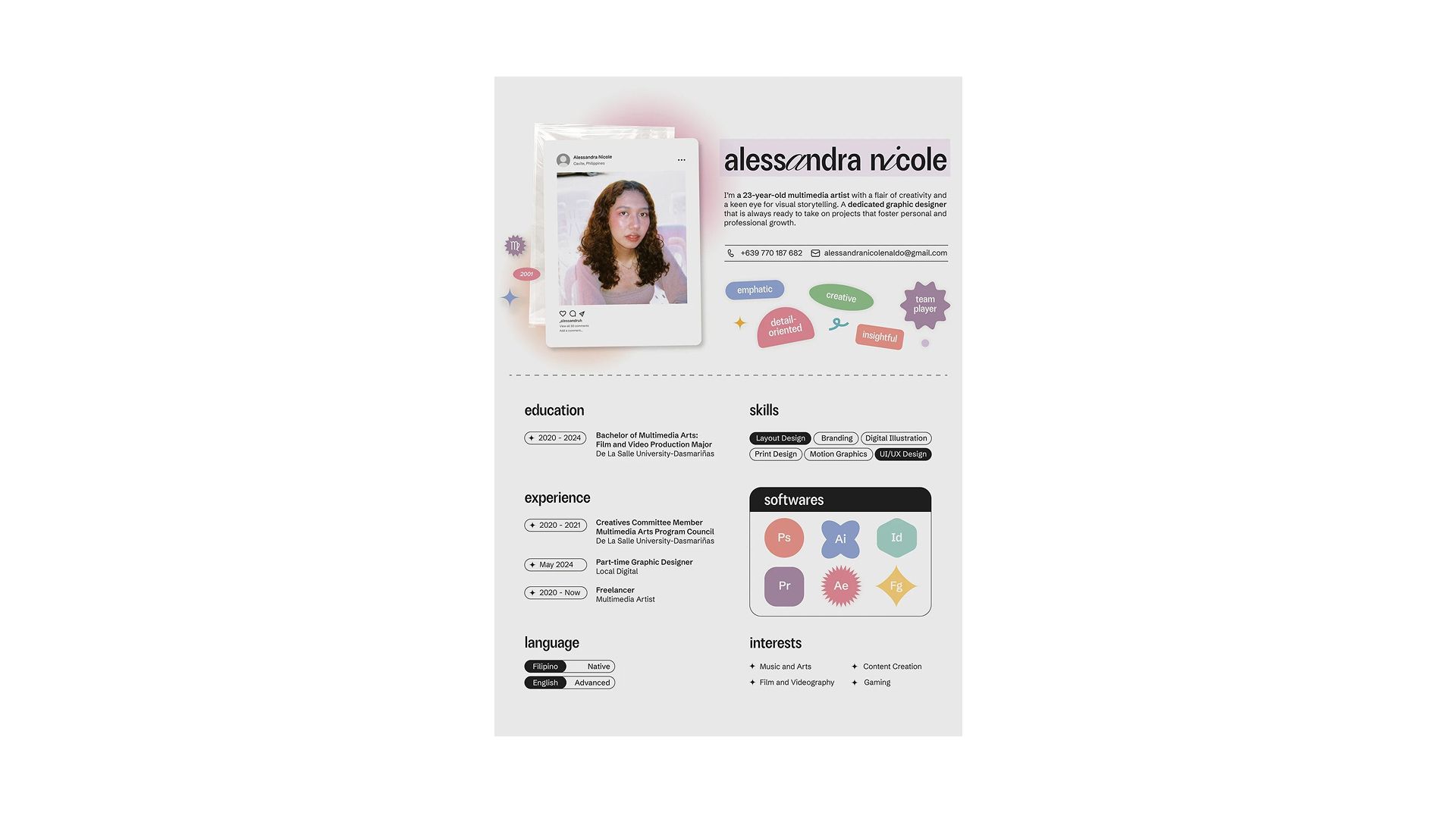
4. Minimalist Templates
Minimalist templates maximize white space and rely on typography for impact. They're elegant and sophisticated, using restraint to create visual interest. Think of maximum content clarity with minimum decorative elements.
Tech roles, consulting positions, and executive-level applications work well with minimalist designs. These templates suggest confidence and let your achievements speak for themselves.
Template Red Flags to Avoid
Some template features create problems regardless of how good they look.
- Tables and text boxes confuse ATS systems, causing information to be read in the wrong order or not at all.
- Headers and footers seem convenient but often contain critical information that ATS software skips. Keep your name, contact details, and important keywords in the main body.
- Images and logos add file size without adding value in most industries. Unless you're in a creative field where visual branding matters, skip the headshot and graphics.
- Excessive colors distract rather than enhance. Stick to one or two accent colors maximum. Overly decorative fonts undermine professionalism.
The Template Test (Does Yours Pass?)
Apply the three-second rule to your template. Can someone identify your name and current role within three seconds of looking at it? If not, your template is too cluttered or poorly organized.
Ask yourself whether the structure is immediately clear.
- Can you see where each section begins and ends without searching?
- Does it look trustworthy at first glance?
The right template enhances your content without calling attention to itself. When someone remembers your achievements rather than your resume design, you've chosen well.
From Generic to Outstanding: The Content Transformation
A great template is only the start. There are still miles to cover, mountains to climb. We still need to optimize the content to make the real difference. Transforming generic descriptions into compelling achievements requires specific techniques that most job seekers never learn.
The Power Verb Framework
Weak verbs create weak impressions.
Starting bullet points with "Responsible for," "Worked on," or "Helped with" makes you sound passive and forgettable. They make you sound like someone who follows orders rather than someone who takes initiative.
Strong action verbs position you as someone who makes things happen.
Replace every instance of "responsible for" with a power verb. Instead of "Responsible for social media accounts," write "Managed social media accounts." Better yet: "Grew social media following by 150%."
Choose action verbs that match your function and level:
- Leadership roles: Spearheaded, orchestrated, directed, championed, mobilized
- Analytical work: Analyzed, evaluated, assessed, diagnosed, forecasted
- Creative positions: Designed, conceptualized, developed, crafted, produced
- Sales functions: Generated, exceeded, captured, negotiated, closed
- Project management: Coordinated, streamlined, implemented, launched, executed
The verb you choose sets the tone for the entire bullet point. Make it count. And you can use AI tools, like using ChatGPT to create your resume. Or if you need more functionality, you can use CHatly’s AI Docs.
Example Transformation:
Generic: "Worked on marketing campaigns for product launches" Outstanding: "Orchestrated 12 multi-channel marketing campaigns generating $500K in qualified pipeline"
The second version uses a strong verb, adds specificity, includes numbers, and demonstrates impact. That's the framework applied correctly.
The Quantification Method
Numbers jump at the reader. They capture attention in ways that words alone cannot. Recruiters scanning dozens of resumes stop when they see concrete data because metrics provide proof of your impact.
Every achievement can be quantified somehow. You don't need to work in sales to include numbers. Think about what you can measure in your role.
- Quantify results and outcomes: Revenue generated, costs saved, growth percentages, customer satisfaction scores, error rate reductions.
- Quantify scope and scale: Team size you managed, budget you controlled, number of clients served, volume of transactions processed.
- Quantify speed and efficiency: Time saved through process improvements, faster delivery times, productivity increases, reduced cycle times.
What if you don't have exact metrics? Estimate honestly. "Approximately 30% improvement" is more credible than vague claims. Use ranges when appropriate: "Managed budget of $200K-$300K annually."
Even without hard numbers, you can demonstrate improvement. "Significantly reduced customer complaint resolution time" beats "Handled customer complaints."
But "Reduced average complaint resolution time from 48 hours to 6 hours" wins every time.
CAR Method
The CAR method transforms basic job descriptions into compelling achievement statements. CAR stands for Context, Action, Result. This framework ensures your bullets tell complete stories.
- Context: Sets up the situation or challenge. What problem needed solving? What opportunity existed? This gives your action meaning.
- Action: Describes what you specifically did. Use strong verbs and be clear about your role versus team contributions.
- Result: Delivers the outcome (ideally with numbers). What changed because of your action? What impact did you have?
Example 1: Sales Professional
Generic: "Exceeded sales targets consistently" CAR Method: "Facing declining Q2 revenue (Context), developed consultative sales approach targeting enterprise clients (Action), resulting in 127% quota attainment and $1.2M in new annual contracts (Result)"
Notice how this example tells a complete story. You understand the challenge, see the solution, and can measure the impact.
Keyword Optimization for ATS
Applicant tracking systems scan for specific keywords before human eyes ever see your resume.
ATS software parses your resume and scores it based on how well it matches the job description. Resumes with higher scores get forwarded to recruiters. Lower scores get automatically rejected.
Finding the right keywords starts with the job description.
Read it carefully and note repeated terms, especially in the requirements and qualifications sections. These are your target keywords.
Industry-specific terminology matters.
- A software engineer should include programming languages, frameworks, and methodologies.
- A marketing professional needs campaign types, platforms, and analytics tools.
- Use the language of your industry naturally throughout your resume.
Balance hard skills with soft skills. Technical abilities get you past ATS, but leadership, communication, and problem-solving capabilities matter to human readers. Include both strategically.
Handle acronyms carefully. Spell out the term first, then include the acronym: "Search Engine Optimization (SEO)." This ensures ATS recognizes both versions. Some job descriptions use the full term, others use the abbreviation.
Avoid keyword stuffing.
Place your most important keywords in multiple sections. If "project management" is crucial, mention it in your summary, include it in relevant bullet points, and list it in your skills section.
Industry-Specific Customization
The worst thing you can do in your job hunt is drop the same resume for different jobs. Every job has a different requirement and hence requires a different approach in resume building.
But this does not mean rewriting everything. It means emphasizing different strengths.
Tailoring Your Resume by Field
Each industry has different priorities that should be reflected in how you structure and present information. Understanding these nuances helps you speak the language of your target field.
1. Tech and Engineering Roles
These prioritize technical skills and project outcomes.
- Lead with your technical stack prominently in your skills section.
- Include links to GitHub repositories or portfolios.
- Focus bullet points on system improvements, performance optimizations, and successful deployments.
2. Sales and Business Development
They need revenue metrics front and center.
- Lead with quota attainment percentages, deal sizes, and pipeline generation.
- Show progression from individual contributor to team leadership if applicable.
- Demonstrate relationship-building capabilities through client retention rates.
Creative and Marketing Roles
These roles benefit from showing campaign diversity and measurable results.
- Include links to portfolio work or campaign examples.
- Demonstrate both creative thinking and analytical skills through metrics like engagement rates, conversion improvements, and brand growth.
3. Finance and Accounting
These positions emphasize certifications, compliance knowledge, and accuracy.
- Lead with CPA, CFA, or other credentials.
- Highlight experience with specific accounting software, regulatory frameworks, and audit processes.
- Show cost savings and efficiency improvements.
4. Healthcare Roles
They require prominent licensing and certification information.
- Patient outcomes, safety metrics, and regulatory compliance should feature in your achievements.
- Demonstrate both clinical competence and interpersonal skills with patients and colleagues.
Career Stage Adaptations
Your career stage determines what you emphasize and where you place different sections. A recent graduate's resume looks different from an executive's, even in the same industry.
1. Entry-level Candidates
These candidates should lead with education, especially if you attended a well-known school or graduated with honors.
- Include relevant coursework, academic projects, internships, and volunteer experience.
- Emphasize potential, eagerness to learn, and transferable skills from non-professional experiences.
2. Mid-career Professionals
They need to balance breadth and depth. Show career progression clearly through increasingly responsible roles.
- Focus on the last 10-15 years of experience and summarize or omit earlier positions.
- Demonstrate both execution skills and emerging leadership capabilities.
3. Senior and Executive Candidates
They should emphasize strategic leadership and organizational impact.
- Your bullets should show decision-making authority, team building, and business results.
- Include board memberships, speaking engagements, or industry recognition.
- Keep technical details brief unless they demonstrate thought leadership.
4. Career Changers
They face a unique challenge: demonstrating fitness for a new field.
- Emphasize transferable skills and reframe your experience to highlight relevant capabilities.
- Consider a functional or hybrid resume format that groups skills thematically rather than chronologically.
The Chatly Approach: Leveraging AI Document Generator
Creating an outstanding resume used to require hours of formatting frustration and content revision. Modern AI document generators like Chatly have changed the game completely, making professional results accessible in minutes.
Why Chatly’s AI Resume Builder is a Game-Changer
Speed represents the most obvious advantage. What used to take an entire weekend now takes less than an hour. And hundreds of top-performing templates editable by AI-powered chat coupled are what make it so quick.
You can generate multiple versions for different applications without starting from scratch each time.
Quality comes built-in through professionally designed templates and AI-assisted content generation. You don't need design skills or writing expertise to create a polished document. The tools handle formatting consistency and professional language automatically.
Optimization happens in real-time.
Chatly’s AI Docs suggests improvements as you work, helping you strengthen weak bullet points and eliminate common mistakes before you export. This is like having a professional resume writer providing feedback continuously.
Customization becomes effortless when you can quickly adapt your resume for different applications. Modern tools let you save multiple versions and switch between templates to see what works best.
How Chatly’s AI-Powered Resume Building Works
Modern platforms like Chatly demonstrate how AI resume builders streamline the entire process from template selection to final export. The workflow is designed to be intuitive while incorporating best practices at every step.
Step 1: Start with Professional Templates
You can choose from pre-designed resume formats across all four categories:
- Classic
- Modern
- Creative
- Minimalist
Each template is built with ATS compatibility in mind, so you don't sacrifice functionality for visual appeal.
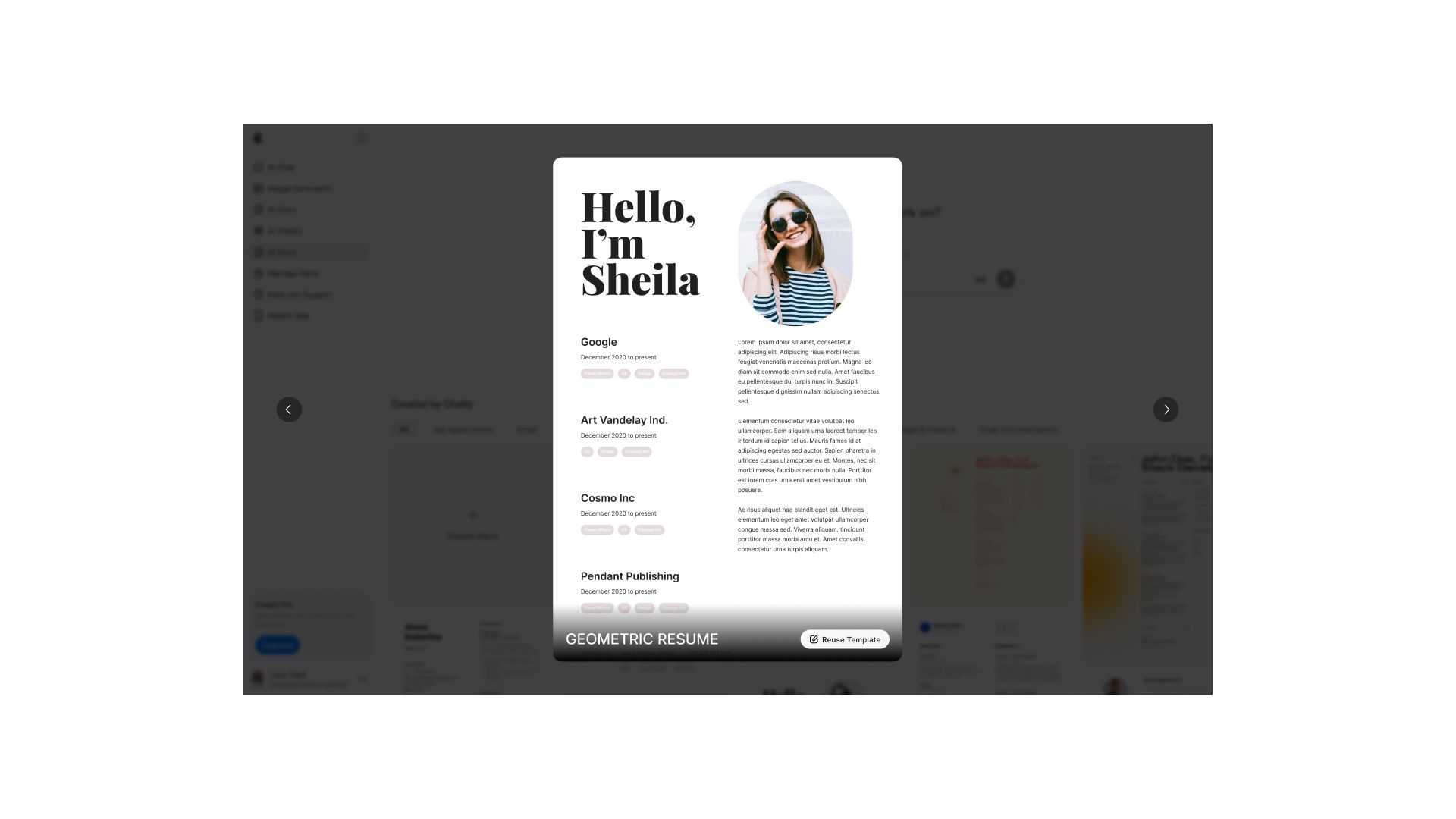
Select an industry-appropriate layout that matches your field and career level. Preview how your information looks in different templates instantly. This lets you experiment with various presentations without reformatting everything manually.
The resume templates in Chatly are designed by professionals who understand both hiring manager preferences and ATS requirements. You get the benefit of expert design without paying for custom work.
Step 2: AI-Assisted Content Generation
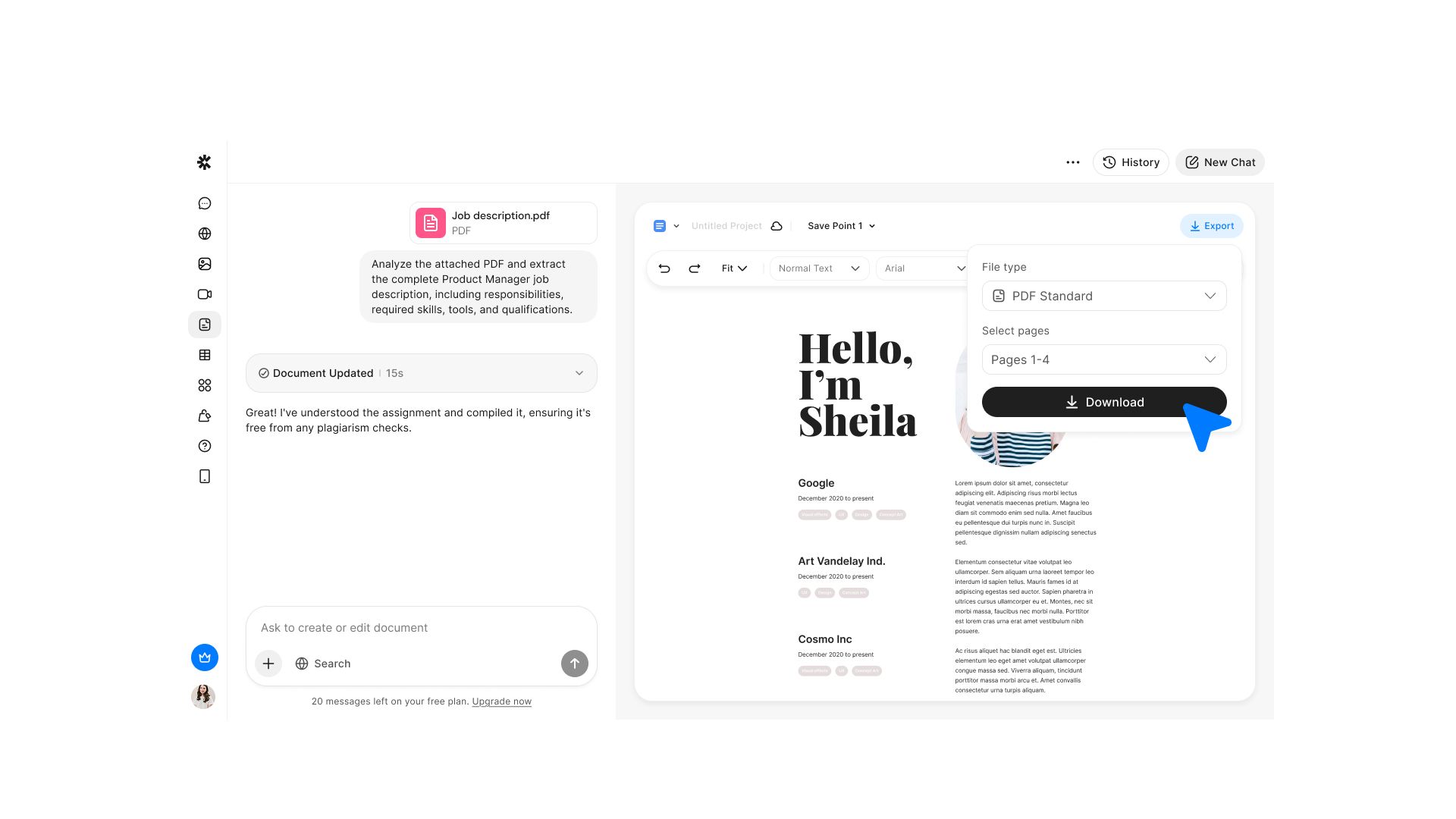
Use the AI chat feature in the same window to develop section-specific content. Simply tell the AI what you did in a role, and it generates polished, professional descriptions that follow best practices.
- Input basic information about your position. The AI transforms these into compelling bullet points using power verbs and achievement-focused language.
- Generate multiple variations of your professional summary to test different approaches. Some applications might call for emphasizing leadership, while others need technical expertise front and center. The AI creates options for each scenario.
Chatly’s resume builder understands the CAR method and automatically structures bullet points to include context, action, and result when you provide the necessary information. This ensures your achievements tell complete stories.
Step 3: Precision Optimization
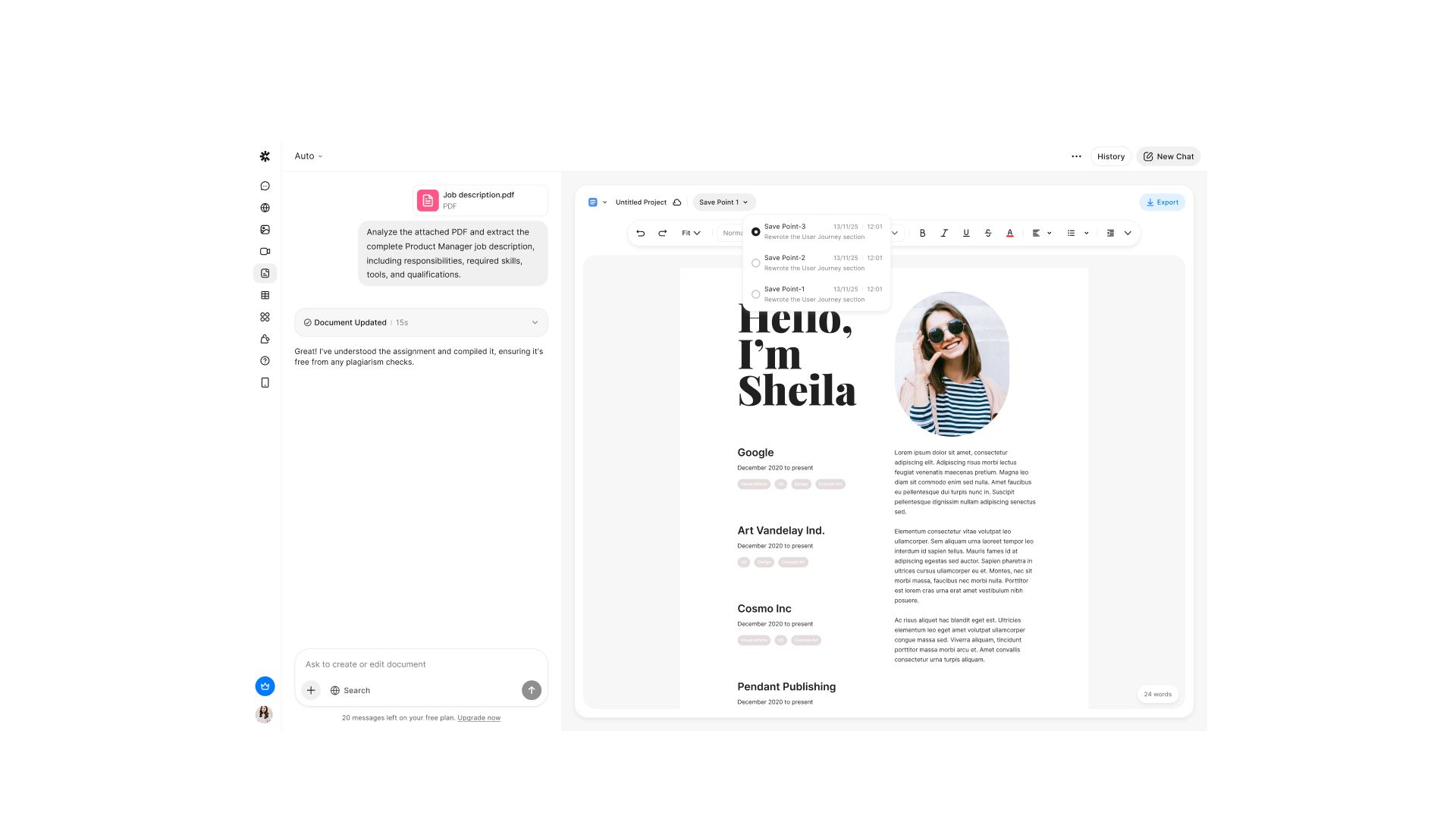
Select any sentence in your resume for instant refinement. This is where AI document generators provide tremendous value through real-time editing suggestions.
- Shorten: When bullet points run long, use the shortening feature to condense wordy descriptions without losing impact. The AI identifies redundant words and tightens phrasing while maintaining meaning.
- Expand: Brief points that need more detail can be expanded into comprehensive achievements. The AI adds context and specificity that makes accomplishments more impressive.
- Format: Apply consistent style across your entire document with one click. Ensure every bullet point follows the same structure and tone. This level of consistency signals professionalism.
Real-time editing maintains the professional tone established by your template. You can make changes knowing the overall document quality remains high. The template design stays intact throughout all edits.
Step 4: Export and Apply
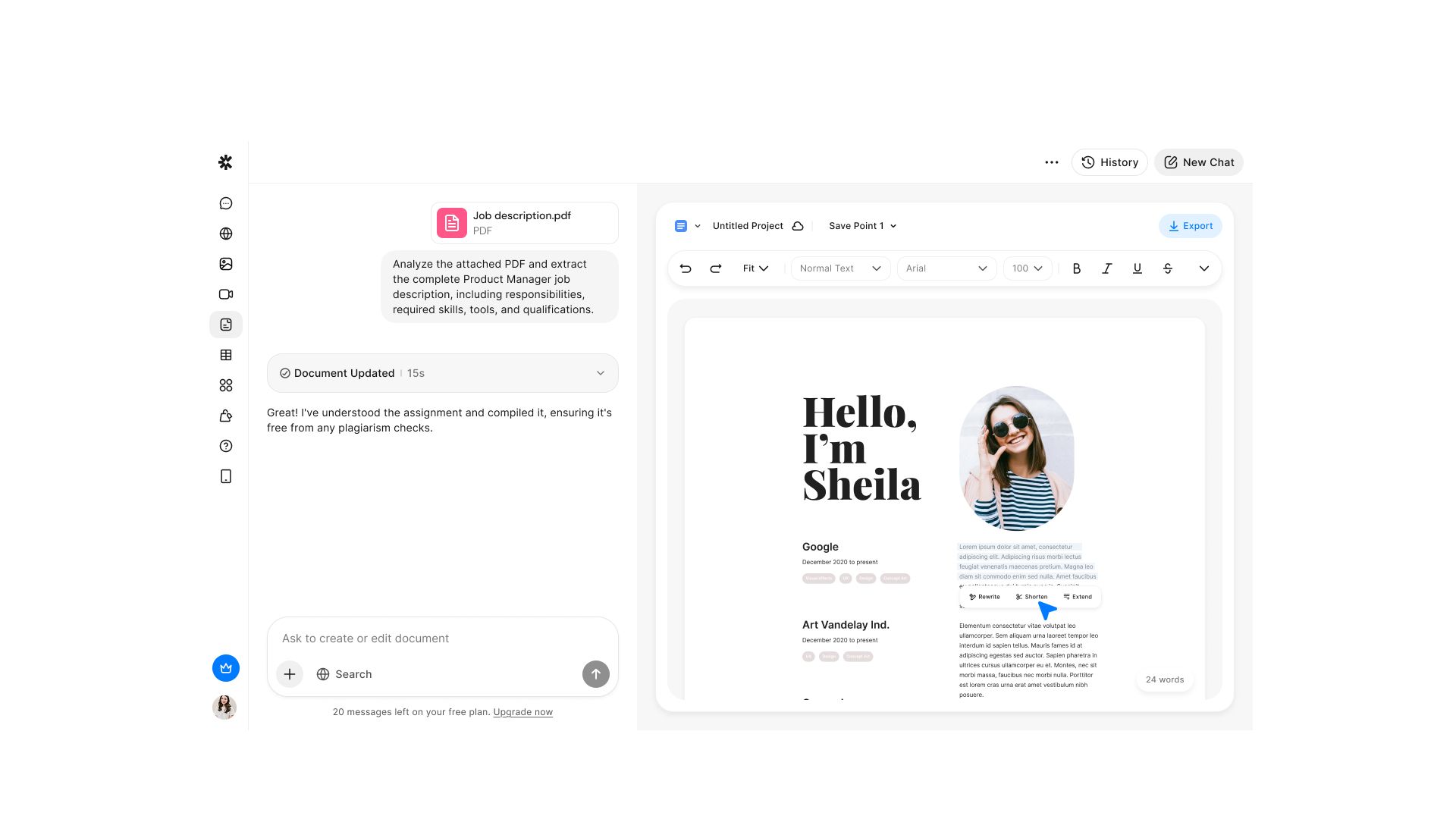
Download your finished resume as a PDF for universal compatibility. PDF format ensures your carefully designed document looks the same on every device and operating system.
The exported file maintains all formatting across different platforms. What you see in the editor is exactly what recruiters receive. There's no degradation in template design or layout quality.
Your resume is ready for both ATS submission and human review. The templates are designed to pass ATS parsing while also impressing hiring managers when they read the document.
The Hybrid Approach: AI + Human Touch
The most effective strategy combines AI efficiency with human authenticity. Let the AI handle structure, polish, and formatting. Let the templates provide the professional framework. You provide the authentic experience, genuine achievements, and personal voice.
Review every AI-generated suggestion to ensure accuracy and authenticity. The AI doesn't know your career story but it can help you tell it more effectively. Adjust language to match your actual communication style while keeping the professional polish.
This hybrid approach gives you professional-quality results that still sound like you. The resume passes technical screening, impresses recruiters, and represents your genuine experience.
Common Resume Mistakes to Avoid
Even small errors can disqualify otherwise strong candidates. Review your resume carefully for these common pitfalls before submitting.
- Typos and grammatical errors: Represent instant rejection for most recruiters. They signal carelessness and poor attention to detail. Proofread multiple times and consider having someone else review your resume.
- Inconsistent Formatting: Undermines professionalism. If you use periods at the end of some bullet points, use them on all bullet points. If you abbreviate one state name, abbreviate all state names. Small inconsistencies create big negative impressions.
- Irrelevant Information: Wastes precious space. Nobody cares that you graduated high school or that you know Microsoft Word. Focus on recent, relevant experience and current, in-demand skills.
- Dishonesty or Exaggeration: Companies verify employment and credentials. Misrepresenting your education, tenure, or achievements can cost you an offer or even your job after you're hired.
- Generic Objective Statements: Waste valuable space at the top of your resume. "Seeking a challenging position where I can grow professionally" tells recruiters nothing and suggests you haven't thought about what you actually want.
- Personal Pronouns: They make your resume sound amateurish. Never use "I," "me," or "my." Start bullets with action verbs instead: "Led" not "I led," "Managed" not "I managed."
- Dense Paragraphs: These don't get read. Use bullet points exclusively for your experience section. Recruiters scan—they don't read every word. Make scanning easy.
- Wrong Template: It sends the wrong signal. A creative design for a banking role suggests you don't understand professional norms. A boring template for a creative role suggests you lack aesthetic sensibility.
The Submission Strategy
File Naming Best Practices
Name your resume file professionally using this format:
FirstName_LastName_Resume.pdf.
This makes it easy for recruiters to find your file later when they're reviewing candidates.
Never use generic names like "Resume.pdf" or confusing versions like "Updated_Resume_Final_V3.pdf." These names make you look disorganized and make your file harder to locate in a crowded download folder.
Pre-Submission Checklist
Before you hit send, verify these critical items to ensure your resume is truly ready for review.
- Run your resume through an ATS simulator to confirm the software can parse all sections correctly
- Proofread at least three times, or better yet, have someone else review it for errors you might miss
- Check that all links work, including your LinkedIn profile and portfolio links
- Verify your PDF displays correctly on different devices.
- Confirm your file size is reasonable (under 1MB) for easy email transmission
- Ensure your template renders properly as PDF without any formatting glitches
Taking these extra minutes to verify quality prevents embarrassing mistakes and technical issues that could cost you an interview opportunity.
Post-Application Follow-Up
Strategic follow-up can differentiate you from other qualified candidates. Wait about one week after submitting your application, then send a brief, professional follow-up email to the hiring manager if you can identify them.
Reference your standout qualifications in the follow-up. Remind them of your most relevant achievement and express genuine interest in the role. Keep it to three sentences maximum.
Conclusion
Outstanding resumes combine strong content with smart structure, appropriate templates, and modern tools. The transformation from generic to outstanding starts with using the right template, choosing appropriate power verbs, and quantifying achievements.
Your experience deserves professional presentation. With AI resume builders like Chatly’s AI Docs, creating a polished, ATS-friendly resume takes minutes. The tool handles formatting and optimization while you provide the authentic achievements that make you stand out.
In today's competitive job market, a standout resume is necessary. Start your transformation today by choosing an appropriate template and optimizing one section using these techniques.
Frequently Asked Question
Looking to learn more? See what confuses your fellow job seekers about resume generation.
More topics you may like
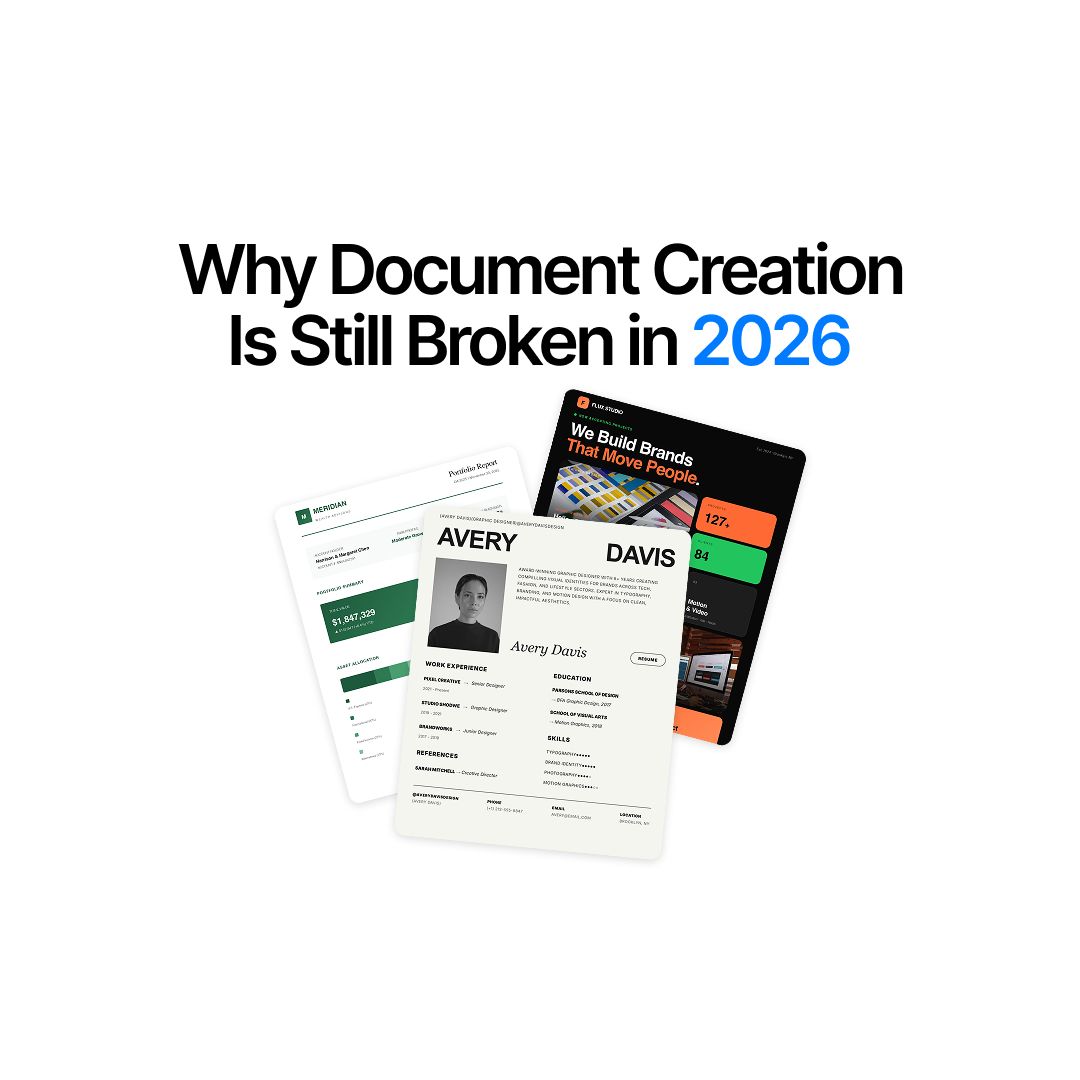
Why Document Creation Is Still Broken in 2026 — How AI Document Generators Are Fixing It

Faisal Saeed
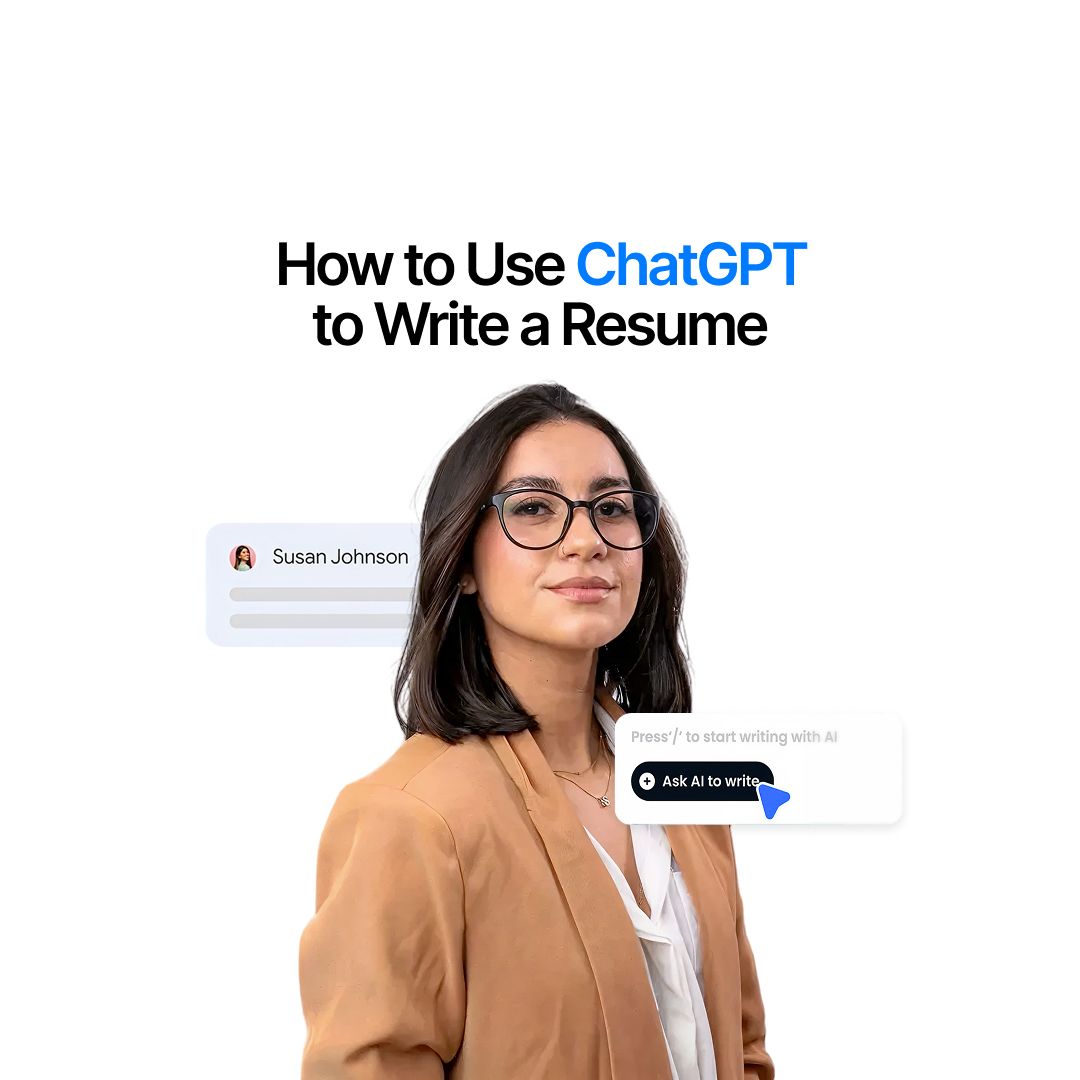
How to Use ChatGPT to Write a Resume (Step-by-Step Guide)

Muhammad Bin Habib

28 Best AI Tools for Students in 2025 – The Complete AI-Powered Academic Success Guide
Muhammad Bin Habib
What is Vibe Coding? The Future of Software Development
Faisal Saeed

GPT-5.2 Is Here: What Changed, Why It Matters, and Who Should Care
Faisal Saeed