How Can Students, Professionals, and Creators Use Chatly?
Competition in modern times has been intense and the only way to stay ahead is to stand out. While the need for creativity has skyrocketed, the time available to achieve that has plummeted. You need to come up with ideas and do it quickly, or someone might beat you to it.
Chatly is a versatile tool designed to support your unique needs. It is an AI-powered assistant that helps users complete routine repetitive tasks, generate content ideas, automate tasks, and much more.
Need assistance getting started? Check out our guide on how to use AI Chat.
Let's dive into how Chatly can be used effectively by students, professionals, and creators to improve productivity and foster creativity.
Chatly for Students
As the end of a term gets closer, work piles up. Students are often juggling multiple assignments, exams, and projects. Making sure everything gets done with a consistent quality can be overwhelming.
But Chatly can lighten the load by offering AI-powered assistance. It is the ultimate tool for summarizing lengthy articles, proofreading essays, or staying organized, all of which will help you ace your grades.
1. Personalized Learning Assistance
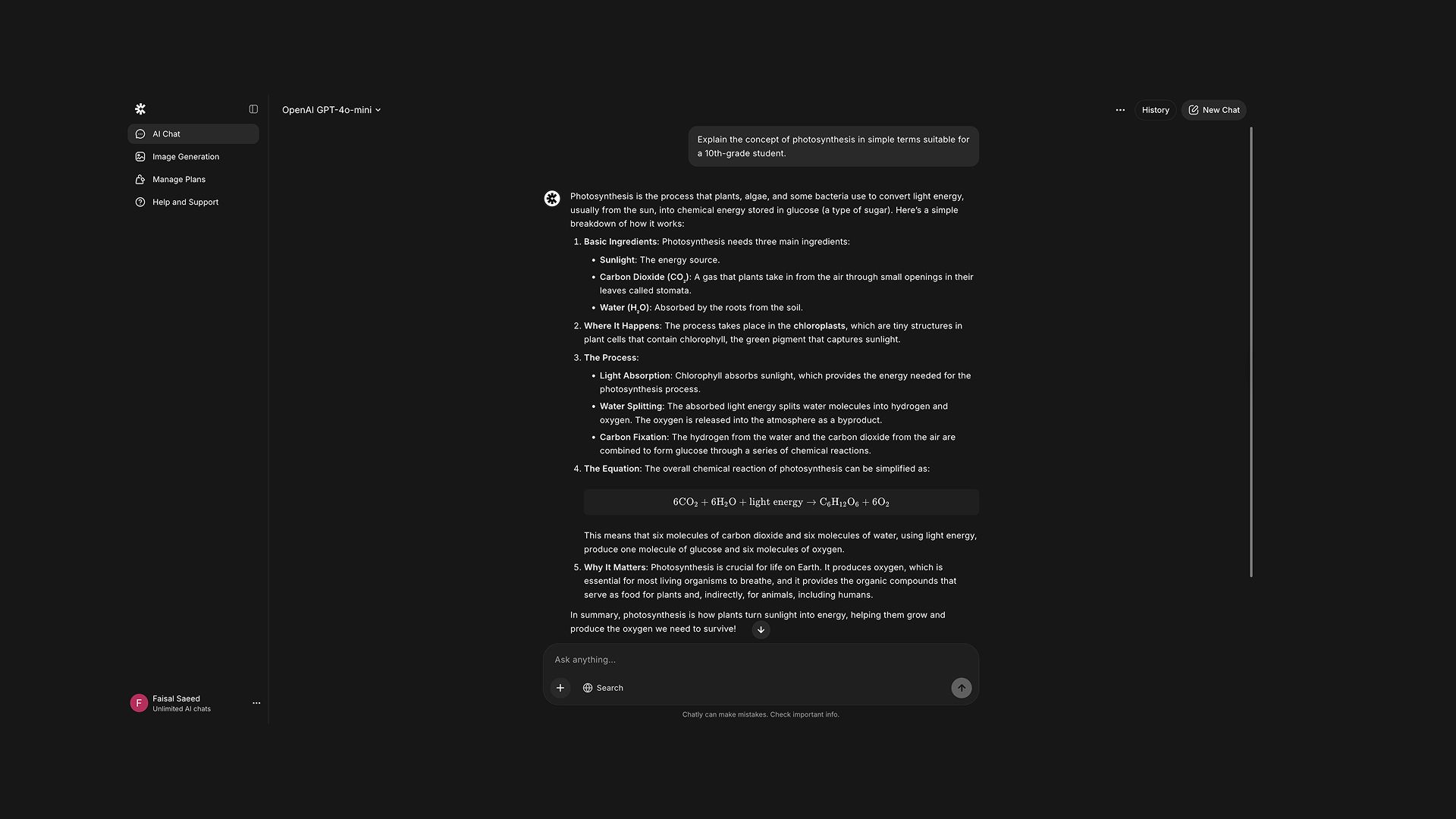
Chatly AI Chat can serve as a virtual tutor, providing explanations on complex topics, assisting with homework, and offering summaries of academic articles.
Example Prompt: "Explain the concept of photosynthesis in simple terms suitable for a 10th-grade student."
2. Efficient Research and Idea Generation
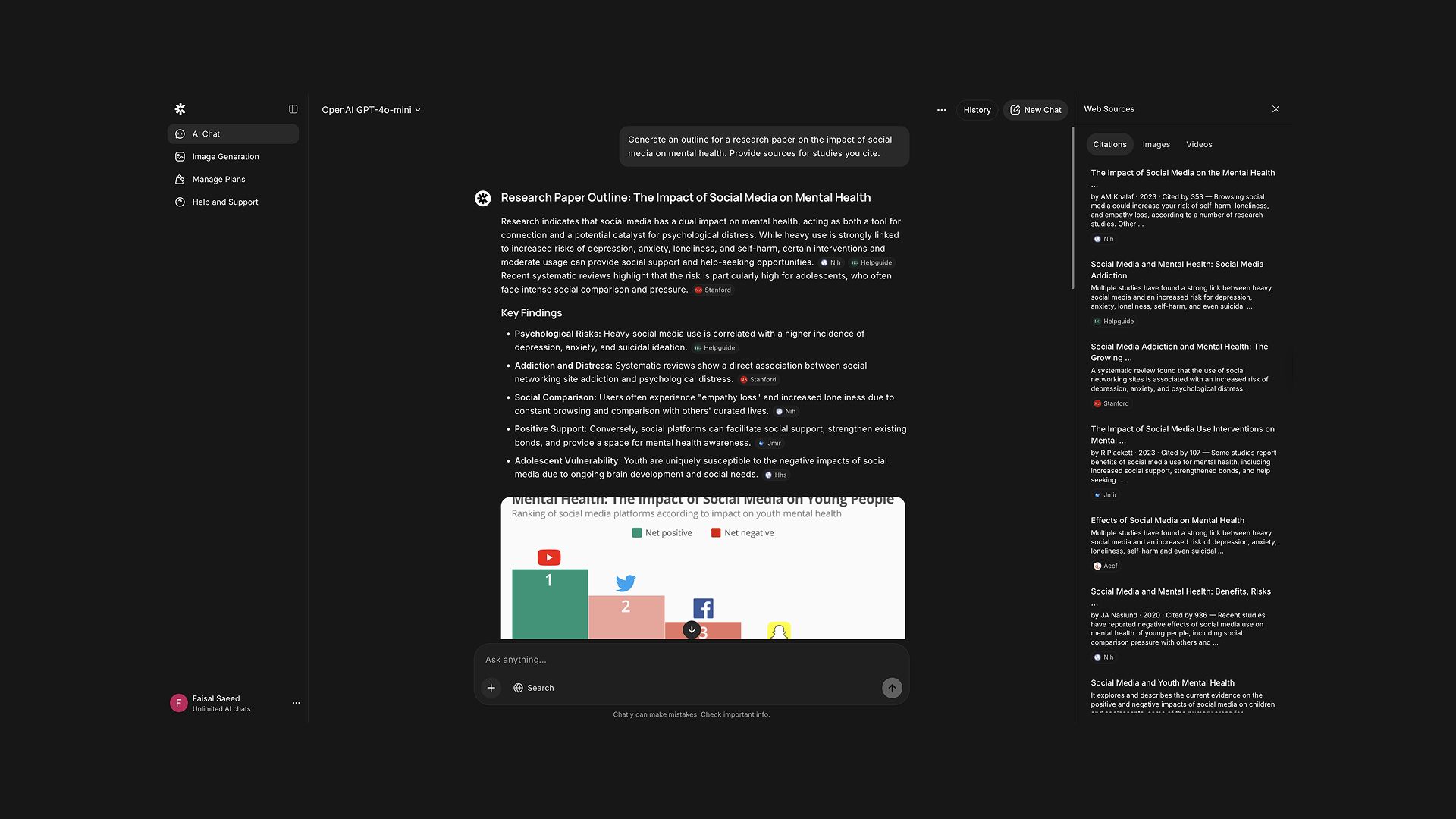
When working on research proposal or assignments, Chatly can help brainstorm ideas, suggest relevant sources, and even generate outlines. You can use various AI models in AI Chat or get in-depth analysis with data cited from sources through AI Search.
Example Prompt: "Generate an outline for a research paper on the impact of social media on mental health."
Pro Tip: Utilize Chatly's PDF analysis feature to extract key points from academic papers and integrate them into your work.
3. Language and Grammar Support
For students working in non-native languages, Chatly offers grammar checks, translation services, and writing style suggestions.
Example Prompt: "Translate this paragraph into French and check for grammatical errors."
4. Fact Checking and Citations
It is important to fact check and cite any information you gather from Google or any AI tool to avoid misinformation and plagiarism. Chatly AI Search makes this process simple. All you need to do is add the information in the AI Search and give it the command to find you credible sources for that information.
Within minutes, Chatly will find the information and present it with proper citations so that you know where the information is coming from.
5. Ethical Use and Verification
While Chatly offers powerful capabilities, it's essential for students to use it responsibly. Overreliance on AI tools can lead to diminished critical thinking and creativity, as students might become passive consumers of information rather than active learners.
To maintain academic integrity, students should use Chatly as a supplementary tool rather than a substitute for their own work. It's crucial to verify AI-generated information against credible sources and properly cite any AI assistance in assignments.
This approach not only upholds academic standards but also ensures that students engage deeply with the material, fostering genuine understanding and skill development.
Chatly for Professionals
When you’re juggling endless meetings, overflowing inboxes, and tight deadlines, it’s easy to feel lost and exhausted. Chatly can help cut through the noise.
1. Communication & Writing Support
- writing quickly yet with the right tone and clarity
- tailoring the message to the recipient
- ensuring consistency and professionalism
- avoiding repetitive rewriting of similar messages
It seems hard and tiring, but it doesn’t have to be. Use Chatly AI Chat to generate first drafts of your case studies and entrepreneurship papers, paraphrase your text, and adjust tone.
How to use it in the workflow
- Brief the AI: Provide context about who the audience is, what the purpose is, what you want to communicate.
- Ask for a draft: Let the AI create a first version.
- Refine: Ask the AI to rewrite in a different tone or highlight key points you want emphasised.
- Review & personalise: You’ll still need to check names, figures, nuance, organisational voice.
- Iterate: Use the AI for variations and pick the best or merge parts.
Pro tips: Be detailed with your prompt and always save the prompts that provide the best results. And do not forget to review the content.
2. Research & Content Generation
Professionals frequently need to process lots of information and then turn that into usable output: summaries, insights, articles, presentations, blogs, social-media posts. This is time-consuming.
Chatly AI Chat can accelerate by summarising content, extracting key points, generating drafts of content, and even creating supporting visuals.
- Upload or paste the report/document, or point to the source.
- Request “key risks/opportunities”, “5-point summary for senior leadership”, “table of findings vs implications”.
- Ask the AI to create a blog post, presentation outline, or social-post from the summary.
- Ask for versions suited to LinkedIn, internal newsletter, or white paper.
The best way to ensure accurate responses is to specify the audience and length. Take it in steps. Get one thing right before moving on to the next one.
3. Coding Assistance
If you’re in a technical or data role, then you often face tasks like writing code, debugging, explaining complex tech concepts, creating documentation, or building logic. Chatly AI Chat can help by generating code snippets, offering explanations, and converting pseudocode to real code.
Define the Problem or Requirement
Start by clearly outlining what the system or module must accomplish, including who it serves, the constraints it operates under, and the outcomes desired. Specify the language, framework, and any relevant technical context so the AI has a precise foundation to work with.
Get a Snippet or Explanation
Provide the AI with the requirement and ask it to either generate the needed code or explain an existing library, pattern or piece of logic in the chosen framework. This step bridges conceptual design to concrete implementation.
Test & Refine
Once the AI produces code or explanation, run it in your environment, observe behavior or error messages, and feed them back to the AI (“Why am I getting error X?”, “Can you optimise this part?”). Iteration improves reliability and fit.
Use for Documentation / Training
Iterate and Integrate
Finally, integrate the refined code/documentation into your broader code-base or workflow, making any necessary adjustments (naming conventions, architecture alignment, tooling integration), and repeat the cycle as part of your development process.
Example prompts
-
“In Python 3.11, using pandas and scikit-learn, write a function that takes a CSV of customer data, handles missing values, engineers a ‘customer_lifetime_value’ feature using ‘total_spend × average_months’, and outputs a train/test split ready for modeling.”
-
“Here’s my Java code (paste). I’m getting a NullPointerException on line 42. Explain why it could be happening and suggest a fix.”
-
“Generate documentation comments for this C# class: CustomerOrderProcessor with methods ValidateOrder(), SubmitOrder(), NotifyCustomer().”
Chatly for Creators
Running the show as a creator means keeping up with the algorithm changes. You need tools that allow you to stay ahead of the trends. Chatly AI is that partner for you.
1. Ideation & Creative Kick-Off
When the blank page or blank timeline stares back at you, Chatly AI becomes your creative partner. You can ask it to generate provocative ideas, outline content arcs, sketch storyboards, or suggest visual-themes that match your brand and audience mood.
2. Multi-Format Content Creation
Creators often have to produce across formats (video, photo, blog, social). They can use Chatly AI Chat to generate writing (script, captions), design and JSON prompts (thumbnail, graphic layout), or even audio cues (voice-over ideas, sound-effects). The goal: build asset-sets faster, with coherent messaging.
3. Editing, Repurposing & Distribution
Once you’ve created your core content, Chatly AI helps you edit it and tailor it for different platforms: shorten a 10-minute video script into a 15-second reel; create a summary from multiple sources, and coverting blogs into an Instagram carousel. This expands reach without reinventing from scratch.
4. Audience Insight & Engagement Optimisation
Use Chatly AI to interpret feedback and performance data to run the perfect influencer campaign using AI. What comments did your audience leave? What parts of the video had drop-off? Chatly AI Search can be a great tool for this. Ask for actionable next steps, or crowd-sense what your end-viewers might respond to before you publish.
5. Brand-Voice Guard & Authenticity Check
Even with heavy AI assistance, your unique creator voice must remain front-and-centre. Chatly AI can help you maintain consistency (tone, phrasing, brand cues) and flag when something reads too generic or off-brand. Ask it to tailor your output to your voice.
Conclusion
When your to-do list keeps growing and it is easy to feel like you have lost control. With Chatly AI, you get a co-pilot who helps you keep everything in check. It helps you handle the routine stuff so you can focus on what really matters.
Optimize Chalty so that your style and tone still comes through and connects with your audience. Your work should not be about doing everything, but doing the right thing in the right way.
Frequently Asked Question
Find quick answers about Chatly’s features, usage, and capabilities so you can get the most out of your experience.
More topics you may like
10 Different Ways You Can Use Chatly AI Chat and Search Every Day

Faisal Saeed

24/7 Customer Support with AI Chat: Benefits, Examples and More

Muhammad Bin Habib
28 Best AI Tools for Students in 2025 – The Complete AI-Powered Academic Success Guide
Muhammad Bin Habib
11 Best ChatGPT Alternatives in 2026 (Tested, Compared & Priced)
Muhammad Bin Habib
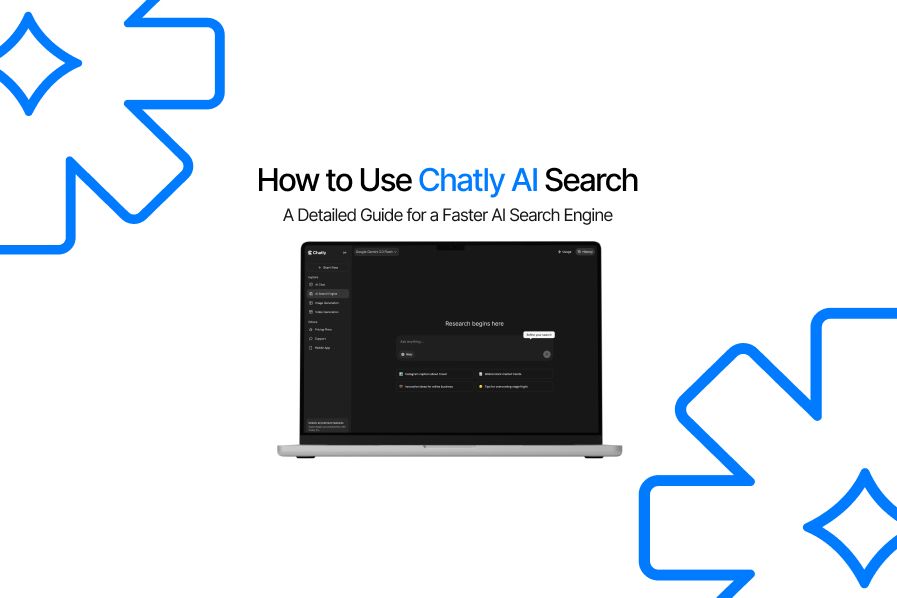
How to Use Chatly AI Search: A Detailed Guide for AI Search Engine
Faisal Saeed
