AI design generator
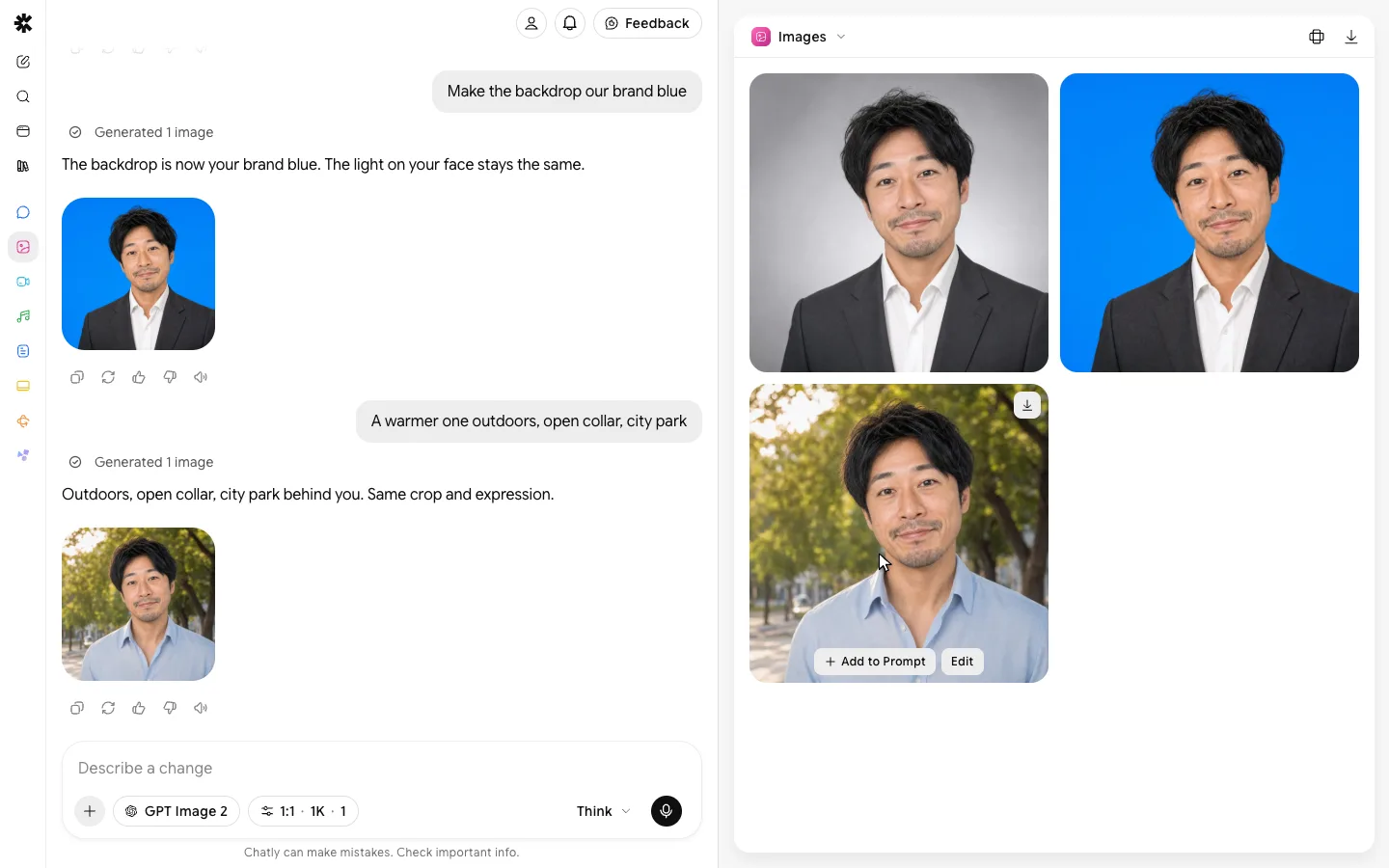
Describe what you need. Get designs to pick from, then change them by asking.
How it works
Describe the design
Say what it is for, the size or format, the colours and the mood. Upload a logo or a reference image if you have one.
Pick a direction
You get several options. Choose the closest and ask for changes, such as a bigger headline, calmer colours or more white space.

Export and use it
Download the image, or ask for other sizes, such as a square post, a story and a banner, from the same design.
Features
Many designtypes
Learn more about many design typesChange itby asking
Learn more about change it by askingStarts fromyour reference
Learn more about starts from your referenceSeveralsizes
Learn more about several sizesMore than oneimage model
Learn more about more than one image modelYou checkthe text
Learn more about you check the text
Who it’s for

Small business owners
Make a sale poster, a menu cover or a social post without hiring a designer for every small job.
Marketers and creators
Try ten visual directions for a campaign in the time it takes to brief one, then hand the best to your designer.
Event and club organisers
Turn a date, a place and a mood into an invitation or a poster you can share the same day.
Frequently asked questions
What is an AI design generator?
It makes designs from a written description. You say what you need, and it produces images such as posters, social posts and logos.
Is the AI design generator free?
You can start free in Chatly. Free plans have limits, so check the plan screen for what is included.
Can I use the designs commercially?
Check the terms of the plan and the image model you use. For a logo or a trademark, have a person review it before you rely on it.
Can it put exact text on a design?
Often, but not always. Image models can get letters wrong. Check every word, and add the final text in your own editor when it must be exact.
Can I upload my own logo or colours?
Yes. Upload a logo or a reference image and say the colours you want, and the design follows them as closely as the model allows.
How is this different from Canva?
Canva is a template editor. This generates new designs from your description. Many people use both: generate an idea, then finish it in the editor they know.

One prompt in.
Real work out.
Describe what you need. Get designs to pick from, then change them by asking.
Chatly on your Mac
Chatly for Mac
AI Images on your desktop, with the reference photos and brand files you already have to hand.
Download for macOS