
AI humanizer that keeps your meaning
Paste text that sounds stiff and get a natural version with the same meaning.
Examples
Three things people make with it.
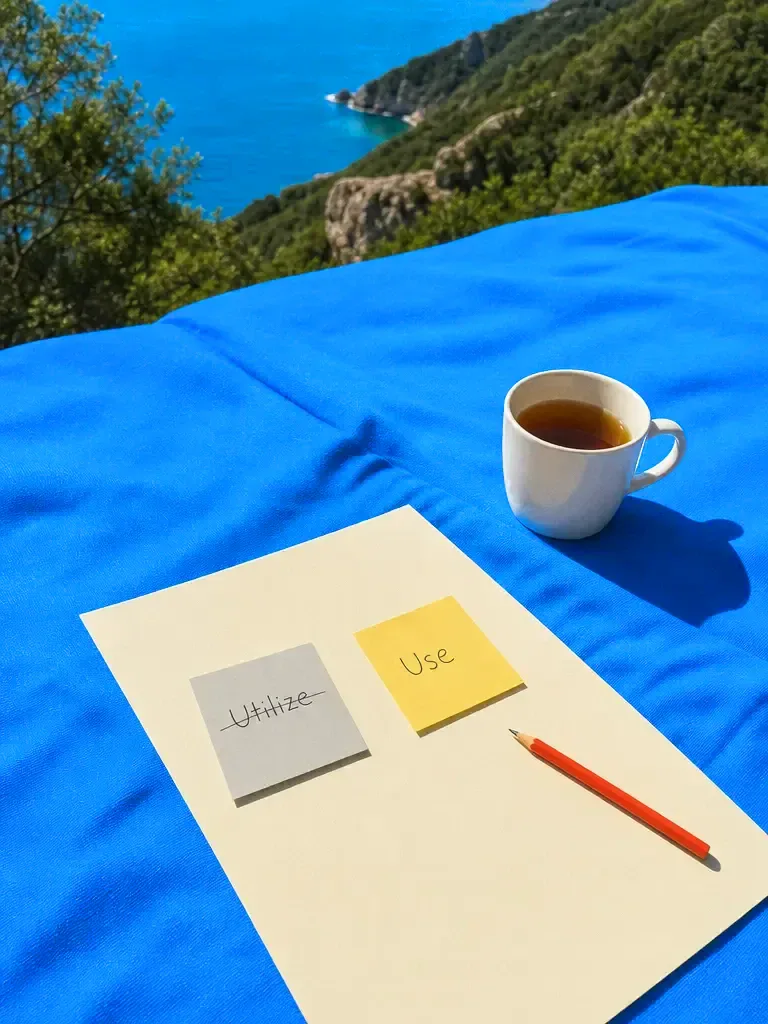
Plain words 
A friendly email 
Your own voice
How it works
Paste your text
Paste the draft that sounds stiff, repetitive or too formal. It can be one paragraph or several.
Say how it should sound
Ask for a tone, such as friendly, plain, confident or professional, and say who will read it.

Check and edit
Read the new version against the original, ask for changes, and keep the parts you like.
Features
Keeps yourmeaning
Learn more about keeps your meaningNaturalrhythm
Learn more about natural rhythmTone onrequest
Learn more about tone on requestPlainwords
Learn more about plain wordsYour ownvoice
Learn more about your own voiceManylanguages
Learn more about many languages
Who it’s for
Emails and messages
Turn a stiff draft into something you would be happy to send.
Blog posts and web copy
Remove repeated phrases and filler so the copy reads like a person talking.
Your own writing
Smooth a rough draft that went through several edits and now sounds uneven.
Before and after
Five stiff sentences and a more natural rewrite. A real rewrite depends on your text and the tone you ask for.
- The utilization of advanced methodologies facilitates enhanced productivity.
- Better methods help people get more done.
- It is important to note that the deadline has been extended.
- The deadline has been extended.
- We are writing to inform you that your order has been dispatched.
- Your order is on its way.
- In today's fast-paced world, communication is of paramount importance.
- Good communication matters more than ever.
- Please do not hesitate to contact us should you require further assistance.
- If you need anything else, just get in touch.
What makes writing sound automatic
Openers that say nothing, such as "in today's fast-paced world" or "it is important to note that", are the clearest sign. Cutting them rarely changes the meaning and almost always helps.
Even rhythm is the next one. When every sentence has the same length and shape, the text feels flat. Mixing a short sentence in among longer ones is the simplest fix.
Heavy abstract nouns come third, as in "the utilization of" for "using". Plain verbs are shorter and clearer, and readers trust them more.
Using it honestly
A humanizer is an editing aid. It makes text read better, but it does not make the ideas yours or the claims true. Check every fact in the final version.
If a school, a publisher or an employer limits the use of AI, follow that rule and say how you used the tool. A natural tone is a good reason to use it, and avoiding detection is not.
Where humanized text fits
Email is the clearest case. A draft written in a hurry, or by a model, often sounds like a notice. Asking for a warmer, shorter version makes it read as if it came from a person who knows the reader.
Web copy and blog posts come next. Repeated phrases, stacked adjectives and the same sentence length throughout make a page tiring. A rewrite that varies the rhythm and cuts filler keeps people reading.
Reports and documents benefit when the facts are right but the voice is flat. Ask for a plain, confident tone, keep the figures and the names, and then read the result once more yourself before it goes out. If a sentence still sounds off, paste just that sentence and ask for three alternatives, then pick the one that sounds like you.
Frequently asked questions
Does it pass AI detectors?
No tool can promise that. Detectors are inconsistent and can flag human writing too, and many schools and publishers have rules about undisclosed AI use. Use the humanizer to improve how text reads, follow your institution's rules, and be open about how you used AI.
Does it keep my meaning?
That is the aim. Ask it to keep every fact, number and name, then compare the result with your original. If something has changed, tell it which part and it will restore it.
Is it free?
You can start for free. Paid plans add credits and features. Standard is $20 a month, or less when you pay quarterly or yearly.
Which languages does it support?
It works with the languages the models understand, including English, Spanish, French, German, Portuguese and many others. Results are strongest in the most widely used languages.
Can I make it sound like me?
Yes. Paste a short sample of your own writing and ask the model to match its tone and sentence length. The closer your sample is to the piece, the closer the match.

One prompt in.
Real work out.
Paste text that sounds stiff and get a natural version with the same meaning.
Chatly on your Mac
Chatly for Mac
Docs on your desktop, with the contracts and CVs you already have to hand.
Download for macOS