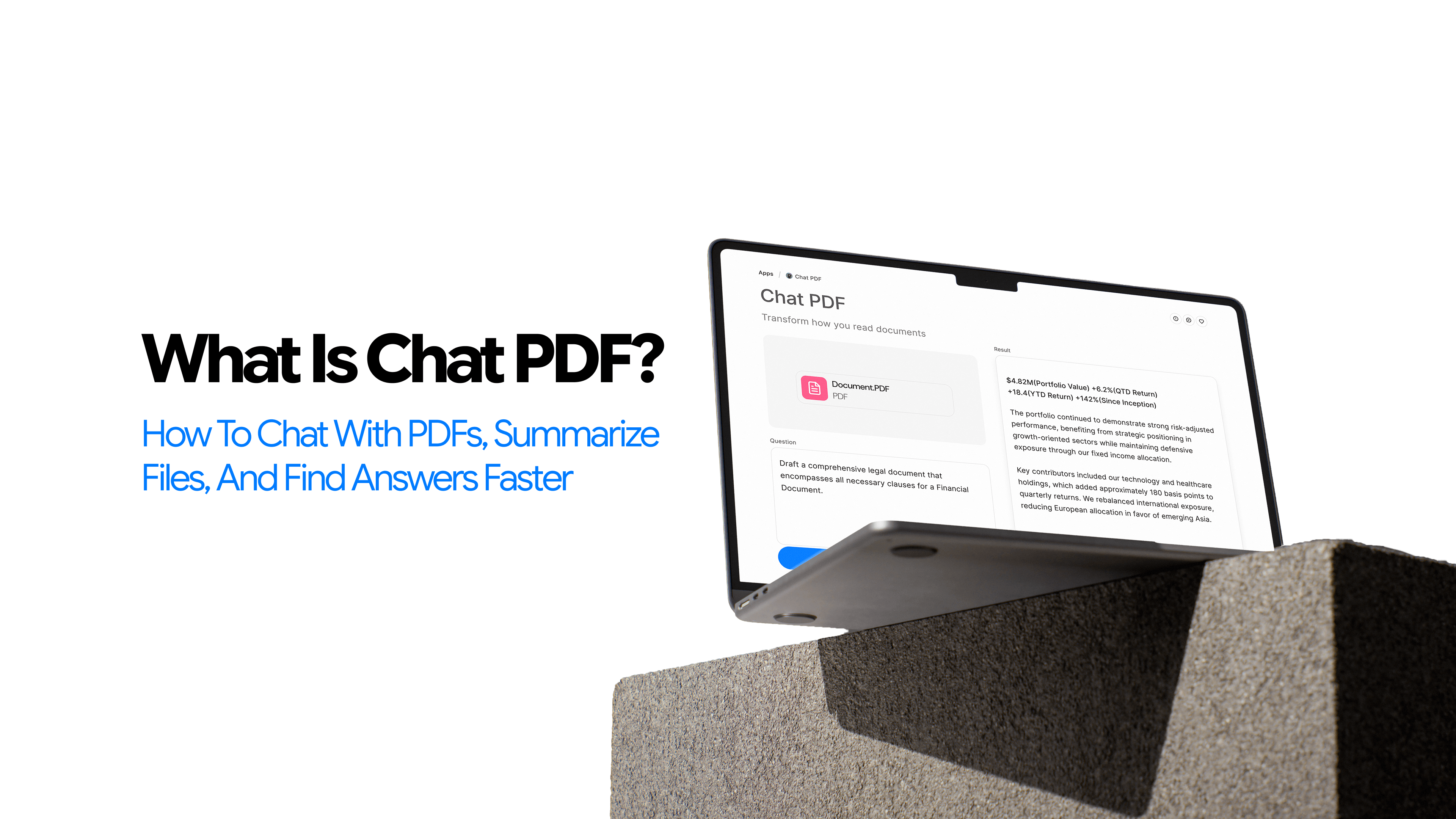
What Is Chat PDF? How to Chat With PDFs, Summarize Files, and Find Answers Faster
PDFs are everywhere.
They carry research papers, contracts, annual reports, policy documents, technical manuals, and study materials. And yet, for all their ubiquity, working through a long PDF is still a slow, frustrating process.
Ctrl+F finds you exact words but, often, not meaning. Scrolling works, until the document is 80 pages long. Skimming works, until you realize you missed something important on page 47.
Chat PDF changes that equation. It is a category of AI-powered tools that lets you interact with a PDF through natural-language questions, rather than reading it linearly from start to finish. Instead of scrolling, you ask. Instead of scanning, you query.
This guide covers what Chat PDF is, how it works, where it genuinely helps, where it still struggles, and how to use it without making mistakes that matter.
What You Will Learn in This Guide
-
What Chat PDF means and what the term actually refers to
-
How the underlying workflow functions
-
What you can realistically do with a Chat PDF tool
-
Who benefits most from this category
-
Where performance is strongest and where it breaks down
-
How it differs from traditional PDF reading and general-purpose AI chat tools
-
How to use it more effectively from the start
What Is Chat PDF?
Chat PDF refers to an AI-powered tool or workflow that lets users interact with PDF documents through natural-language questions, summaries, and answer retrieval.
Instead of reading a file passively, users can ask questions, request summaries, and retrieve specific information – all based on the document's actual content.
The term is used in two ways.
In some contexts it refers to a specific tool. More broadly, it describes a growing category of AI PDF readers built around document Q&A and summarization. That broader meaning is what this article covers.
What Chat PDF Is Designed to Do
The core function of this app is straightforward. To make long, dense PDFs faster and easier to work through. Specifically, that means helping users:
-
Understand what a document is about without reading it end to end
-
Pull key points from dense, technical, or repetitive files
-
Get direct answers to questions based on document content
-
Reduce the time spent on manual scanning and repeated searching
What People Usually Mean When They Search for Chat PDF Tools
Most people searching for Chat PDF are not looking for a specific product. They are looking for a complete solution to their challenge. They have a long document in front of them, they need information from it, and they want something faster than reading every page.
The intent behind most Chat PDF searches is practical. Users want to summarize a document, explain a section, find a clause, or understand what a specific part of the file is saying. The tool category exists to serve that intent.
Why PDFs Are Still So Hard to Work With
This category would not exist if PDFs were easy to work with. They are not. They come with structural limitations that make long documents harder to search, interpret, and work through efficiently.
PDFs Are Built for Fixed Layouts
The PDF format was designed for reliable visual rendering – what you see on screen matches what prints on paper. That is useful for distribution. It is less useful for retrieval. Important context can sit buried deep inside a document with no easy way to surface it without reading around it.
Keyword Search Is Limited
The built-in search function in PDF readers finds exact character matches. It does not understand the meaning.
Search for "termination" in a contract and you might get twenty results across seven different clauses. None of them tell you which one applies to your specific situation. You still have to read.
For dense documents with technical vocabulary, this limitation compounds quickly. The words you search for are often not the words the document uses to express the idea you are looking for.
Long, Technical, or Scanned Files Create More Friction
A ten-page document is easy enough to read manually. A 120-page technical manual, an academic paper with dense methodology sections, or a multi-part policy document is a different experience.
Add poor formatting, multi-column layouts, tables, or scanned pages with imperfect OCR, and the friction multiplies.
Research papers are a good example. The abstract tells you very little. The actual findings, limitations, and methodology are scattered across sections written in specialist language. Extracting what matters from a single paper can take more time than the insight is worth.
Traditional Reading Is Often Slow and Repetitive
The typical workflow looks like this. Users scroll, search, skim, re-read, lose context, go back, and repeat. See the issue?
How Does Chat PDF Work?
The workflow is simpler than it sounds. Here is how most Chat PDF tools work in practice.
Step 1: The PDF Is Processed
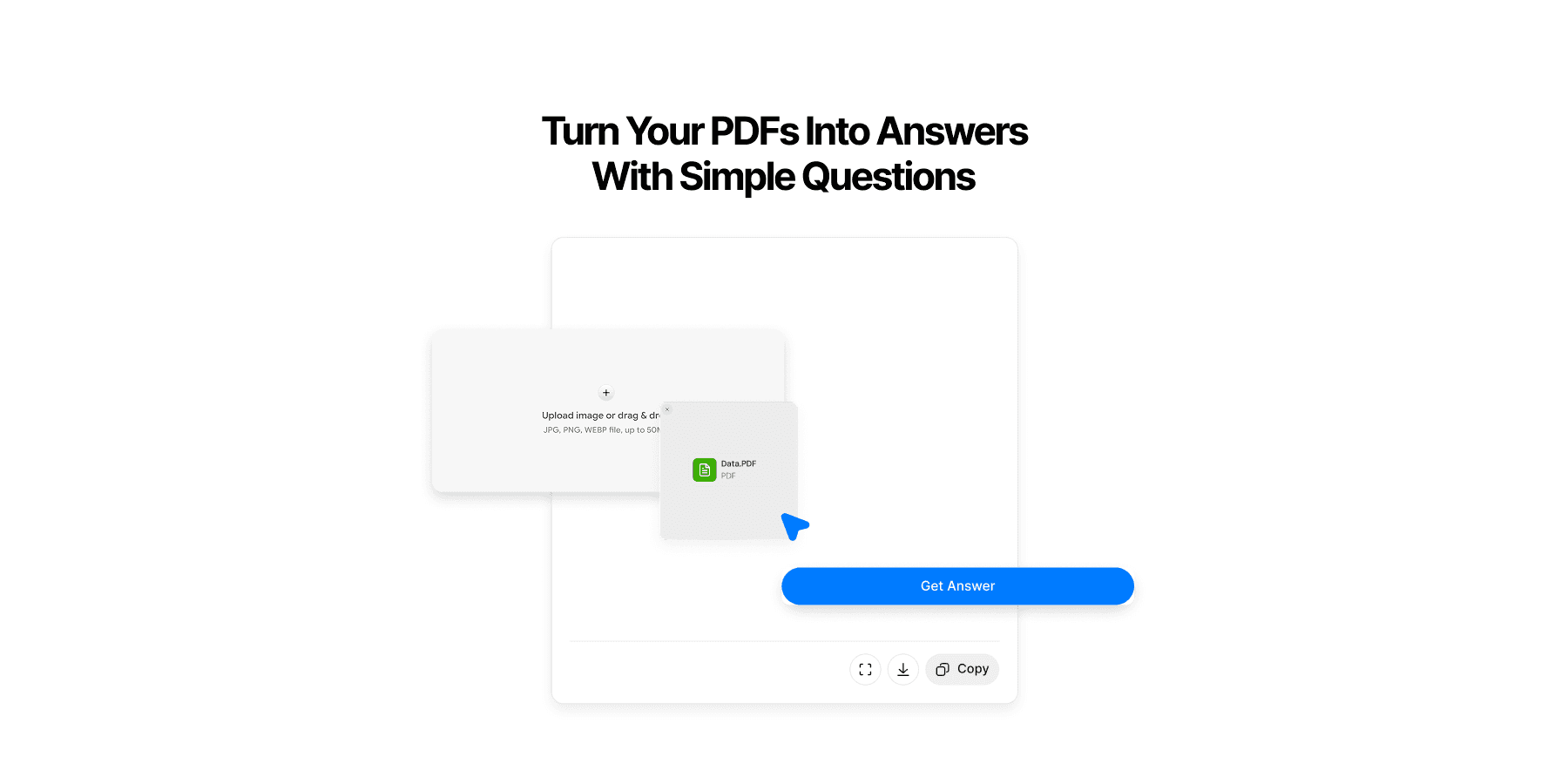
When a file is uploaded, the tool extracts readable text from the document. Where structure exists – headings, sections, numbered lists – the system uses it to organize the content. Where the file is a scanned image rather than a text-based PDF, optical character recognition is applied first.
Step 2: The Document Becomes Queryable
Once the content is extracted, it is prepared for natural-language interaction. The system can now receive questions and retrieve relevant parts of the document to answer them, rather than simply displaying the file.
Step 3: Users Ask Questions and Receive Answers
This is the core of the workflow where users chat with the PDF files. Users can ask for:
-
A plain-language summary of the whole document
-
A summary of a specific section
-
The answer to a specific question: What are the main findings? What does section 3 say about liability? What risks are mentioned?
-
Key details pulled from the file: dates, figures, definitions, recommendations, conclusions
The tool returns an answer drawn from the document's actual content.
Step 4: Follow-Up Questions Deepen the Interaction
A single query rarely exhausts what a document contains. Users can follow up, narrow their questions, ask for simpler language, or focus on a different section. This conversational refinement is what separates Chat PDF from a one-shot summarizer.
What Can You Do With Chat PDF?
Chat PDF is useful because the category maps to real document-heavy tasks. Its value becomes clearer when you look at the kinds of work people actually use it for.
Summarize Long PDFs Faster
The most direct use case is summarization. Ask for an executive summary of a 60-page report and get a readable overview in seconds. Ask for a section-by-section breakdown. Ask for bullet-point takeaways. For documents you need to understand quickly but not read in full, this saves real time.
Ask Specific Questions About the Document
This is where Chat PDF becomes genuinely useful for professional and research work. Once the file is uploaded, you can Ask AI questions like:
-
What does this contract say about termination?
-
What methodology did the authors use?
-
What risks does the report identify?
-
What are the key recommendations in section 5?
These questions would take minutes to answer manually. With a well-functioning AI PDF reader, they take seconds – with the caveat that important answers should still be verified.
Pull Key Details Without Reading Every Page
Dates, clauses, metrics, definitions, conclusions – information that is technically in the document but buried across pages. Document Q&A tools are designed to surface these details on demand. This is particularly useful for contracts, compliance documents, technical specs, and research papers where the relevant information is dense and unevenly distributed across the file.
Explore Dense Files Interactively
Reports, whitepapers, research papers, manuals, policies, study materials – documents that carry a lot of information but reward only selective reading for most use cases. Chat PDF lets users move through these files by interest and need rather than by page order.
Reduce Time Spent on First-Pass Reading
One underappreciated use: triage. When you have five documents to review and limited time, a quick summary of each tells you which ones need careful reading and which ones do not. That kind of intelligent prioritization is hard to do manually and easy to do with a document AI assistant.
Who Should Use Chat PDF?
Chat PDF is useful across several reader groups, especially those who work with long, information-dense documents. Here are some of the most common ways different reader groups use Chat PDF in practice.
Chat PDF for Students
Study guides, lecture notes, assigned readings, past papers – students regularly deal with dense material on tight timelines. Chat PDF supports faster comprehension, helps prepare for exams, and reduces the time spent on initial orientation before deeper study begins. It is not a replacement for reading. It is a better starting point.
Chat PDF for Researchers and Academics
Extracting findings from research papers, reviewing methods, identifying limitations, building literature review notes – these tasks are time-consuming even for experienced researchers. AI tools for literature reviews from PDF research papers can meaningfully reduce early-stage review time, though careful human reading remains essential for synthesis.
Chat PDF for Professionals
Chat PDF for Teams With Heavy Document Workflows
Onboarding documents, standard operating procedures, archived reports, internal knowledge bases – teams that deal with high volumes of documentation can use Chat PDF to make repeated access to that information faster and less dependent on memory or manual search.
What Makes Chat PDF Different From a Traditional PDF Reader?
Traditional PDF Readers Are Built for Viewing
Open a file. Scroll through it. Use keyword search. Highlight sections manually. Annotate in margins.
These are the tools traditional PDF readers provide, and they are built for viewing and marking up documents and mostly not for interrogating them or asking follow up questions. For short, simple documents, that is enough. For long, complex, or information-dense files, it often is not.
For more on this distinction, see Chat PDF vs Traditional PDF Readers: What Changes When You Can Ask Questions.
Chat PDF Adds a Question-and-Answer Layer
Where do Traditional PDF Readers Come In Handy?
Short documents, simple forms, basic reading tasks that do not require analysis, in these cases, a traditional PDF reader does the job without the added complexity. The AI layer is most valuable when the document is long, dense, or when finding specific information quickly matters.
Chat PDF vs ChatGPT for Document Analysis
General-purpose AI assistants can accept PDFs as input, but they are not the same as dedicated Chat PDF tools. The distinction matters. For a detailed breakdown, see Chat PDF vs ChatGPT for Document Analysis: Which One Works Better for PDFs?.
Chat PDF Is Built Around Document Interaction
Upload a file, ask questions tied directly to that file, stay focused on the document itself. The tool's entire purpose is to make a specific document more accessible. Responses are grounded in the uploaded content.
General AI Chat Tools Are Broader
Better for open-ended thinking, writing support, cross-topic synthesis, and tasks that go beyond any single document. When the task is document-specific retrieval, their generalist nature can sometimes work against precision.
When Chat PDF Is the Better Choice
When the document is the primary source. When users need focused, grounded answers pulled from a specific file. When the goal is faster retrieval and summarization without drifting into general AI output.
When a Broader AI Assistant Still Helps
Cross-document synthesis that requires independent judgment. General brainstorming. Writing and reframing work that goes beyond the file. These tasks benefit from a broader tool.
What Makes a Good Chat PDF Tool?
Not all PDF chat tools perform equally. The differences show up quickly in real use – here is what you should look for in a decently built and well-engineered Chat PDF app.
-
Grounded answers: Responses should stay tied to the document. A tool that drifts into general knowledge rather than document content is unreliable for retrieval tasks.
-
Strong summarization quality: Summaries should preserve the meaning and structure of the original. Flatly paraphrasing without retaining important distinctions defeats the purpose.
-
Handling of long and dense documents: Good performance on full-length reports, research papers, and technical manuals.
-
Support for follow-up questions: Users should be able to drill deeper, narrow their questions, and refine their understanding iteratively.
-
Low-friction usability: Easy file upload, clean interface, fast response time. A tool that creates its own friction is not solving the original problem.
What Chat PDF Gets Right
Chat PDF does a few things especially well.
It Reduces Document Overload
The biggest practical benefit: faster first-pass reading. Instead of spending twenty minutes with a dense report before you know whether it contains what you need, you spend two minutes asking questions and get oriented efficiently.
It Moves Users From Scanning to Understanding
Keyword search finds words. Chat PDF finds meaning, or gets closer to it. For questions like "what does this document say about risk mitigation?" or "what is the author's main argument?", a semantic approach consistently outperforms exact-match search.
For more on this gap, see Why PDFs Are Hard to Read, Search, and Understand.
It Is Especially Useful for Dense Informational Files
Research-heavy documents, technical specifications, business reports, compliance materials – these file types are where Chat PDF earns its value. The denser the document, the bigger the gap between manual reading time and AI-assisted retrieval time.
It Improves Speed for Routine Document Work
Summaries, plain-language explanations, quick fact extraction, initial document review – these routine tasks happen faster with a reliable AI PDF reader. For knowledge workers who process many documents regularly, the cumulative time saving is real.
Where Chat PDF Can Struggle
No honest account of this category leaves out the limitations. They are real, and understanding them makes the tool more useful. Let’s have a quick look at these.
Scanned PDFs and Poor OCR
If a file is an image scan rather than a text-based PDF, which is common with older documents, physical contracts, and certain regulatory filings, the quality of the output depends entirely on how well the text was extracted. Poor scans produce poor OCR, and poor OCR produces unreliable answers. This is a known problem, not an edge case.
See Can AI Really Understand a PDF? What It Gets Right and Wrong for a fuller treatment.
Complex Tables, Columns, and Formatting
Multi-column layouts, dense data tables, footnotes, and mixed visual structures create parsing challenges. Information embedded in a complex table may not be retrieved as reliably as information in standard paragraph text. This matters for financial reports, scientific papers, and regulatory documents where tabular data often carries critical detail.
Ambiguous or Weak Questions
The quality of the answer is partly a function of the quality of the question. Vague requests such as "summarize this" with no further context often produce shallow outputs. The more specific the question, the more useful the answer. The more precise the question, the better the answer tends to be.
High-Stakes Interpretation
Legal, medical, financial, compliance, and academic documents still require careful human review. Chat PDF is a reading and retrieval assistant. It is not a substitute for qualified judgment. For any document where misinterpretation carries real consequences, the tool should inform review.
Overconfidence Risk
AI-generated answers can sound more certain than the underlying content warrants. A response that confidently paraphrases a clause or summarizes a finding still needs verification against the source. Fast does not mean final.
How Much Can You Trust Chat PDF?
Can you trust output generated by a Chat PDF app or tool? The answer is, it depends. Read on to understand more about it.
Trust It as a Reading and Retrieval Assistant
Do Not Treat It as Final Authority
For any information that matters – a specific clause, a precise figure, a technical specification, a research finding – verify the answer against the actual document. The tool surfaces information. The reader confirms it.
Best Practice for Reliable Use
-
Ask narrow, specific questions
-
Check the exact source wording for anything critical
-
Verify numbers, legal language, and technical claims directly
-
Use Chat PDF to support judgment, not replace it
How to Use Chat PDF More Effectively
The tool rewards a structured approach. For a full breakdown, see How to Summarize a PDF With AI Without Missing Key Details.
- Start broad, then go specific. Ask for the main idea first. Get oriented before drilling into sections. A quick overview tells you where the valuable content is and helps you ask better follow-up questions.
- Ask by section, topic, or concept. "Summarize section 4" is better than "summarize the document." "What does this report say about customer acquisition costs?" is better than "what is this about?" Precision improves output.
- Use follow-ups to refine. If an answer is too high-level, ask for more detail. If a summary missed something important, ask about it directly. The conversational structure exists to support this kind of iterative exploration.
- Use it to identify where to read manually. One of the most practical uses: let the tool surface the sections most relevant to your question, then read those sections yourself. This combines AI speed with human judgment.
- Verify anything sensitive. If the answer involves a legal obligation, a financial figure, a technical specification, or a research claim that informs a decision, go back to the source text and confirm it.
Where to Use Chat PDF In Real Life
Chat PDF has some very useful real-world use cases that speak volumes about its handiness across several user groups.
Chat PDF for Research Papers
Extract findings without reading the full methodology. Surface limitations. Review the abstract, conclusion, and key sections quickly. Identify whether a paper is relevant before investing time in a deep read. For structured academic research support, see How to Use AI for Literature Reviews From PDF Research Papers.
Chat PDF for Business Reports
Pull KPIs, performance summaries, and key risks from quarterly or annual reports. Identify recommendations without reading every supporting section. Prepare for a meeting by getting up to speed on a document you have not had time to read fully.
Chat PDF for Contracts and Policy Documents
Find clauses, surface obligations, identify timelines and conditions. This is useful for initial review and orientation. It is not a substitute for legal counsel on anything binding.
Chat PDF for Manuals and Technical Documents
Chat PDF for Study Materials
Simplify difficult readings. Generate revision summaries. Focus on key concepts before an exam. Chat PDF does not replace active study, but it reduces the friction of engaging with dense reading material for the first time.
Can Chat PDF Help With Literature Reviews?
It can assist with early-stage literature review work, and that assistance is meaningful.
Specifically, it helps with summarizing individual papers, extracting themes, surfacing methods and findings, and speeding up the first-pass review of a large set of documents. When the goal is to triage a stack of papers and identify which ones merit careful reading, a document AI assistant significantly reduces the time that process takes.
Where caution is needed: Chat PDF should not be used to generate citations; it cannot verify, invent conclusions, or substitute for the synthesis work that makes a literature review analytically useful. The reading and reasoning still require a human. For a fuller discussion, see How to Use AI for Literature Reviews From PDF Research Papers.
The best role in a literature review workflow is triage, extraction, and comparison support.
Is Chat PDF Worth Using?
For anyone who regularly works with long, dense, or information-heavy PDFs: yes.
The value is clearest when document overload is the actual problem, when reading everything carefully is not realistic, when finding specific information manually takes more time than it should, or when the goal is to get oriented quickly before going deeper.
It is not a substitute for expert review. Legal documents, financial instruments, medical records, compliance materials, and high-stakes academic research all require careful human judgment. Chat PDF can support that judgment. It cannot replace it.
Exploring Chat PDF by Chatly
For readers who want to put this workflow into practice, Chat PDF by Chatly offers a straightforward way to upload a document, ask targeted questions, and work through long files more efficiently.
It is designed around the core Chat PDF use cases this article describes: document Q&A, summarization, section-based exploration, and follow-up questioning. Whether the document is a research paper, a business report, a technical manual, or a contract, the workflow is the same – upload, ask, refine.
Chat PDF by Chatly is particularly useful when the goal is to get oriented quickly, pull specific information, or reduce the time spent manually searching through a long file before you know where to focus. For researchers managing multiple papers, professionals reviewing dense reports, or students preparing for assignments, the tool fits naturally into a document-heavy workflow.
As with any document AI tool: outputs should be verified when precision matters. The tool makes documents faster to work with. The judgment about what to do with the information remains yours.
Final Take
The category is strongest as a reading and retrieval assistant – a way to reduce document friction, speed up first-pass understanding, and surface information that would otherwise require significant manual effort to find. It is not an oracle, and it is not a replacement for expert review when the stakes are high.
Used with appropriate judgment, it is a genuinely useful tool for anyone who deals with long documents regularly. The question is not whether AI PDF tools are worth using. The question is whether you are using them in a way that makes the output trustworthy._
Frequently Asked Question
Here is everything you might still need to know about ChatPDF and it's abilities.
More topics you may like
10 Different Ways You Can Use Chatly AI Chat and Search Every Day

Faisal Saeed
21 Journaling Techniques That Actually Work in 2025

Muhammad Bin Habib
11 Best ChatGPT Alternatives in 2026 (Tested, Compared & Priced)
Muhammad Bin Habib

28 Best AI Tools for Students in 2025 – The Complete AI-Powered Academic Success Guide
Muhammad Bin Habib
50+ Ready-to-Copy, Battle-Tested System Prompts That Actually Work in 2025
Muhammad Bin Habib